en
IMPORTANT

The Owner's Manual for this vehicle contains warnings, instructions and other information you must read and fully understand before safely riding or performing maintenance on this vehicle. Always follow the warnings and instructions in Owner's Manual.

Click the link above for the Table Of Contents, or download a full PDF of the Owner Manual in the Owner Support area of Polaris.com.

650 / 850 Matryx Titan Adventure Owner’s Manual

P/N 9942070

i 2026 650 / 850 Matryx Titan Adventure Owner’s Manual


2026 Owner’s Manual

Matryx Platform

650 Titan SP 155
650 Titan Adventure
850 Titan Adventure Ultimate 1.5 / 1.8
850 Titan Nordic Pro

Trademarks

Unless noted, trademarks are the property of Polaris Industries Inc.

BatteryMINDer® is a registered trademark of VDC Electronics Inc. NGK® is a registered trademark of NGK Spark Plug Co., Ltd. SAE® is a registered trademark of Society of Automotive Engineers, Inc. Hayes® is a registered trademark of Hayes Bicycle Group, Inc. TEAM® is a registered trademark of TEAM Industries, Inc. KLIM® is a registered trademark of Teton Outfitters, LLC. ORTOVOX® is registered to Ortovox Sportartikel GmbH. Apple® and App Store® are registered trademarks of Apple Inc. Google Play® is a registered trademark of Google LLC. Bluetooth® is a registered trademark of Bluetooth Sig, Inc. iPhone® is a registered trademark of Apple Inc. Sandisk® is a registered trademark of SANDISK LLC. Android® is a registered trademark of Google LLC. iOS® is a registered trademark of Cisco Technology, Inc. exFAT® is a registered trademark of Microsoft Corporation. Torx® is a registered trademark of ACUMENT INTELLECTUAL PROPERTIES, LLC.

Copyright Information

©2025 Polaris Industries Inc. All information contained within this publication is based on the latest product information at the time of publication. Due to constant improvements in the design and quality of production components, some minor discrepancies may result between the actual vehicle and the information presented in this publication. Depictions and/or procedures in this publication are intended for reference use only. No liability can be accepted for omissions or inaccuracies. Any reprinting or reuse of the depictions and/or procedures contained within, whether whole or in part, is expressly prohibited.

The original instructions for this vehicle are in English. Other languages are provided as translations of the original instructions.

Printing

Printed in U.S.A.

ii Welcome

Thank you for purchasing a POLARIS vehicle, and welcome to our world-wide family of POLARIS enthusiasts. Be sure to visit us online at www.polaris.com for the latest news, new product introductions, upcoming events, career opportunities and more.

Here at POLARIS we proudly produce an exciting line of utility and recreational products. We believe POLARIS sets a standard of excellence for all utility and recreational vehicles manufactured in the world today. Many years of experience have gone into the engineering, design, and development of your POLARIS vehicle, making it the finest machine we’ve ever produced.

For safe and enjoyable operation of your vehicle, be sure to follow the instructions and recommendations in this owner’s manual. Your manual contains instructions for minor maintenance, but information about major repairs is outlined in the POLARIS Service Manual and can be performed by a POLARIS Dealer.

Your POLARIS dealer knows your vehicle best and is interested in your total satisfaction. Your POLARIS dealership can perform all of your service needs during and after the warranty period.

For the most up-to-date owner’s manual visit
https://www.polaris.com/en-us/owners-manuals.

iii Safety Symbols and Signal Words

The following signal words and symbols appear throughout this manual and on your vehicle. Your safety is involved when these words and symbols are used. Become familiar with their meanings before reading the manual.

DANGER

DANGER indicates a hazardous situation which, if not avoided, WILL result in death or serious injury.

WARNING

WARNING indicates a hazardous situation which, if not avoided, COULD result in death or serious injury.

CAUTION

CAUTION indicates a hazardous situation which, if not avoided, COULD result in minor to moderate injury.

NOTICE

NOTICE provides key information by clarifying instructions.

IMPORTANT

IMPORTANT provides key reminders during disassembly, assembly, and inspection of components.

The Prohibition Safety Sign indicates an action NOT to take in order to avoid a hazard.

The Mandatory Action Sign indicates an action that NEEDS to be taken to avoid a hazard.

Table Of Contents

Chapter 1: Introduction

1.1.1: Important Notes for Owners and Drivers

After reading this manual, store it in the snowmobile for convenient reference. It should remain with the snowmobile when the snowmobile is sold.

Some of the illustrations and photos used in this manual are general representations. Your model may differ.

Follow the maintenance program outlined in this manual. Preventive maintenance ensures that critical components of the snowmobile are inspected at specific mileage intervals. This service can be performed by your authorized POLARIS dealer.

You and your authorized POLARIS dealer must complete the registration form included with your snowmobile and forward it to us. This completed form is necessary to ensure warranty coverage.

Protect and preserve your right to ride by joining your local trail riding clubs.

When teaching inexperienced operators to ride, set up a predetermined course for practice. Make sure they know how to drive and control the snowmobile before allowing them to make longer trips. Teach them proper snowmobile courtesy, and enroll them in driver’s training and safety courses sponsored by local or state organizations.

1.1.2: Preservation of the Environment

POLARIS is committed to supporting an environmental education campaign. We encourage state and provincial governments across the snowbelt to adopt rigorous safety training programs that encourage protection of our environment, including wildlife and vegetation.

Snowmobile clubs and other organizations are working together to protect our environment. Please support their efforts and operate your snowmobile with consideration for the protection and preservation of our environment.

1.1.2.1: Noise Level

One of the most publicized issues about snowmobiles is noise. The Society of Automotive Engineers (SAE®), the standard-setting body for snowmobile development, recommends that snowmobiles conform to prescribed sound levels.

POLARIS snowmobiles are engineered to conform to these SAE® standards. Our muffler systems are designed to reduce noise levels and must not be altered or removed. The sound of your snowmobile may not be welcome to non-snowmobilers, so you have a responsibility to operate your snowmobile with concern for others. We do our part by manufacturing quieter machines; we ask your help to further reduce the impact of noise by operating your snowmobile safely and responsibly.

1.1.2.2: Air Pollution

POLARIS engineers continuously investigate ways to reduce emission levels of two-stroke engines. We expect our efforts to lead to the reduction of potential air pollution.

In addition to our technological research, we encourage government agencies, manufacturers, distributors, dealers, ecologists, and other interested parties to work together to develop data on environmental topics.

1.1.3: Vehicle Identification Numbers

Record your snowmobile’s identification numbers and key number in the spaces provided.

NOTICE
If installing an aftermarket tunnel wrap, do not cover the tunnel certification, tunnel VIN or emissions certification labels with the wrap. If the tunnel wrap doesn’t provide an opening for these labels, remove the section of wrap where the labels are located.

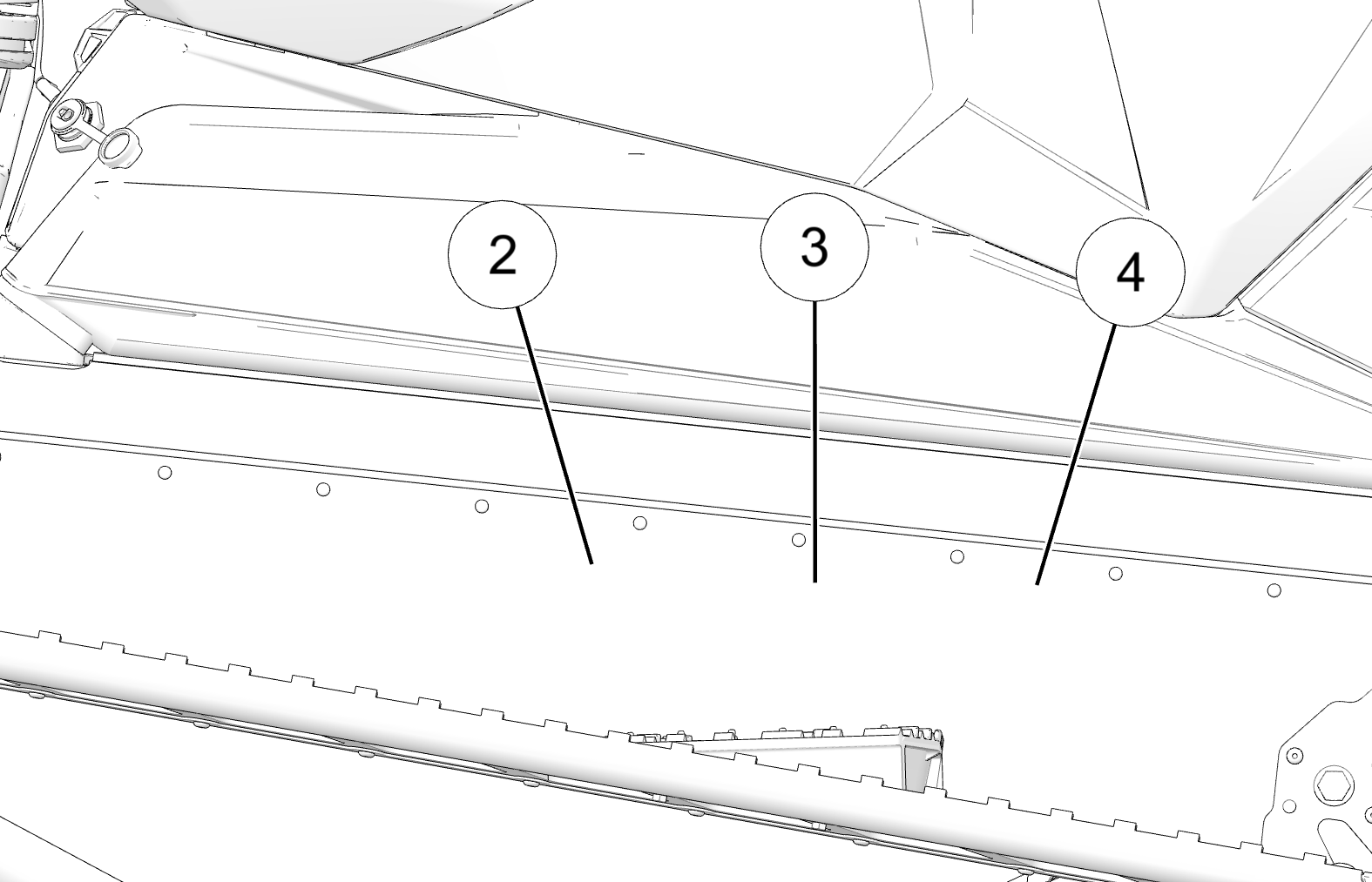
The VIN 3 can be found stamped into the side of the tunnel and printed on the tunnel VIN label.

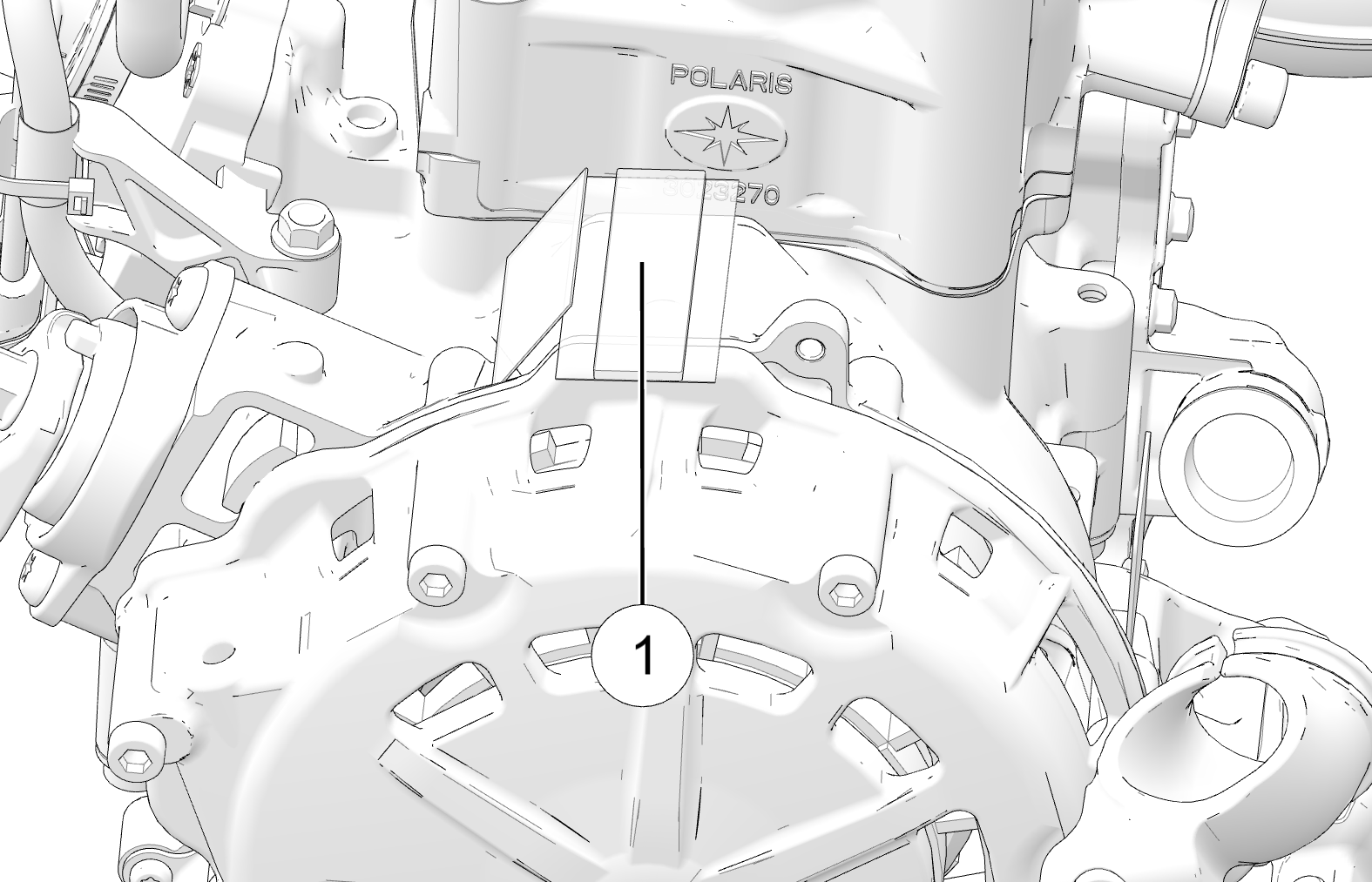
The engine serial number 1 can be found on the identification label on the engine recoil cover.

  • 2 Certification Label

  • 3 Tunnel VIN

  • 4 Emission Certification Label

Vehicle Model Number:  
Tunnel VIN (right side of tunnel):  
Engine Serial Number (on recoil housing):  
Key Number:  

1.1.3.1: Key Identification

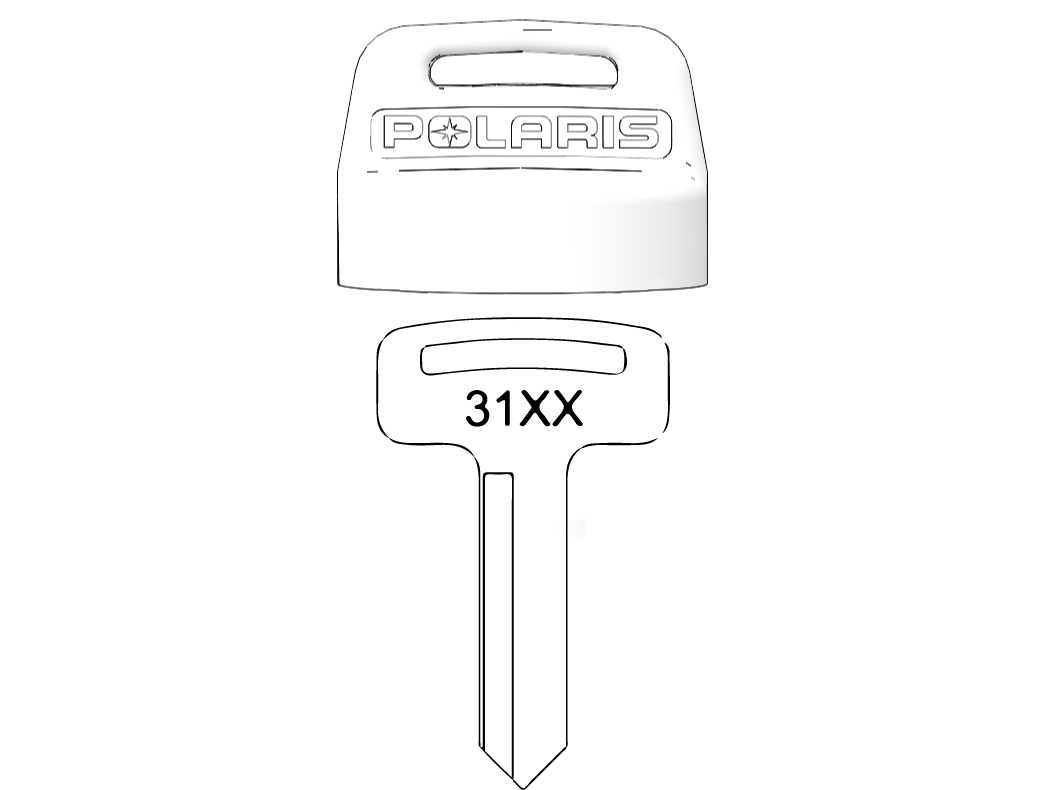
The ignition keys are etched with an identification number. Remove the spare key and store it in a safe place. Your key can be duplicated only by mating a POLARIS key blank using the same identification number with one of your existing keys, so if both keys are lost, the ignition switch assembly must be replaced.

1.1.4: Radio Compliance Statements

USA Radio Compliance

This vehicle contains the following radio equipment or components that contain radio equipment:

COMPONENT

COMPONENT ID

MANUFACTURER

Ride Command RC-7W Display

RC-7W

Polaris Industries Inc.

This device complies with part 15 of the FCC Rules. Operation is subject to the following two conditions: (1) This device may not cause harmful interference, and (2) this device must accept any interference received, including interference that may cause undesired operation.

CAUTION

This equipment complies with part 15 of the Federal Communications Commission (FCC) rules. These requirements are intended to provide reasonable protection against harmful interference in a residential installation. This equipment generates, uses and can radiate radio frequency energy and, if not installed and used in accordance with the instructions, may cause harmful interference to radio communications. However, there is no guarantee that interference will not occur in a particular installation. If this equipment does cause harmful interference to radio or television reception, which can be determined by turning the equipment off and on, the user is encouraged to try to correct the interference by one or more of the following measures:

  • Reorient or relocate the receiving antenna.

  • Increase the separation between the equipment and receiver.

  • Connect the equipment into an outlet on a circuit different from that to which the receiver is connected.

  • Consult the dealer or an experienced radio/TV technician for help.

Changes or modifications not expressly approved by the party responsible for compliance could void the user’s authority to operate the equipment.

Canada Radio Compliance

This vehicle contains the following radio equipment or components that contain radio equipment:

COMPONENT

COMPONENT ID

MANUFACTURER

Ride Command RC-7W Display

RC-7W

Polaris Industries Inc.

This device contains license-exempt transmitter(s)/receiver(s) that comply with Innovation, Science and Economic Development Canada’s license-exempt RSS(s). Operation is subject to the following two conditions:

  1. This device may not cause interference.

  2. This device must accept any interference, including interference that may cause undesired operation of the device.

IMPORTANT
For applications that use vehicle-to-vehicle (V2V) communication, radio transmitter IC 5966A-RC7W has been approved by Innovation, Science and Economic Development Canada (ISED) to operate with Polaris antenna (part number 4019211) with gain of 3 dBi. Any antenna that has a gain greater than 3 dBi is prohibited for use with this device.

European Union (EU) Radio Compliance

This vehicle contains radio equipment or components that contain radio equipment.

Component

Ride Command RC-7W Display

Component ID

RC-7W

Manufacturer

Polaris Industries Inc.

Transmitting Frequency

2402-2480 MHz

Max RF Transmitting PWR

0.2432 W

NOTE
Other transmitting radio frequencies may exist outside of EU markets.

Hereby, Polaris Industries Inc. declares that the radio equipment is in compliance with Directive 2014/53/EU.

The full text of the EU declaration of conformity is available at the following internet address:

https://www.polaris.com/en-us/radio-conformity/

1.1.5: Reporting Safety Defects (Canada)

To report a safety defect to Transport Canada, you may either fill out an online defect complaint form at their website (English: http://www.tc.gc.ca/recalls , French: http://www.tc.gc.ca/rappels ) or contact their Defect Investigations and Recalls Division by calling toll-free 1-800-333-0510 (Canada) or 819-994-3328 (Ottawa-Gatineau area / International).

Chapter 2: Safety

2.2.1: Operator Safety

Follow the recommended maintenance program beginning on POLARIS Recommended Maintenance Program of this manual to ensure that all critical components on the snowmobile are thoroughly inspected at specific mileage intervals. Your dealer can perform this service.

WARNING
Driving a snowmobile requires your full attention. DO NOT drink alcohol or use drugs or medications before or while driving or riding as a passenger. They will reduce your alertness and slow your reaction time.

Snowmobiles are capable of traveling at high speeds. Use extra caution to ensure operator safety. Make sure your snowmobile is in excellent operating condition at all times. Always check major and vital safety components before every ride.

All POLARIS snowmobiles are designed and tested to provide safe operation when used as directed. Failure of critical machine components may result from operation with any modifications, especially those that increase speed or power. DO NOT MODIFY YOUR MACHINE. The snowmobile may become aerodynamically unstable at speeds higher than those for which it is designed. Loss of control may occur at higher speeds. Modifications may also create a safety hazard and lead to bodily injury.

The warranty on your entire machine is terminated if any equipment has been added, or any modifications have been made, to increase the speed or power of the snowmobile.

2.2.1.1: Stay Clear of Track

Your snowmobile is propelled by a revolving track that must be partially exposed for proper operation. Do not stand on the plastic flap.

WARNING
Serious injuries may result if hands, feet, or clothing become entangled in the track. Be alert when riding, and remain properly seated to stay clear of the track. Never hold the snowmobile up or stand behind it while warming up the track. A loose track or flying debris could cause serious injury or death. We recommend having your authorized POLARIS dealer perform all track service and alignment procedures.

2.2.1.2: Stay Clear of Engine

Never attempt adjustments with the engine running. Turn off the ignition, open the side panels or hood, make the adjustment, secure shields and guards, secure the side panels and hood, and then restart the engine to check its operation.

WARNING
Serious injury can occur if fingers or clothing contact the moving parts of an engine. Always stop the engine before attempting adjustments.

2.2.1.3: Riding Position

Operating a snowmobile requires skill and balance for proper control. Rider positions may vary with experience and the features available on some snowmobiles, but under many conditions, the proper position is to be seated with both feet on the running boards and both hands on the handlebar grips for proper throttle, brake and steering control.

WARNING
Improper riding position may reduce control and could result in serious injury or death. Always ride in a position that allows for control of your vehicle.

2.2.1.4: Rider Capacity

Some POLARIS snowmobiles are designed for a single rider only, while some are designed for up to two riders. A safety label on the vehicle indicates whether the vehicle is designed for a single rider or for two riders.

2.2.1.5: Riding Apparel

2.2.1.5.1: Helmet

Wearing a helmet can prevent a severe head injury. Whenever riding this POLARIS vehicle, always wear a helmet that meets or exceeds established safety standards. Clasp the buckle and pull each strap tight to ensure the helmet is properly secured to the head.

Parents should verify that young operators have a helmet that fits, and should obtain one of proper size if it does not fit before allowing operation.

  • Approved helmets in the USA and Canada bear a U.S. Department of Transportation (DOT) label.

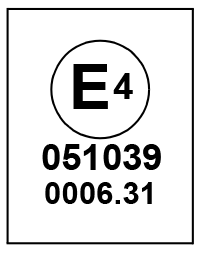
  • Approved helmets in Europe, Asia and Oceania bear the ECE 22.05 (or newer) label. The ECE mark consists of a circle surrounding the letter E, followed by the distinguishing number of the country which has granted approval. The approval number and serial number will also be displayed on the label.

2.2.1.5.2: Eye Protection

Do not depend on eyeglasses or sunglasses for eye protection. Whenever riding a POLARIS vehicle, always wear shatterproof goggles or use a shatterproof helmet face shield. POLARIS recommends wearing approved Personal Protective Equipment (PPE) bearing markings such as VESC 8, V-8, Z87.1, or CE. Make sure protective eye wear is kept clean.

2.2.1.5.3: Clothing
WARNING
Avoid wearing loose clothing or long scarves, which can become entangled in moving parts and cause serious injury. Always wear an approved helmet and eye protection.

Be prepared, be warm and be comfortable when riding. Be aware of the weather forecast, especially the windchill, and dress accordingly. See Windchill/Temperature Charts.

2.2.1.6: Survival Preparation

For your safety, always ride in a group of other snowmobilers. Always tell someone where you’re going and how long you expect to be gone. If it isn’t possible to ride with others, and you must travel into remote areas, always carry survival equipment that’s appropriate to the conditions you may encounter. Such equipment may include, but is not limited to: extra clothing, a sleeping bag, a flashlight, food and water, a signaling mirror, a means of building a fire, and a two-way radio or cellular telephone.

Always carry the owner’s manual on your snowmobile. For added protection, purchase and carry the following items on your snowmobile as well:

  • Spare Drive Belt

  • Extra Set of Spark Plugs

  • Tow Rope

  • Fuel Deicer

  • Winter Survival Kit

  • Trail Map

  • First Aid Kit

  • Tool Kit

2.2.1.7: Excessive Speed

WARNING
High speed driving, especially at night, could result in serious injury or death. Always reduce speed when driving at night or in inclement weather.

Always observe all state and local laws governing snowmobile operation and speed limits. Always be alert and pay attention to the trail ahead. If your speed is 40 MPH (64 km/h), your snowmobile is traveling about 60 feet (18 m) per second. If you look back for only two seconds, your snowmobile will travel about 120 feet (36 m). If your speed is 60 MPH (96 km/h), your snowmobile will travel about 180 feet (55 m) in two seconds.

Traveling at night requires extra caution. Check headlight and taillight to ensure proper operation, and don’t over-drive your headlight beam. Always be able to bring your snowmobile to a stop in the distance illuminated by the headlight.

2.2.1.8: Driver Awareness

Slow down when traveling near poles, posts, or other obstacles. Be especially alert if you’re snowmobiling after dark. Always be on the alert for wire fences. Single strands are especially dangerous, since there may be a great distance between posts. Guy wires on utility poles are also difficult to distinguish.

Make sure the way is clear before crossing railroads and other roads and highways. The noise of your snowmobile will drown out the sound of approaching vehicles and bare roads limit the effectiveness of the steering system. Look ahead, behind, and to both sides before turning or crossing railroad tracks or highways. Steep embankments may also hide your view. Always leave yourself a way out.

Variances in snow depth and/or water currents may result in uneven ice thickness. You may drown if you break through the ice. Never travel on frozen bodies of water unless you have first verified that the ice is sufficiently thick to support the weight and moving force of the snowmobile, you and your cargo, together with any other vehicles in your party. Always check with local authorities and residents to confirm ice conditions and thickness over your entire route. Snowmobile operators assume all risk associated with ice conditions on frozen bodies of water.

When teaching inexperienced operators to ride, set up a predetermined course for practice. Make sure they know how to drive and control the snowmobile before allowing them to make longer trips. Teach them proper snowmobile courtesy, and enroll them in driver’s training and safety courses.

2.2.1.9: Disabled Operators

Safe operation of this rider-active vehicle requires good judgement and physical skills. Operators with cognitive or physical disabilities have an increased risk of loss of control, which could result in serious injury or death.

2.2.1.10: Mountainous Terrain Riding

Mountainous terrain operation, even for experienced riders, can present conditions and situations that could result in serious injury or death. Please review all of the information about riding in mountainous terrain on the following pages of this manual.

WARNING
An avalanche can occur at any time, in any conditions and on any slope.

The avalanche information provided in this manual should be considered basic information and is not intended to replace your participation in an avalanche safety training course. After reviewing the avalanche information in this manual, be sure to participate in an avalanche safety training course before riding in mountainous terrain. The training course will provide more information as well as the opportunity to practice riding and using proper search and recovery techniques.

For more information, education, training courses, and links to additional resources, visit:

  • www.avalanche.org for North American riders.

  • www.avalanche.ca for Canadian riders.

  • www.lavinprognoser.se for Swedish riders.

  • www.avalanches.org for European riders.

2.2.1.10.1: Get the Safety Gear

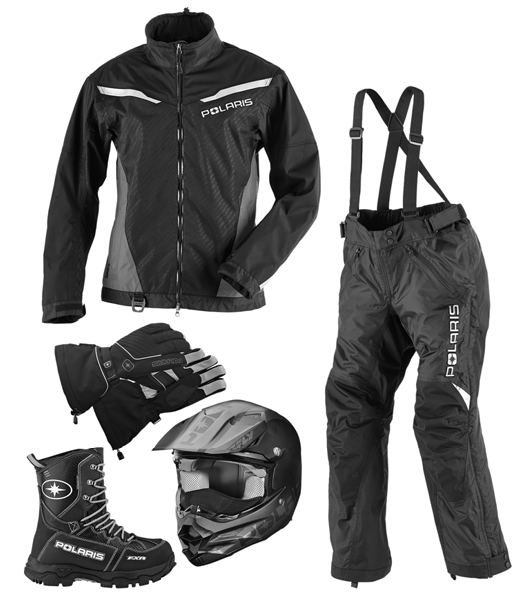
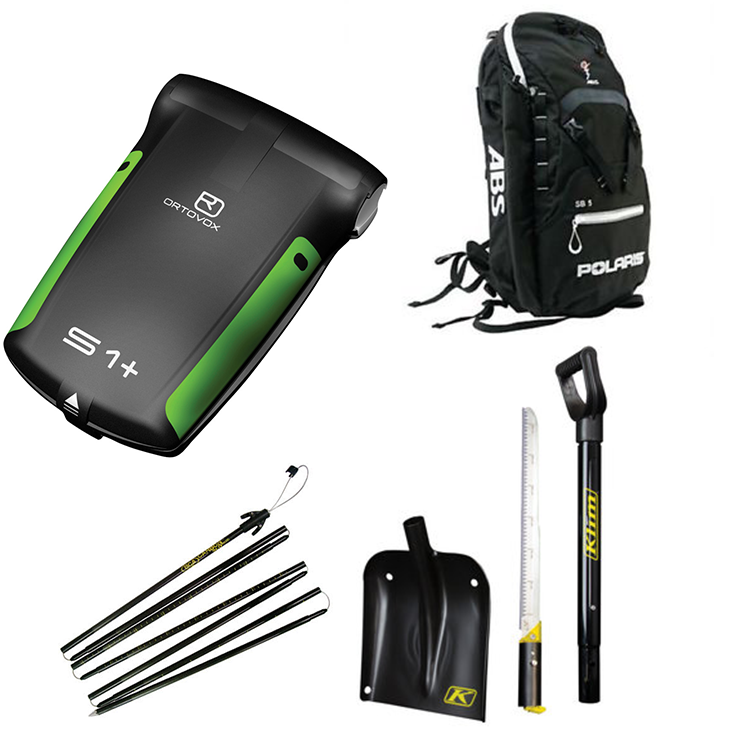
In addition to carrying a spare belt, spark plugs and tools on each snowmobile, each person in your riding group should wear the recommended snowmobile riding apparel and carry (on their person) the following survival items when riding in mountainous terrain:

  • A digital avalanche beacon with new “fresh” alkaline batteries

  • An avalanche probe

  • A compact shovel and hand saw

  • A backpack (preferably an avalanche air bag backpack)

  • Emergency provisions, including the following items:

    • Small first aid kit

    • Extra pair of gloves

    • Extra dry socks

    • Tow rope, map, compass/GPS

    • Lighter or waterproof matches

    • Signal mirror and whistle

    • Bottled water

    • High calorie snack food

    • Compact emergency blanket

2.2.1.10.2: Get to Know Your Safety Gear

Following the safety gear and apparel recommendations will increase your chances of survival if you encounter an avalanche or become stranded in the backcountry, but even experienced and properly-equipped snowmobilers, hikers and skiers perish in avalanches or succumb to hypothermia. Using a beacon or probe for the first time during an avalanche recovery operation, or not knowing how to deploy your avalanche air bag backpack during a slide, should be considered UNACCEPTABLE to you and all members of your riding group. It’s critical that you and all members of your riding group know how to use the safety gear.

While you may know how to use your gear, you may have to rely on your riding group to find you in an avalanche. Make sure they know how to use their gear.

  • Dress in layers. Multiple layers of clothing provide the best barrier to cold and wind. Layers can be removed, but if you start out without enough layers, they cannot be added later. Avoid cotton materials, which will freeze if they get wet.

  • Wear highly visible gear.

  • Try on all gear and equipment to make sure it fits and doesn’t interfere with your riding capabilities. Place all survival aids in your backpack and wear the backpack at all times. Non-essential items can be stored on the snowmobile in an accessory bag.

  • Read and follow the manufacturer’s user and maintenance instructions for all gear. If you have questions about how your gear works, contact the manufacturer for more information.

  • Practice using your beacons, shovels and probes with your riding group in real-world conditions wearing all of your gear. Have someone hide an active “transmitting” beacon by throwing it (not walking it) into a snowbank and timing your group’s search for it.

  • Test deploying your gear. If you own an avalanche air bag backpack, check with the manufacturer’s test deployment guidelines and bottle weight replacement specifications. Most air bag backpack manufacturers recommend testing the pack once a year so you know it works and feel comfortable with the bag and deployment time.

  • Make sure your probe and shovel are in good condition and that you know how to assemble them.

2.2.1.10.3: Get the Picture

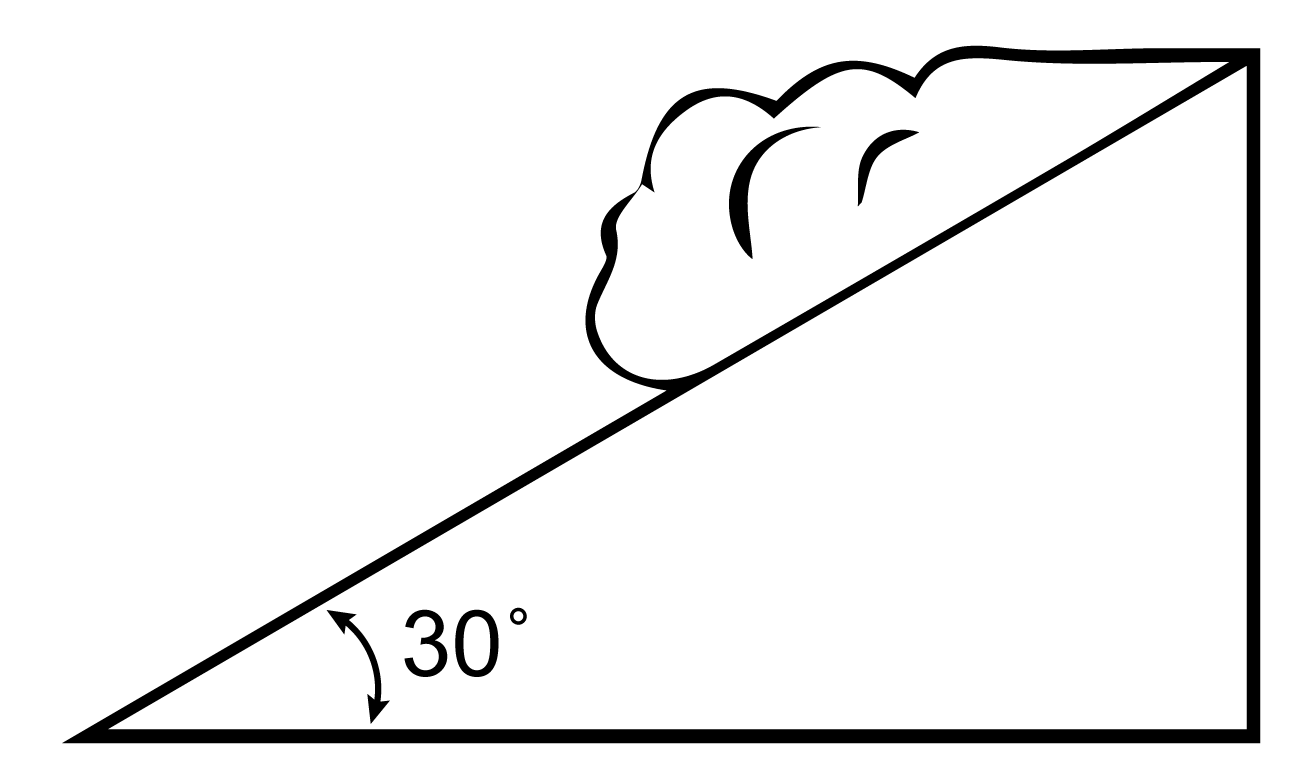
Slopes steeper than 30º are more prone to avalanches, but any slope should be considered avalanche terrain, even small slopes with trees. Low-angle slopes are also avalanche terrain if they have steeper slopes above them.

NOTICE
The 30º slope graphic is for illustration purposes only. The risk of an avalanche is always present in mountainous terrain, regardless of slope angle.

Always look for the following warning signs of unstable snow. If you see or hear any of these signs, riding on or below any slope is dangerous and should be avoided:

  • Recent avalanches

  • A “whumpfing” sound under a snowpack

  • Cracks across the top of a snowpack

  • A recent heavy snowfall

  • Blowing snow

  • Rain

  • Rapid warming

2.2.1.10.4: Get Out of Harm’s Way
  • Before riding, always tell a responsible person (i.e. at the lodge or gas station) where your group is going.

  • Never ride alone. Always ride in a small, manageable group. Riding in a large group makes it more difficult to track riders or find missing members.

  • Go “one at a time”. Only one snowmobile at a time should cross, ascend or highmark a slope. Other riders should watch from a safe location until the previous rider exits the slope.

  • Never park at the base of a slope or at the bottom of a gully or valley. When parking to take a break or watch other riders, park at the sides of the slope with the front of your snowmobile pointed away from the slope.

2.2.1.10.5: Get to Know Your Mountain Snowmobile

The following information pertains to a deep snow/mountain snowmobile. This type of snowmobile is longer and narrower and has a higher center of gravity when compared to a typical trail snowmobile. These features make riding the backcountry a safer and more enjoyable experience.

The mountain snowmobile is slower, has a larger turning radius and will overturn more easily than a trail snowmobile. The skis are designed to float and provide more lift than trail skis. The track features paddles that pack and shovel snow rather than dig in and grip the snowpack.

Because POLARIS mountain snowmobiles feature tall track paddles, the rear suspension rails and sliders will sit above the snowpack on a groomed trail. Always deploy the scratchers and limit high speed operation when trail riding. Do not rely on the engine temperature gauge to determine when to deploy rail scratchers. The rail sliders and track can overheat well before the engine temperature indicates the need for more cooling.

Always practice riding your mountain snowmobile in a safe, open, flat area before attempting your first ride in mountainous terrain. This is especially important for low-elevation riders who are not accustomed to riding a snowmobile designed for deep snow.

Do not ride in mountainous terrain until you are comfortable riding and controlling your snowmobile in deep snow.

  • Practice turning, leaning and braking, both on the trail and off the trail. When you’re comfortable with these maneuvers, practice more advanced maneuvers in deep flat snow.

  • Learn techniques from more experienced riders.

  • Practice placing your feet in different locations on the floorboards to learn where your balance point is while performing turns and other maneuvers.

  • Practice traversing through deep snow, which is when you will often need to steer by leaning your body weight in the desired direction while turning the skis slightly in the opposite direction.

  • Practice using proper throttle control to maintain vehicle momentum and adequate track speed in deep snow. Everyone gets stuck at some point in time. If you know your snowmobile is becoming stuck, try to turn downhill as much as you can before the snowmobile comes to a stop.

2.2.1.10.6: Get the Forecast

Make a riding plan based on the current avalanche and weather forecast. It is important to remember that overnight weather conditions may have created unsafe riding terrain that was considered safe the day before.

Follow the page links below to locate current avalanche reports and conditions for your area of operation.

  • www.avalanche.org for North American riders.

  • www.avalanche.ca for Canadian riders.

  • www.lavinprognoser.se for Swedish riders.

  • www.avalanches.org for European riders.

2.2.1.10.7: Get Avalanche Safety Training

POLARIS recommends you and all members of your riding group participate in an avalanche safety course. Visit the education section of the Avalanche website for your region.

2.2.1.10.8: Avalanche Awareness

Avalanches are a matter of timing. A steep slope can be safe one day, but unsafe the next day due to changing weather and wind conditions.

  • Always review the user instructions provided with your safety equipment and follow the recommendations for maintenance, testing and use. Always test your safety equipment to ensure it works properly before riding in mountainous terrain.

  • Always store your survival gear in your backpack and wear the backpack. Do not store your survival gear on the snowmobile.

  • Always research current avalanche conditions in your area of operation before riding. Check with local law enforcement, resort or lodging personnel, gas station attendants and other riders to learn about current conditions and any advisories in the area.

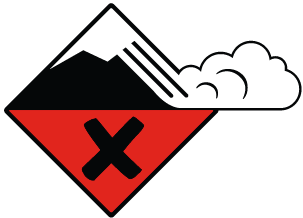
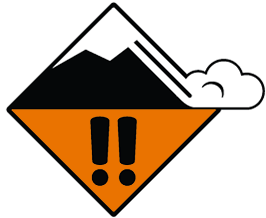
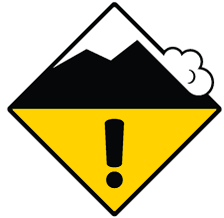
  • Read and understand the avalanche danger scale. Pay attention to any danger level warnings issued for your area of operation.

  • Always remain alert while riding in mountainous terrain. Be aware of snowpack conditions above you as you ride. Avalanches can occur at any time regardless of current condition reports.

North American Public Avalanche Danger Scale

Avalanche danger is determined by the likelihood, size and distribution of avalanches.

Danger Level Travel Advice Likelihood of Avalanches Avalanche Size and Distribution
5
Extreme

Avoid all avalanche terrain.

Natural and human-triggered avalanches certain.

Large to very large avalanches in many areas.

 
4
High

Very dangerous avalanche conditions. Travel in avalanche terrain not recommended.

Natural avalanches likely; human-triggered avalanches very likely.

Large avalanches in many areas; or very large avalanches in specific areas.

 
3
Considerable

Dangerous avalanche conditions. Careful snowpack evaluation, cautious route-finding and conservative decision-making essential.

Natural avalanches possible; human-triggered avalanches likely.

Small avalanches in many areas; or large avalanches in specific areas; or very large avalanches in isolated areas.

 
2
Moderate

Heightened avalanche conditions on specific terrain features. Evaluate snow and terrain carefully; identify features of concern.

Natural avalanches unlikely; human- triggered avalanches possible.

Small avalanches in specific areas; or large avalanches in isolated areas.

 
1
Low

Generally safe avalanche conditions. Watch for unstable snow on isolated terrain features.

Natural and human-triggered avalanches unlikely.

Small avalanches in isolated areas or extreme terrain.


Safe backcountry travel requires training and experience. You control your own risk by choosing where, when and how you travel.

2.2.1.11: Ice and Snow Build-up

WARNING
Ice and snow build-up may interfere with the steering of your snowmobile, resulting in serious injury or death. Keep the underhood area free of snow and ice.

Before driving, manually turn the skis to the left and right to be sure ice and snow are not interfering with full left and right steering. If difficulty is encountered, remove ice and snow build-up that may be obstructing the steering linkage.

2.2.1.12: Driving on Slippery Surfaces

WARNING
Never attempt an abrupt change of direction when operating on slippery surfaces. Proceed slowly and use extra caution. Driving on ice or hard-packed snow reduces steering and braking control, which may result in loss of control and serious injury or death. Slow down and use extra caution when operating on slippery surfaces.

2.2.1.13: Inadequate Snow Conditions

Since snow provides the only lubrication for the power slide suspension and, on liquid cooled models, cooling for the engine, adequate snow cover is a requirement for operation of your snowmobile.

NOTICE
Driving in too little snow will result in excessive wear and damage to the slide rail, track and/or engine.
WARNING
Inadequate cooling and lubrication will lead to overheating of the slide rail and track, causing premature wear, damage and failure, which can result in serious injury. Reduce speeds and frequently drive into fresh snow to allow adequate cooling and polishing of the slide rail and track surfaces. Avoid operating for prolonged periods on ice, hard-packed surfaces or roads.

2.2.1.14: Operating in Deep Snow

If the snowmobile becomes stuck in snow, clear the running board area of snow, then step down the snow in front of the snowmobile so that when the throttle is opened, the snowmobile will be able to climb up and over the snow.

2.2.1.15: Hidden Obstructions

Always be aware of surroundings and terrain when riding your snowmobile. Hazardous obstructions may be hidden beneath the snow. Reduce speed and use extra caution whenever riding off established trails. Striking a hidden obstacle could cause loss of control of your vehicle and lead to severe injury or death. Remain on established trails whenever possible to reduce exposure to hazards.

2.2.1.16: Driving Downhill

When riding downhill, shift your weight to the rear of the snowmobile and reduce your speed to a minimum. Apply just enough throttle to keep the clutch engaged, allowing the engine’s compression to help slow the snowmobile and keep it from rolling freely downhill.

WARNING
When driving on long downhill stretches, pump the brakes. Riding the brakes may cause the brake system to overheat, which may result in brake failure. Excessive or repetitive use of the brakes for high speed stops will also cause an overheated brake system. This condition may lead to a sudden loss of brakes and/or fire and may result in serious injury or death.

2.2.1.17: Driving in Hilly Terrain

WARNING
Climbing a hill or crossing the face of a slope may result in loss of balance and snowmobile rollover, causing serious injury or death. Use caution and good judgement when driving in hilly terrain.

Use extra caution when operating in hilly terrain. If climbing a hill is unavoidable, keep your weight low and forward. If you must cross the face of a slope, keep your weight on the uphill side of the snowmobile to maintain proper balance and avoid possible roll-over.

Slow down when reaching the crest of a hill. Be prepared to react to obstacles, sharp drops or other people or vehicles that may be on the other side of the hill.

If you’re unable to continue up a hill, turn the snowmobile downhill before it loses momentum. If this isn’t possible, spin the track just enough to dig in to prevent it from rolling back down the hill. Stop the engine and set the temporary brake lock (if equipped). Keeping away from the downhill side of the snowmobile, pull the rear of the snowmobile around and point the front end and skis downhill. Remount the snowmobile, restart the engine, release the temporary brake lock, and descend the hill carefully.

2.2.1.18: Drive Belt

Do not operate the engine with the drive belt removed.

Any servicing that requires operation without a belt can be performed by your authorized POLARIS dealer.

WARNING
Operation of the engine with the belt removed may result in injury or damage to the engine.

2.2.1.19: Intake Silencer

Do not operate the engine with the intake silencer removed.

NOTICE
Damage to the engine may occur if the intake silencer is removed.

2.2.1.20: Clutches

Do not attempt to service the clutches.

All clutch service can be performed by your authorized POLARIS dealer. The clutch is a complex mechanism that rotates at high speeds. Each clutch is dynamically balanced before installation. Any tampering may disrupt this precision balancing and create an unstable condition.

2.2.1.21: Cold Weather Drive-Away

Whenever your snowmobile has been parked for a length of time, especially overnight, always make sure the skis and track are loosened from ice and snow before attempting to drive. Apply the throttle with enough authority to put the snowmobile into motion, but always operate within safety limits.

On 2-up machines, always operate with respect for a passenger.

2.2.1.22: Maneuverability

While much control and maneuverability is achieved through the steering system and skis, maximum control is achieved by the shifting of your body weight. Maneuverability will change based on rider weight and foot position on running boards.

2.2.1.23: Driving Responsibly

Every snowmobile handles differently, and even the most docile conditions may become dangerous if operators drive improperly. If you’re new to snowmobiling, acquaint yourself with the snowmobile and with what it will and won’t do under various conditions. Even seasoned drivers should spend some time getting the feel for a snowmobile before attempting ambitious maneuvers.

  • A snowmobile depends on the rider’s body position for proper balance in executing turns, traversing hills, etc. Always start on a smooth, level area to begin building your operating experience.

  • Before allowing someone else to use your snowmobile, know the extent of their operating skills. Check to see if they’ve taken a snowmobile safety course and have an operator’s certificate. For their protection, as well as yours, make sure they take a snowmobile safety course. Everyone can benefit from the course.

  • Don’t “jump” your snowmobile over large drifts or similar terrain. Jumping may injure your back because of spinal compression that could occur when the snowmobile impacts the ground. The seat and suspension of your snowmobile have been designed to provide protection under normal riding conditions. Your snowmobile is not intended for this kind of use.

  • Be courteous to oncoming traffic by dimming your headlights and reducing your speed.

  • When traveling in a group of snowmobiles, don’t tailgate (follow too closely). Leave enough distance between snowmobiles to provide ample stopping room and to provide protection from flying snow and debris. Allow even more distance when driving on slippery surfaces or when driving in darkness or other low visibility conditions. Be aware of any snowmobile traffic around your vehicle. Drive defensively to avoid accidents.

  • Remove the key from the ignition when you leave the snowmobile unattended.

2.2.1.24: Windchill/Temperature Charts

The following information is provided to help you determine when temperatures become dangerous for riding.

2.2.1.24.1: Windchill Chart (°F)
Wind Speed in MPH Actual Thermometer Reading (°F)
40 35 30 25 20 15 10 5 0 -5 -10 -15 -20 -25 -30 -35 -40 -45
Equivalent Temperature (°F)
Calm 40 35 30 25 20 15 10 5 0 -5 -10 -15 -20 -25 -30 -35 -40 -45
5 36 31 25 19 13 7 1 -5 -11 -16 -22 -28 -34 -40 -46 -52 -57 -63
10 34 27 21 15 9 3 -4 -10 -16 -22 -28 -35 -41 -47 -53 -59 -66 -72
15 32 25 19 13 6 0 -7 -13 -19 -26 -32 -39 -45 -51 -58 -64 -71 -77
20 30 24 17 11 4 -2 -9 -15 -22 -29 -35 -42 -48 -55 -61 -68 -74 -81
25 29 23 16 9 3 -4 -11 -17 -24 -31 -37 -44 -51 -58 -64 -71 -78 -84
30 28 22 15 8 1 -5 -12 -19 -26 -33 -39 -46 -53 -60 -67 -73 -80 -87
35 28 21 14 7 0 -7 -14 -21 -27 -34 -41 -48 -55 -62 -69 -76 -82 -89
40 27 20 13 6 -1 -8 -15 -22 -29 -36 -43 -50 -57 -64 -71 -78 -84 -91
45 26 19 12 5 -2 -9 -16 -23 -30 -37 -44 -51 -58 -65 -72 -79 -86 -93
50 26 19 12 4 -3 -10 -17 -24 -31 -38 -45 -52 -60 -67 -74 -81 -88 -95
55 25 18 11 4 -3 -11 -18 -25 -32 -39 -46 -54 -61 -68 -75 -82 -89 -97
60 25 17 10 3 -4 -11 -19 -26 -33 -40 -48 -55 -62 -69 -76 -84 -91 -98
Frostbite in >> 30 min. 10 min. 5 min.
2.2.1.24.2: Windchill Chart (°C)
Wind Speed in Km/h Actual Thermometer Reading (°C)
5 2 -1 -4 -7 -10 -13 -16 -19 -22 -25 -28 -31 -34 -37 -40 -43 -46
Equivalent Temperature (°C)
Calm 5 2 -1 -4 -7 -10 -13 -16 -19 -22 -25 -28 -31 -34 -37 -40 -43 -46
8 3 0 -4 -7 -11 -14 -18 -22 -25 -29 -32 -36 -39 -43 -46 -50 -53 -57
16 2 -2 -6 -10 -13 -17 -21 -24 -28 -32 -36 -39 -43 -47 -50 -54 -58 -62
24 1 -3 -7 -11 -15 -19 -22 -26 -30 -34 -38 -42 -45 -49 -53 -57 -61 -65
32 0 -4 -8 -12 -16 -20 -24 -28 -32 -36 -39 -43 -47 -51 -55 -59 -63 -67
40 -1 -5 -9 -13 -17 -21 -25 -29 -33 -37 -41 -45 -49 -53 -57 -61 -65 -69
48 -1 -5 -9 -13 -18 -22 -26 -30 -34 -38 -42 -46 -50 -54 -58 -62 -66 -70
56 -2 -6 -10 -14 -18 -22 -26 -31 -35 -39 -43 -47 -51 -55 -59 -64 -68 -72
64 -2 -6 -10 -15 -19 -23 -27 -31 -35 -40 -44 -48 -52 -56 -61 -65 -69 -73
72 -2 -7 -11 -15 -19 -23 -28 -32 -36 -40 -45 -49 -53 -57 -61 -66 -70 -74
80 -3 -7 -11 -15 -20 -24 -28 -33 -37 -41 -45 -50 -54 -58 -62 -67 -71 -75
88 -3 -7 -12 -16 -20 -24 -29 -33 -37 -42 -46 -50 -55 -59 -63 -67 -72 -76
96 -3 -8 -12 -16 -21 -25 -29 -34 -38 -42 -47 -51 -55 -60 -64 -68 -73 -77
Frostbite in >> 30 min. 10 min. 5 min.

2.2.2: Portable Fuel Transport Warning

This vehicle is designed to use a Polaris-approved Portable Fuel Container and Mount. Fuels such as gasoline can be extremely flammable. Rollovers, crashes, rough riding or changes in elevation or temperature may lead to fuel spilling or vapor release from portable containers. Hot vehicle parts can cause fires, even after the engine has been turned off.

Improperly carrying fuel can lead to serious burn injuries or death. To reduce these risks, only carry fuel using a POLARIS-approved Portable Fuel Container and Mount, and follow the instructions that come with the container and mount.

2.2.3: Safety Labels and Locations

Warning labels are placed on the snowmobile for your protection. Read and follow the instructions of the labels and warnings on the snowmobile carefully. If any of the labels depicted in this manual differ from the labels on your snowmobile, always read and follow the instructions of the labels on the snowmobile.

If any label becomes illegible or comes off, contact your POLARIS dealer to purchase a replacement. Replacement safety labels are provided by POLARIS at no charge. The part number is printed on the label.

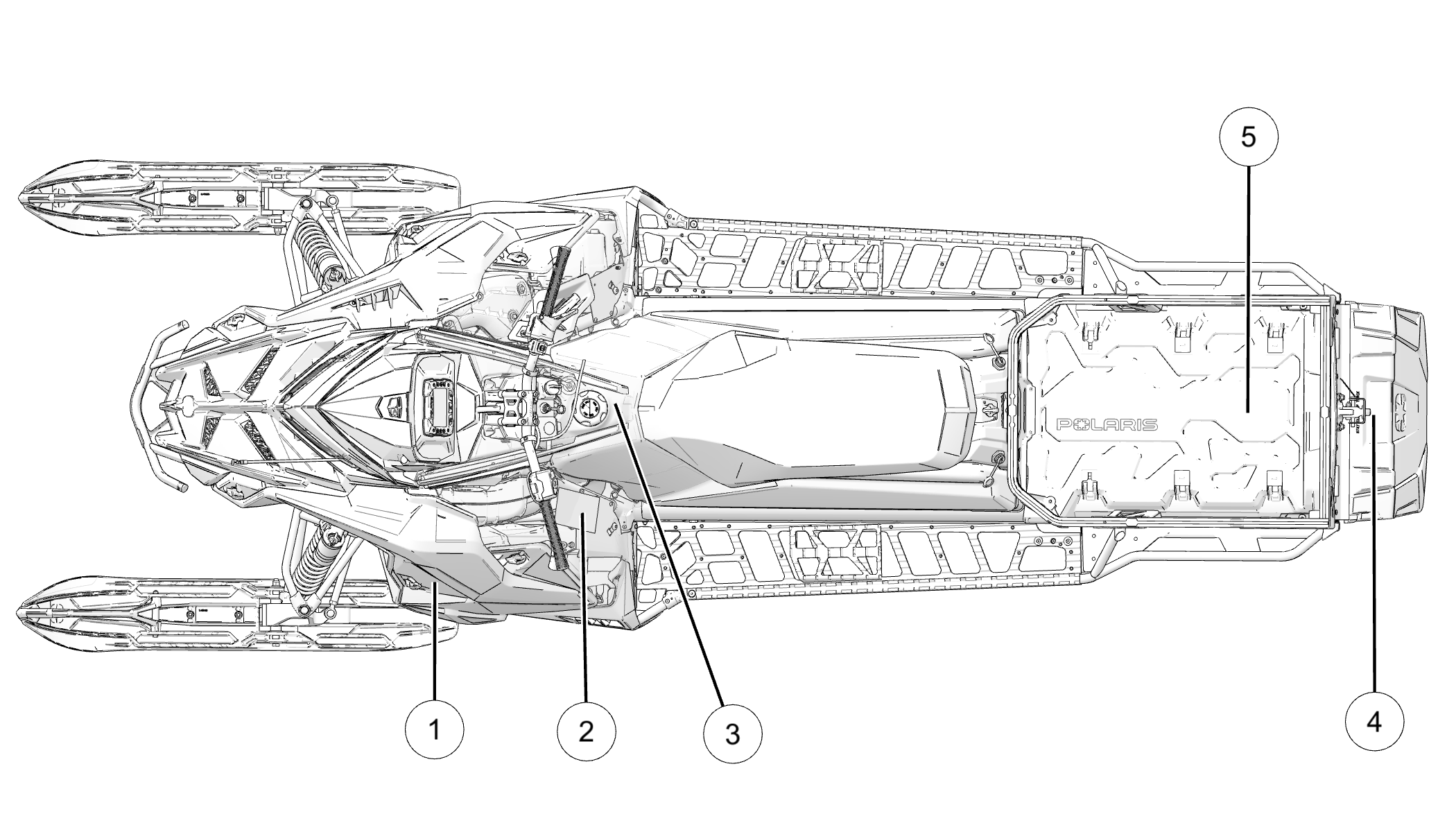
2.2.3.1: 650 / 850 Titan

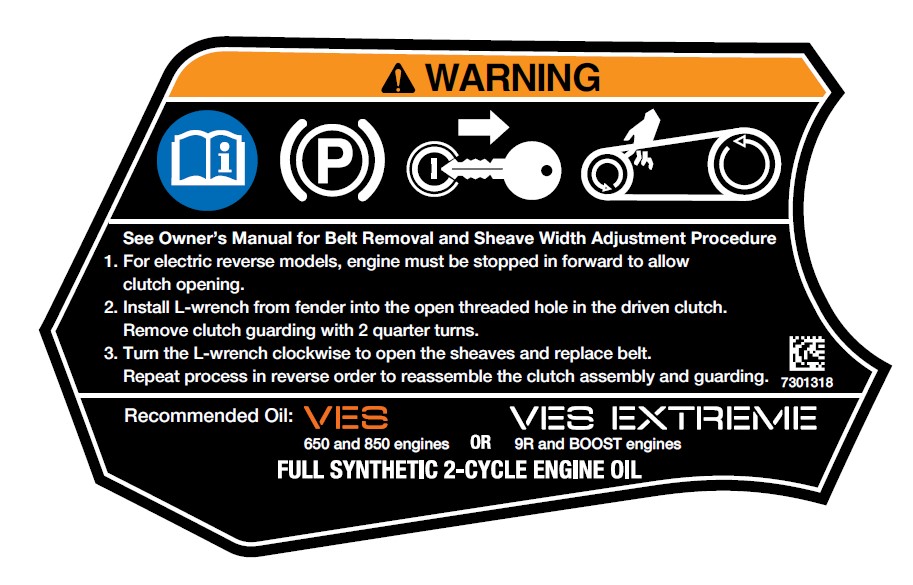
  • 1 Clutch Warning

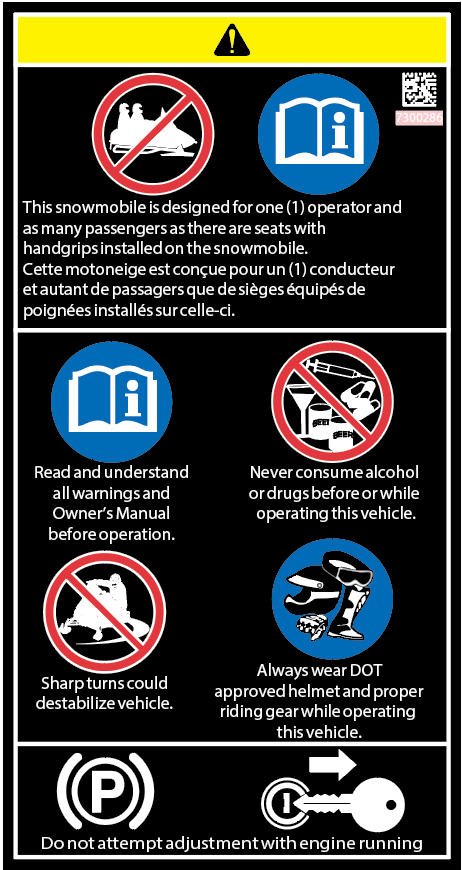
  • 2 General Warning

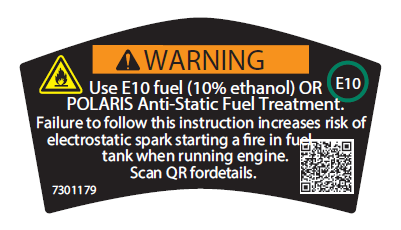
  • 3 Fuel Recommendation Warning

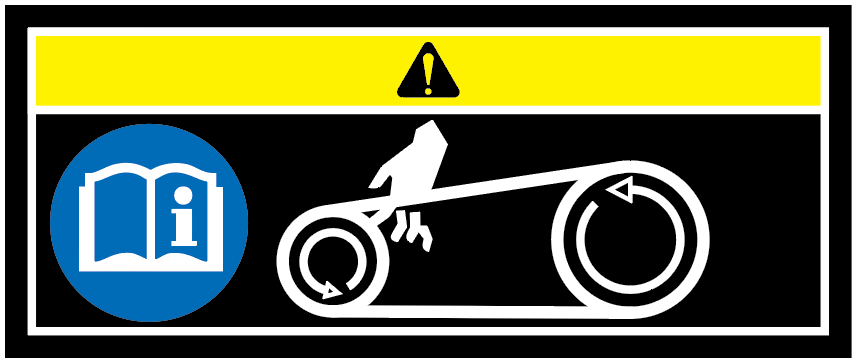
  • 4 Moving Parts Warning

  • 5 Fuel Transport Warning

2.2.3.1.1: Clutch Warning

WARNING

See Owner’s Manual for Belt Removal and Sheave Width Adjustment Procedure

  1. For electric reverse models, engine must be stopped in forward to allow clutch opening.

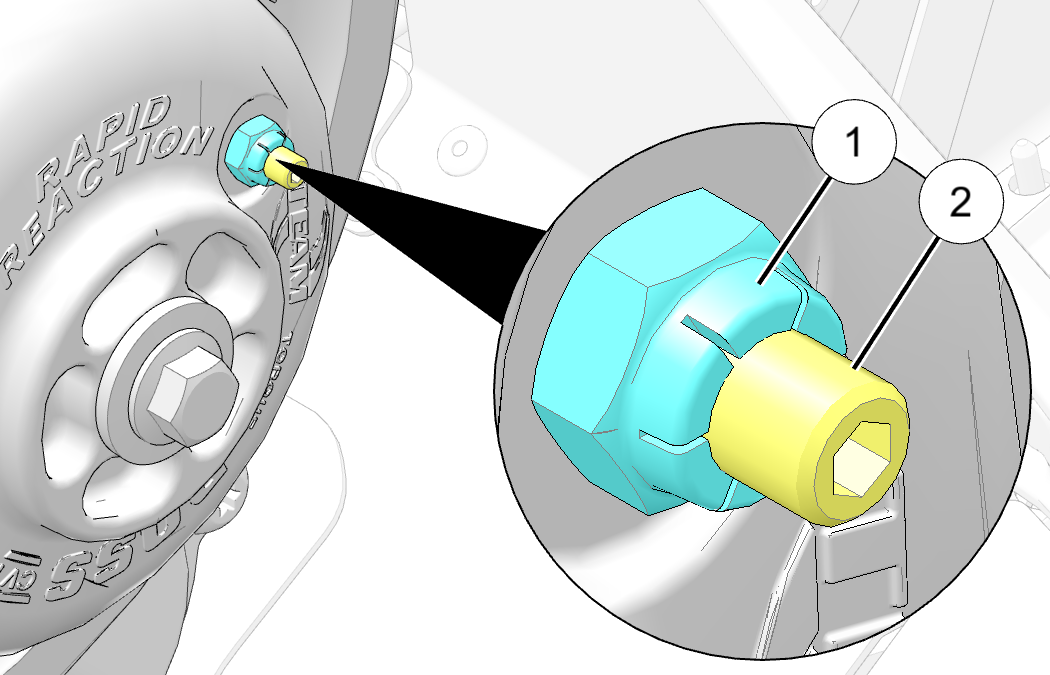
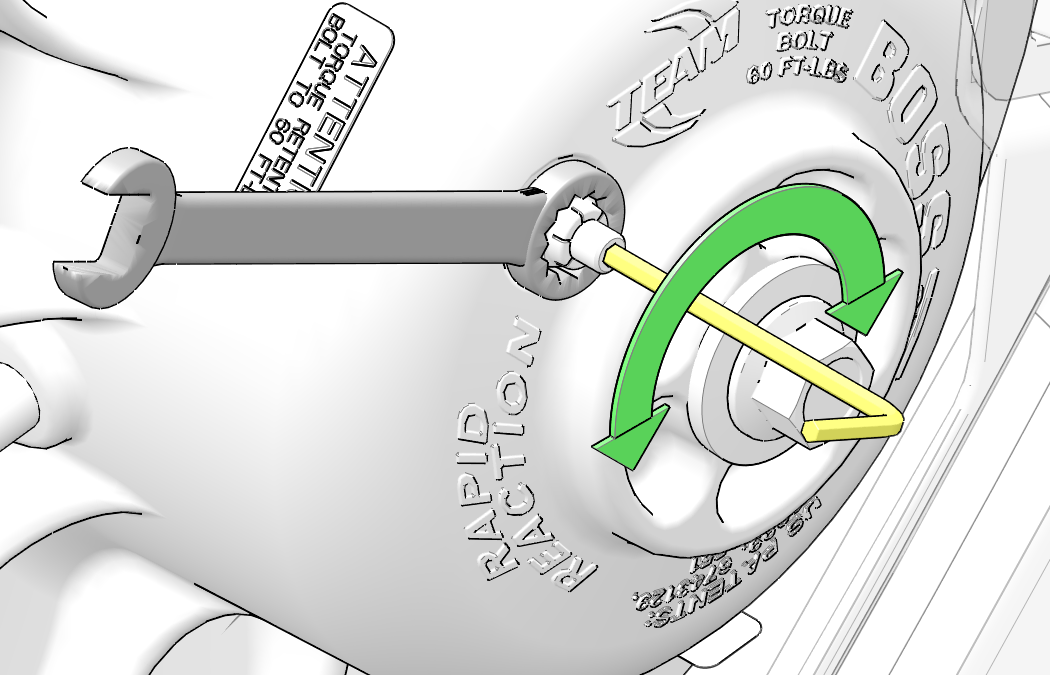
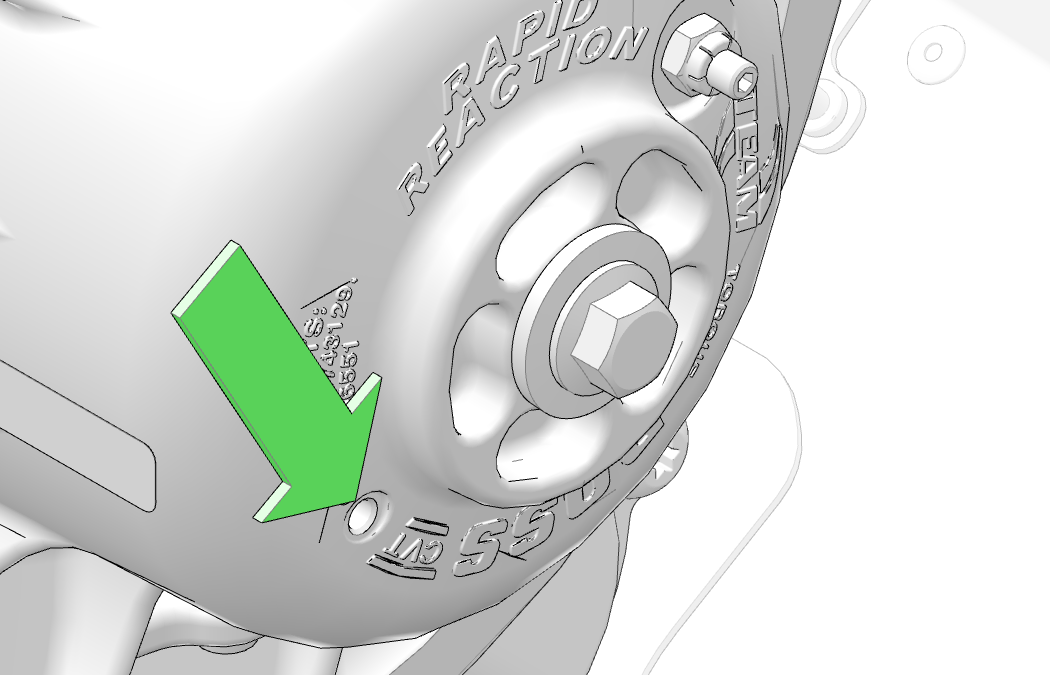
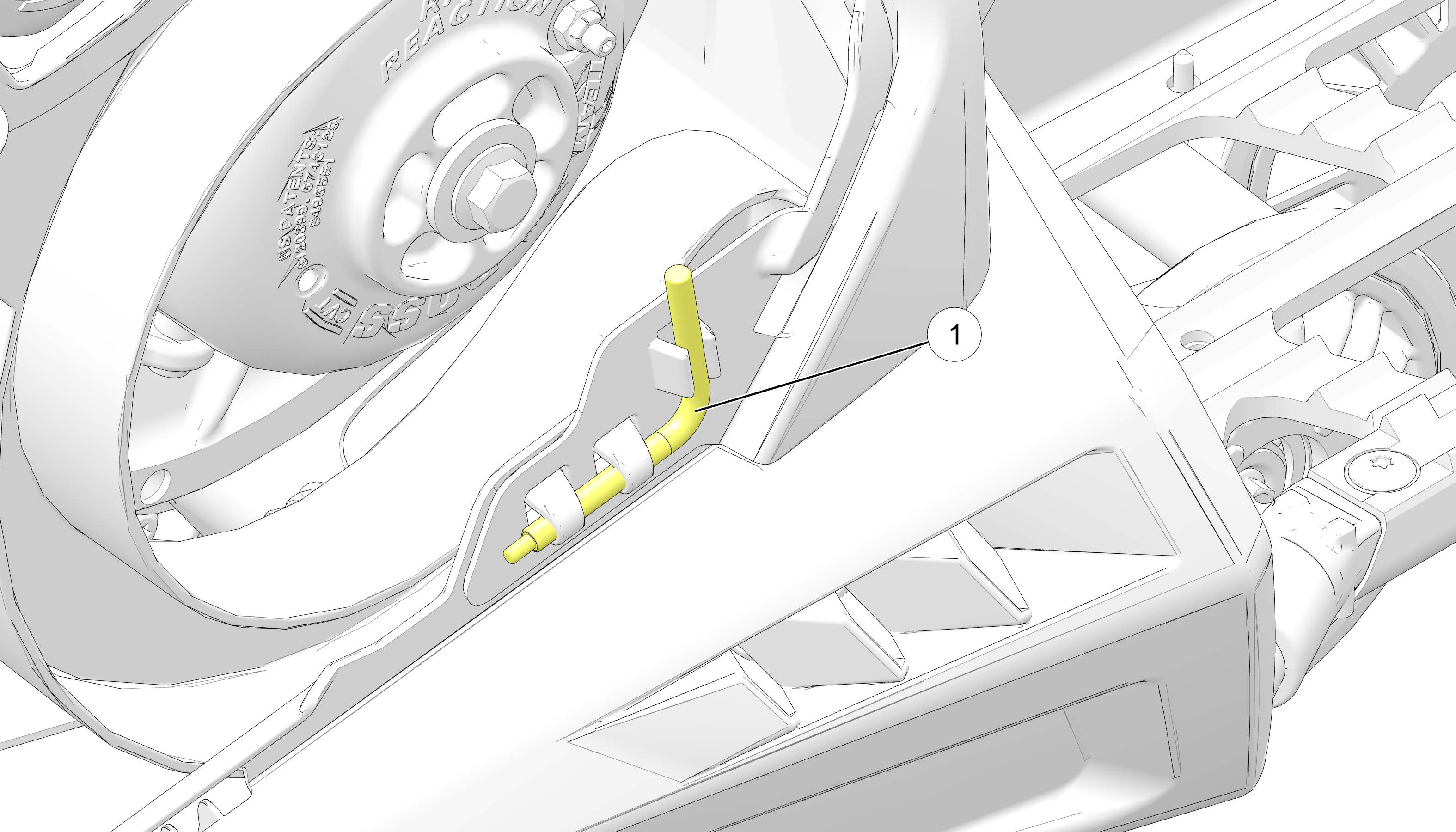
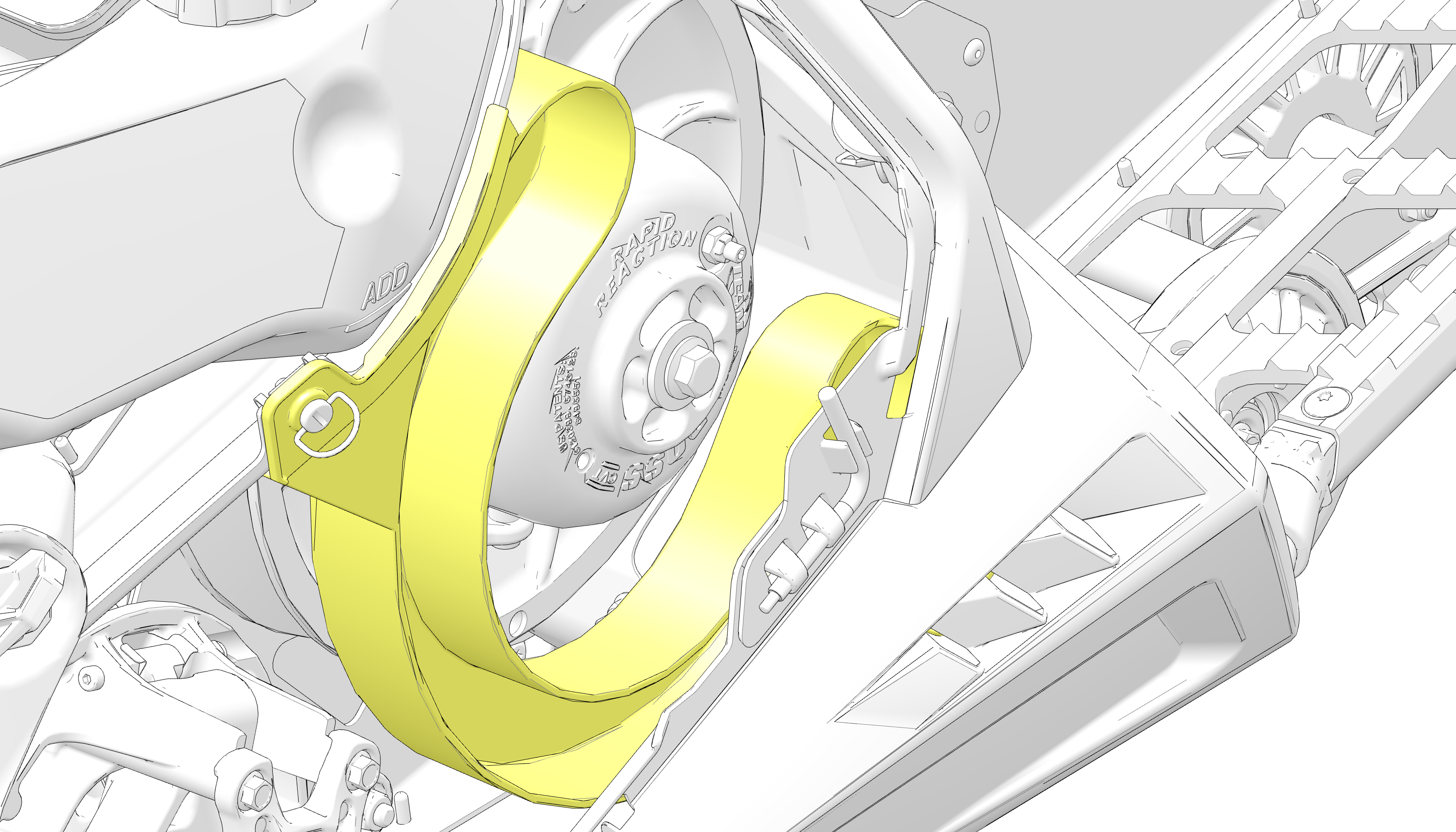
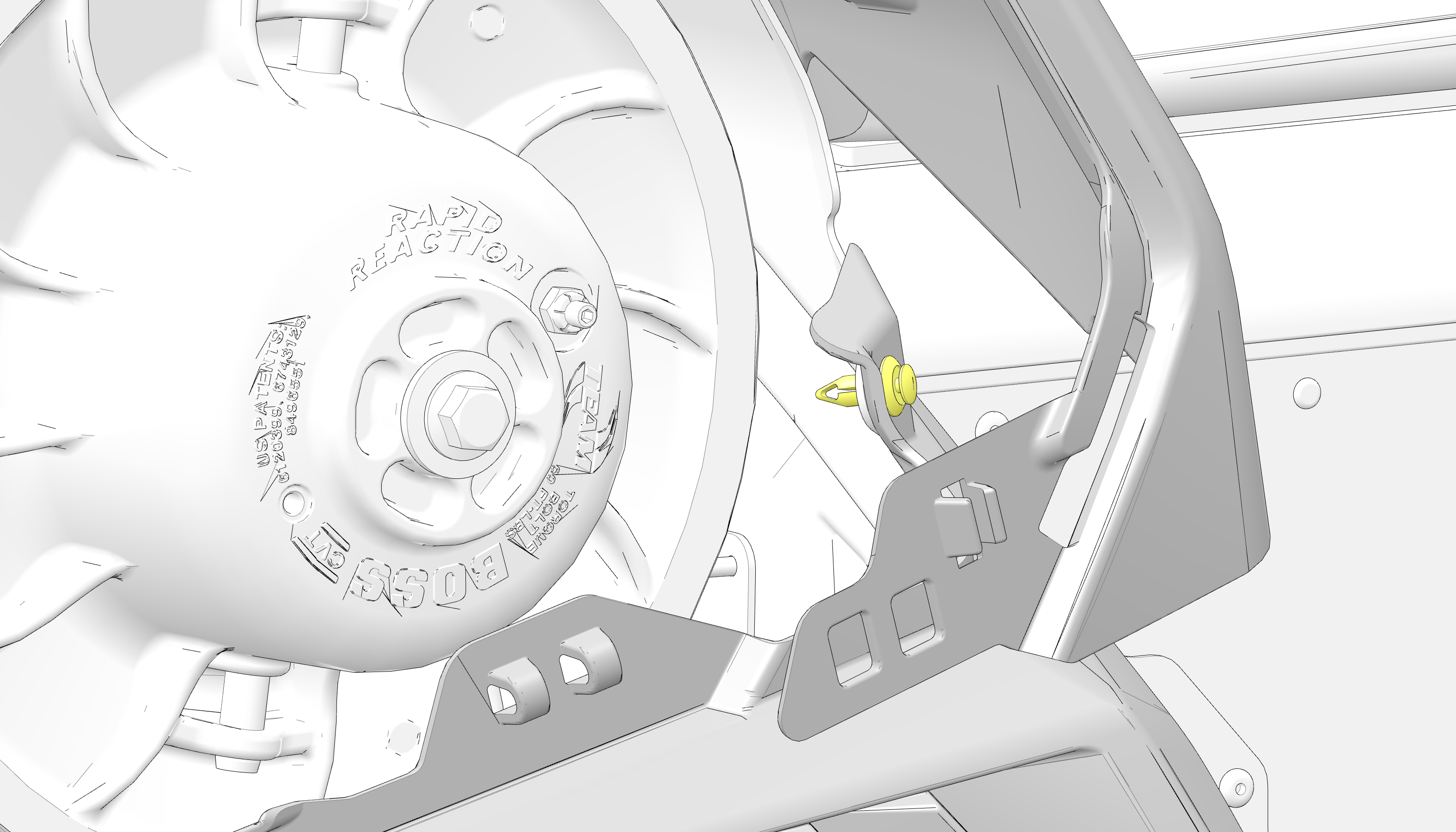
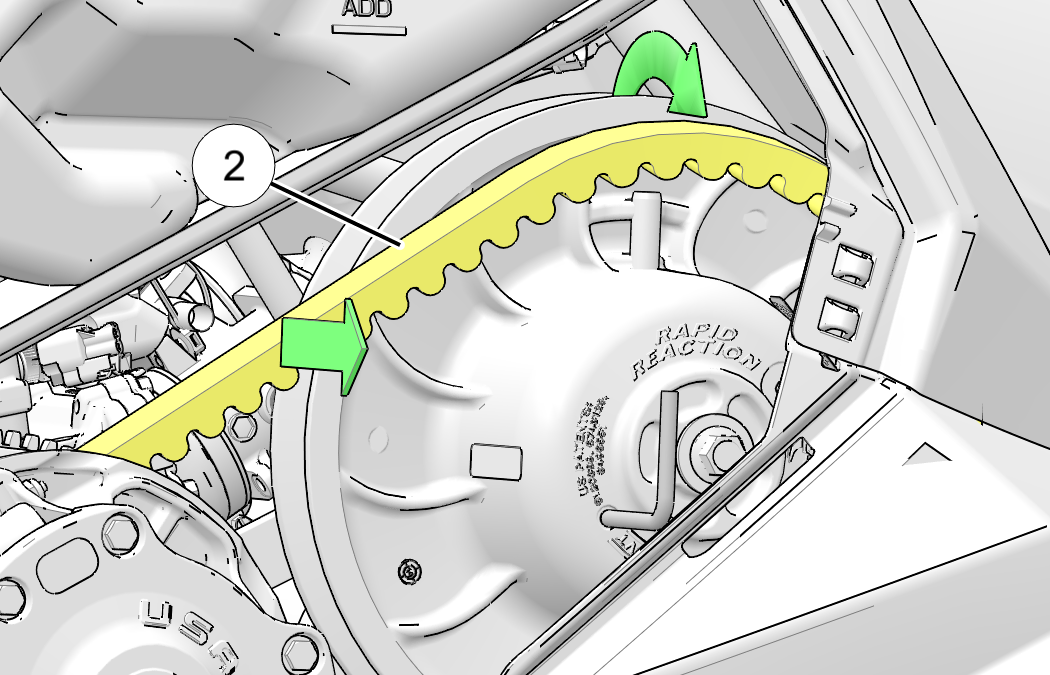
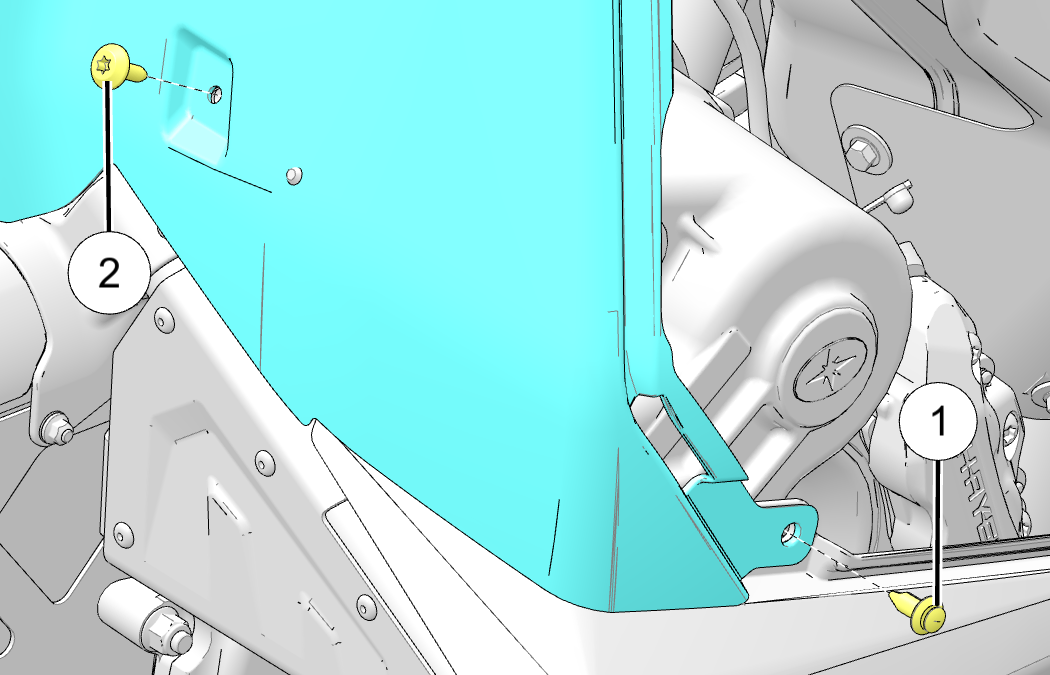
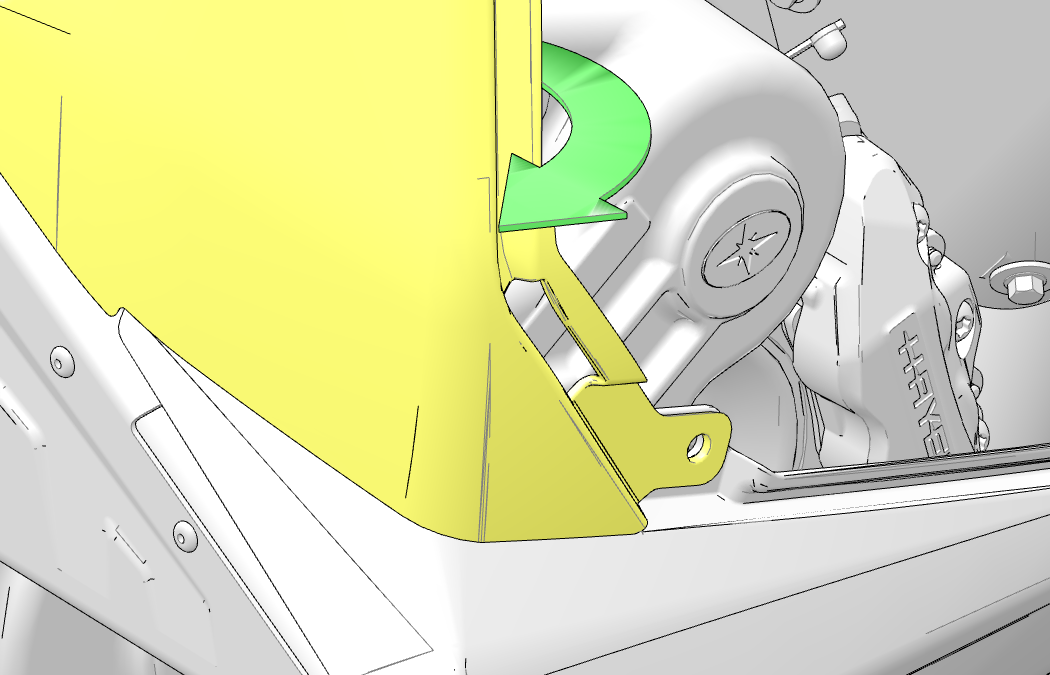
  2. Install L-wrench from fender into the open threaded hole in the driven clutch. Remove clutch guarding with 2 quarter turns.

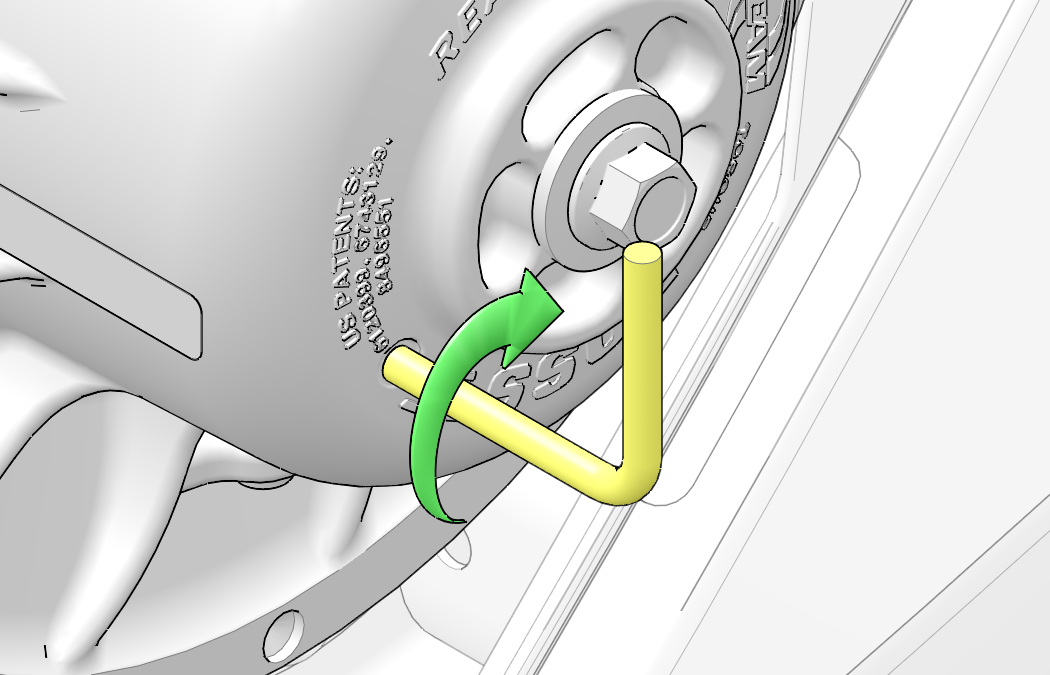
  3. Turn the L-wrench clockwise to open the sheaves and replace the belt. Repeat process in reverse order to reassemble the clutch assembly and guarding.

Recommended Oil:

650 and 850 engines

VES Full Synthetic 2-Cycle Engine Oil

9R and Boost engines

VES Extreme Full Synthetic 2-Cycle Engine Oil

Part Number: 7301318

2.2.3.1.2: Fuel Recommendation Warning

WARNING

Use E10 fuel (10% ethanol) OR POLARIS Anti-Static Fuel Treatment. Failure to follow this instruction increases risk of electrostatic spark starting a fire in fuel tank when running engine. Scan QR for details.

Part Number: 7301179

2.2.3.1.3: General Warning

This snowmobile is designed for one (1) operator and as many passengers as there are seats with handgrips installed on the snowmobile.

Cette motoneige est conçue pour un (1) conducteur et autant de passagers que de sièges équipés de poignées installés sur celle-ci.

  • Read and understand all warnings and Owner’s Manual before operation.

  • Never consume alcohol or drugs before or while operating this vehicle.

  • Sharp turns could destabilize vehicle.

  • Always wear DOT approved helmet and proper riding gear while operating this vehicle.

Do not attempt adjustment with engine running.

Part Number: 7300286

2.2.3.1.4: Moving Parts Warning

Part Number: 7300297

2.2.3.1.5: Fuel Transport Warning

WARNING

Improperly carrying fuel can lead to serious burn injuries or death. Rollovers, crashes, rough riding, or changes in elevation or temperature may lead to fuel spills or vapor release and fire.

This vehicle is designed to use a POLARIS-approved Portable Fuel Container and Mount to reduce these risks. Only carry fuel using this system.

Part Number: 7300842 (English) and 7300842–F (French Canadian)

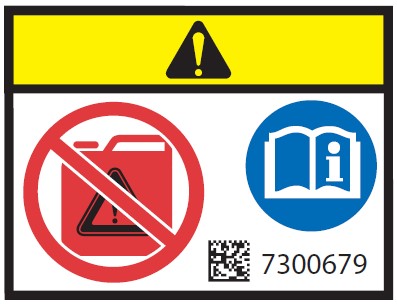
2.2.3.1.6: Flammable Liquids Warning

WARNING

NEVER carry fuel or other flammable liquids on this vehicle, including the glove box, except as stated in the Fuel Transport Warning.

Failure to follow this instruction could lead to serious burn injuries or death.

Part Number: 7300679

Chapter 3: Features

3.3.1: SmartWarmers Heated Grips (If Equipped)

SmartWarmers heated grips automatically adjust in response to ambient temperature and windchill to always keep the grips at the desired temperature. Three individually controlled heated surfaces comprise SmartWarmers heated grips. The heated grip surfaces are: the left handgrip, right handgrip, and right thumb throttle lever.

There are four heat level settings:

  • Low

  • Medium

  • High

  • Off

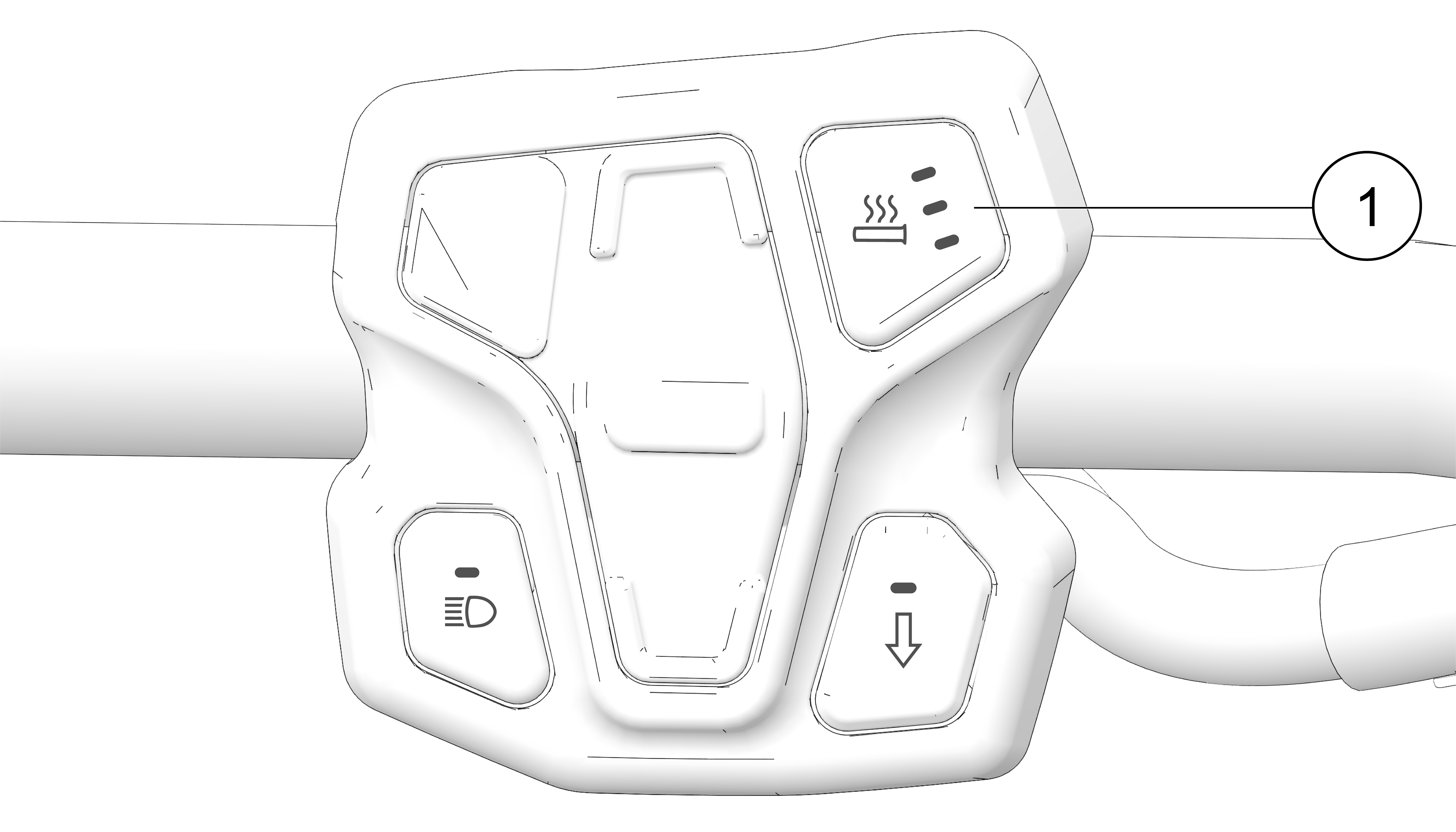
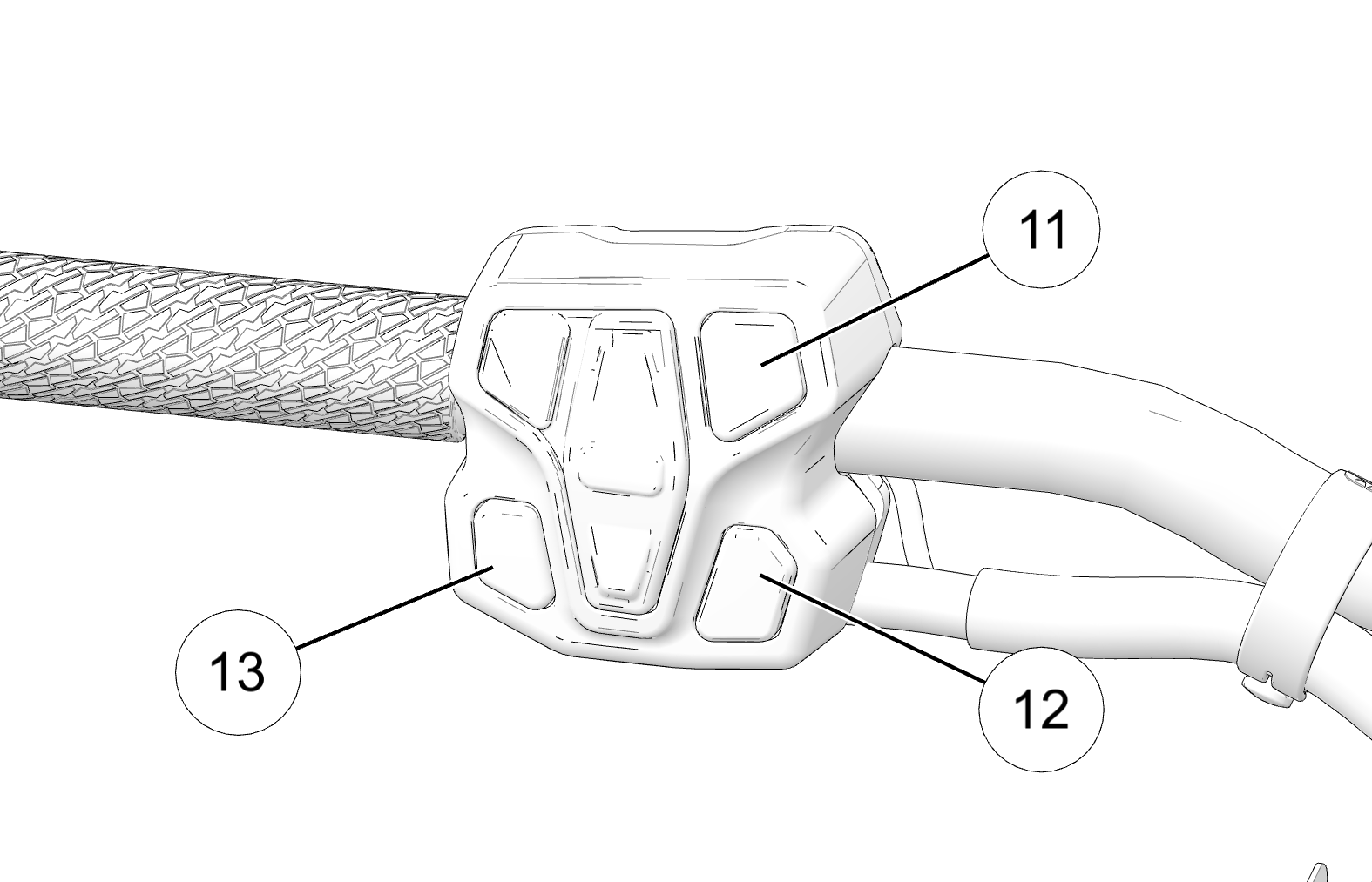
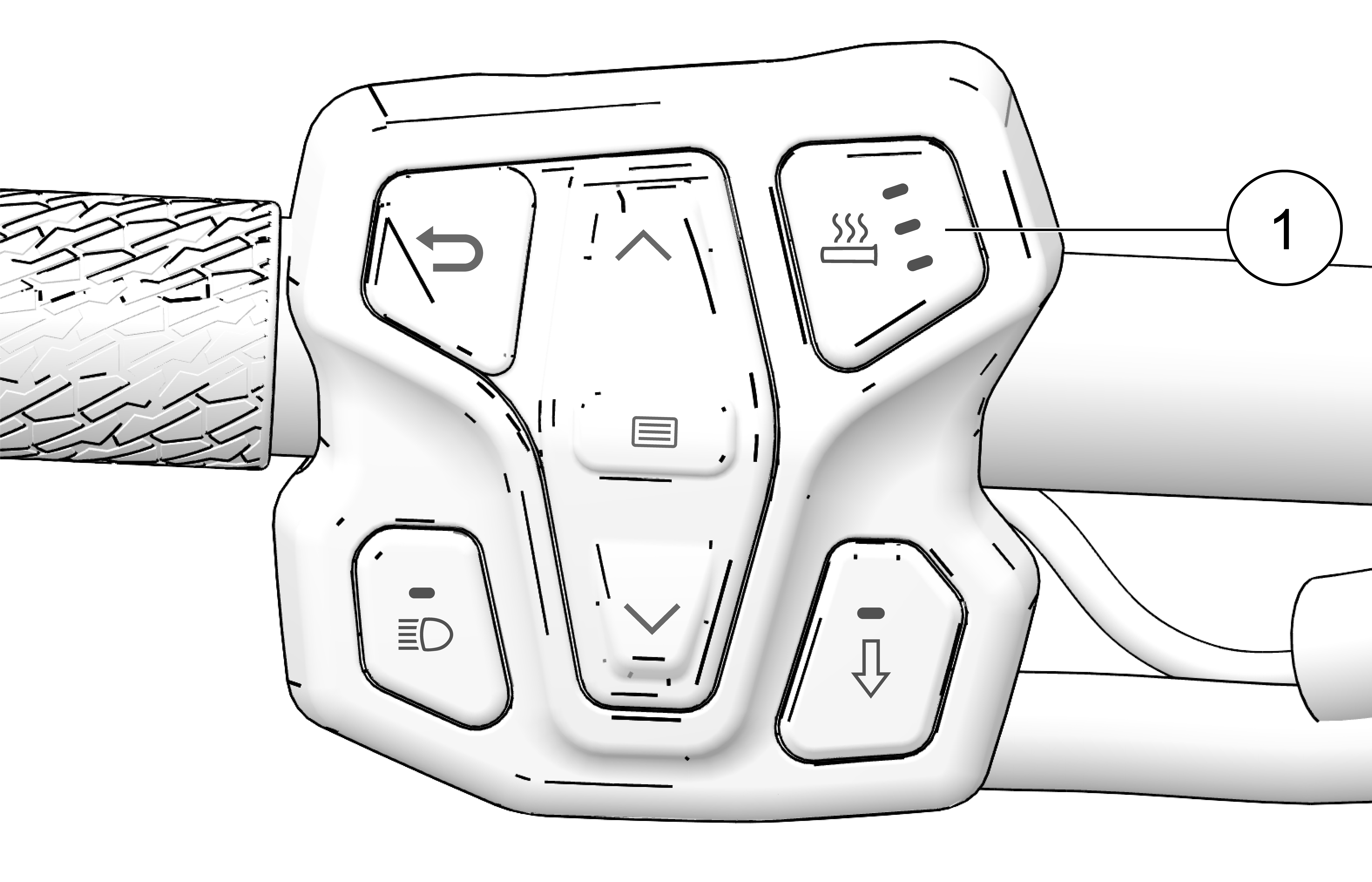
Change the heat level by pressing the Heated Grip button 1 on the left hand controls or by opening the Badge Panel.

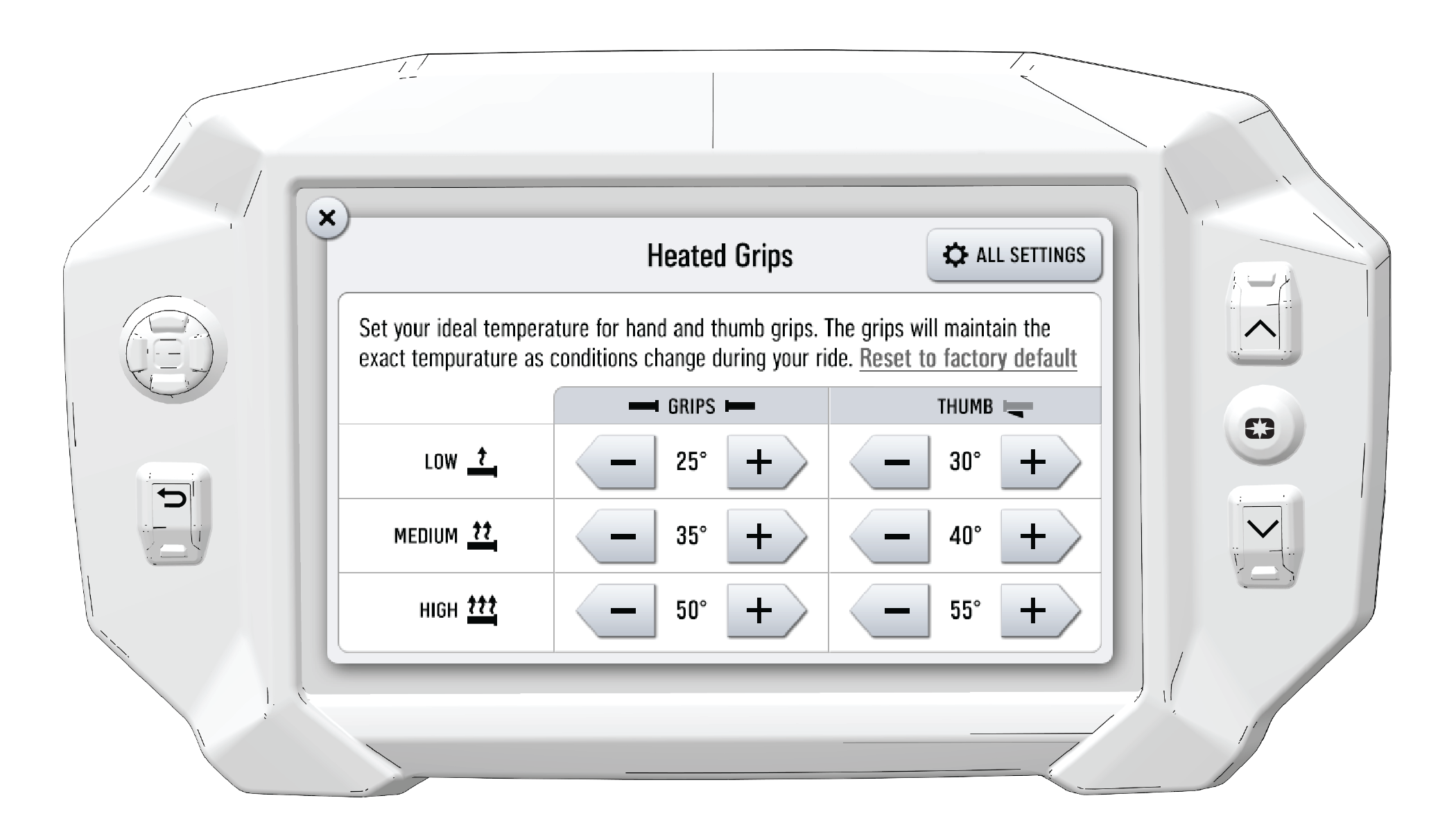
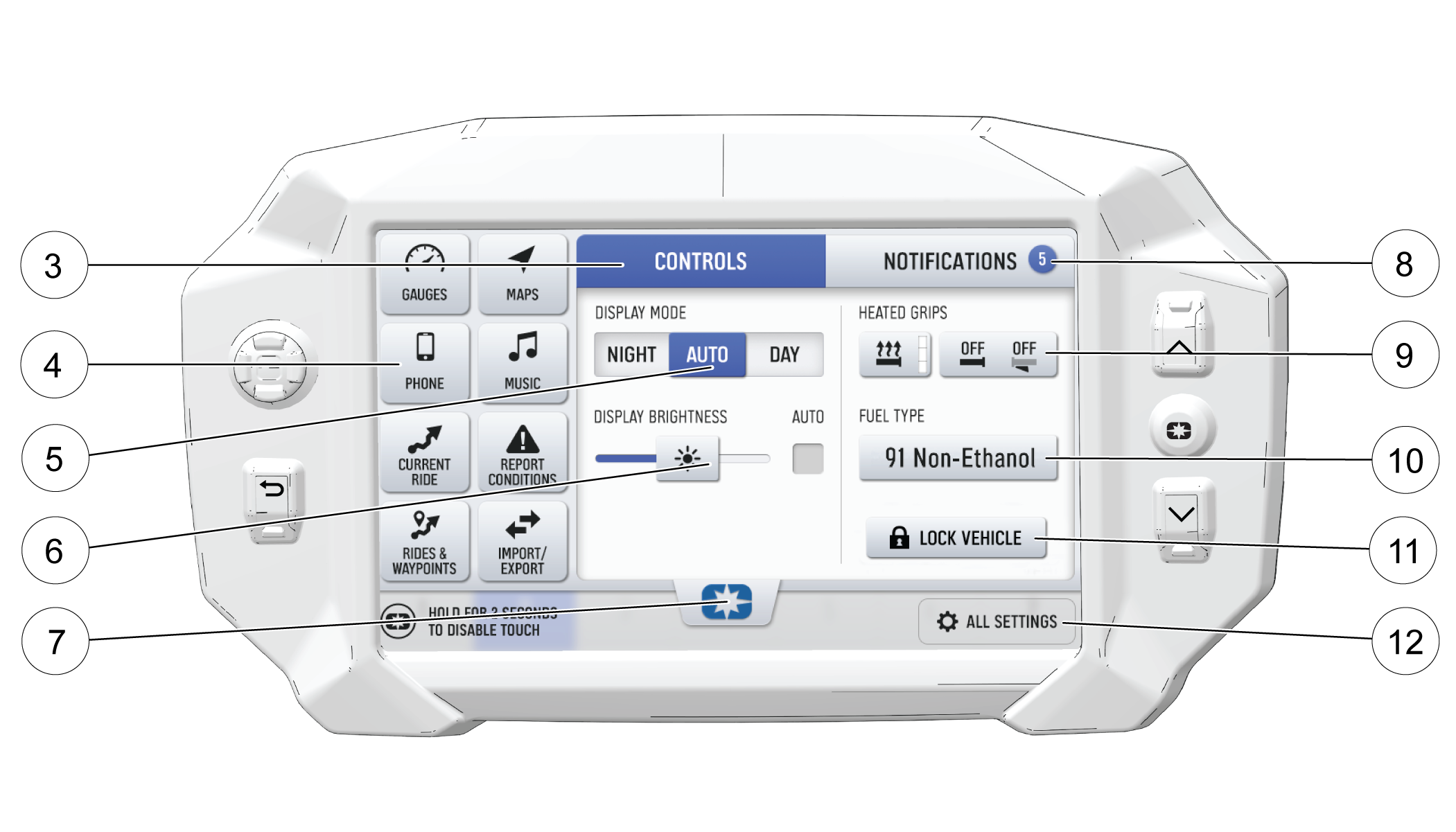
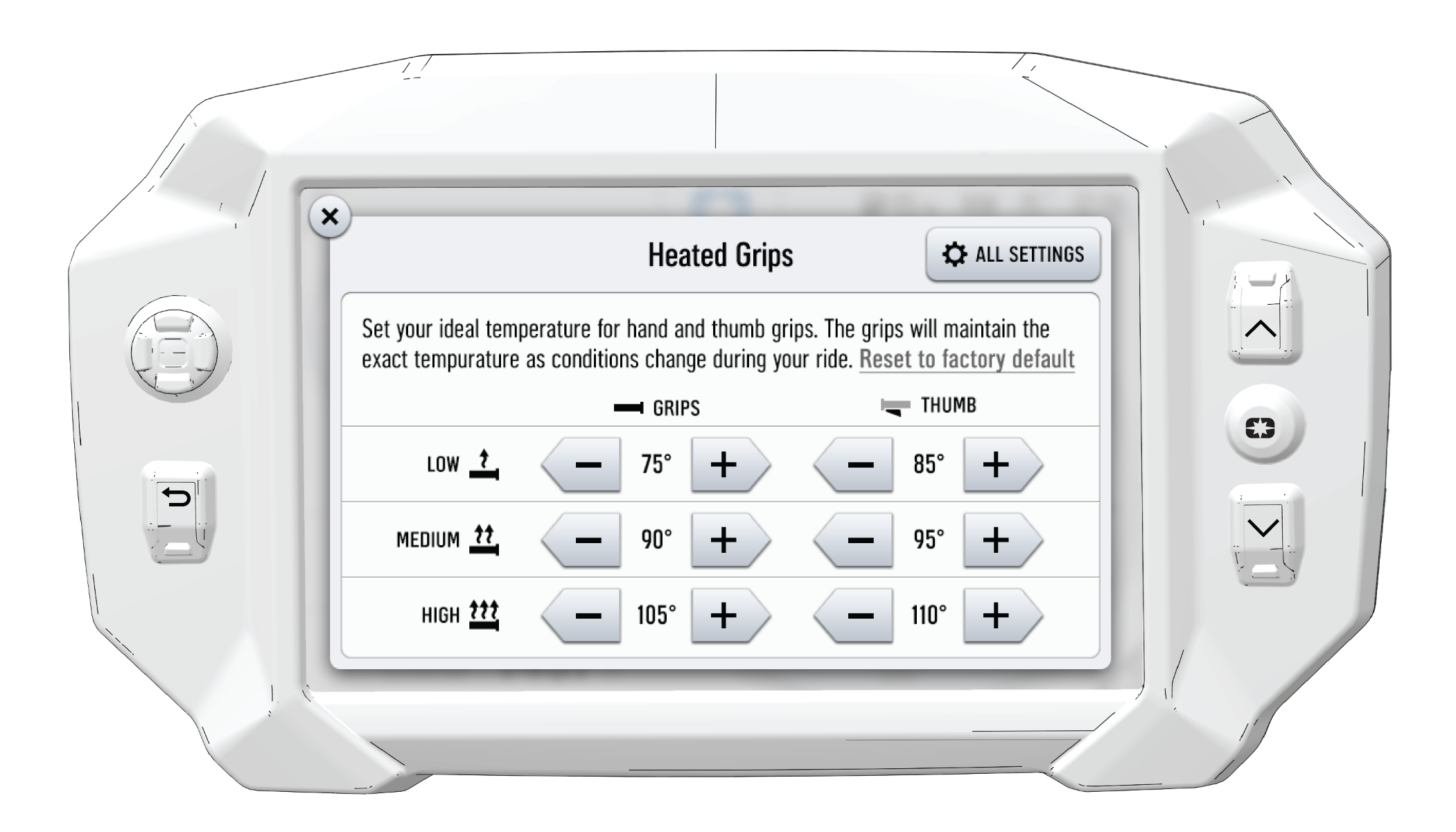
The heat levels of the grips are customizable by temperature. To change the temperature settings of your hand grips heat levels, press the Badge Panel button on the display and then the Controls tab.

In the Heated Grips section of the Badge Panel, press the Heated Grip Settings button on the touchscreen. To customize the temperature of your hand grips and thumb lever, use the Plus and Minus buttons beside each heat level to choose your preferred setting. Click the X in the top left of the screen, or the Back button, to close the menu.

Button Button Name Function
Heated Grips Button Changes the level of hand grip warmth to low, medium, high, or off.
Heated Grips Settings Opens SmartWarmers settings to customize the temperature of each heat level.
Plus Button Increases the grip warmth by one degree.
Minus Button Decreases the grip warmth by one degree.
Reset to factory default Reset to factory default text Sets the temperatures back to the factory default settings.
NOTICE
To change the temperature units from Fahrenheit or Celsius, open the All Settings menu from the Badge Panel and navigate to the General tab.

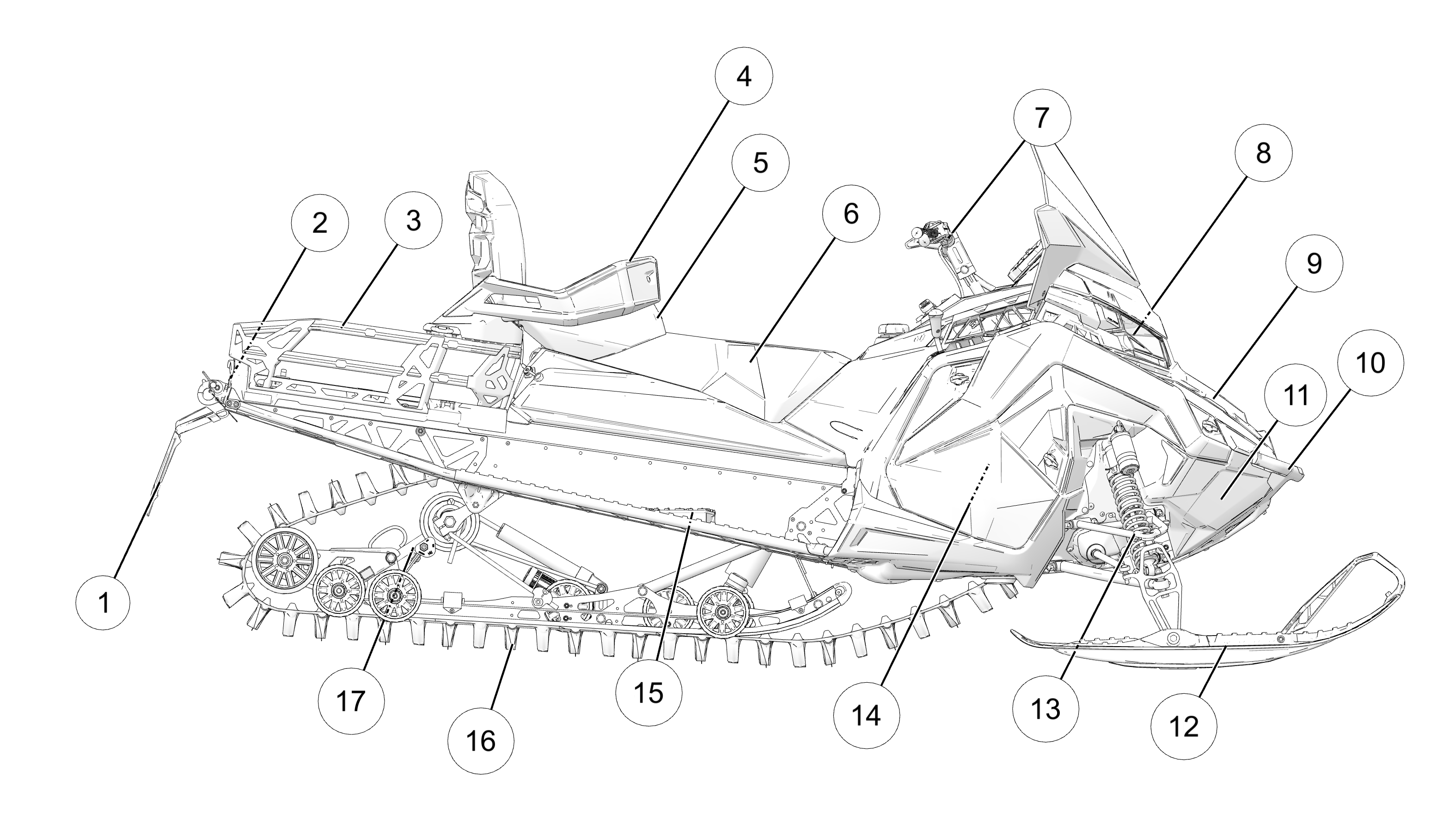
3.3.2: Component Location

3.3.2.1: Titan

  • 1 Snow Flap

  • 2 Taillight

  • 3 Cargo Rack (if equipped)

  • 4 Passenger Handle Bars and Hand Warmer Controls

  • 5 Passenger Seat (if equipped)

  • 6 Operator Seat

  • 7 Handlebar

  • 8 Headlight

  • 9 Hood

  • 10 Front Bumper

  • 11 Nosepan

  • 12 Skis

  • 13 Independent Front Suspension (IFS)

  • 14 Side Panel

  • 15 Passenger Footrest (if equipped)

  • 16 Track

  • 17 Rear Suspension

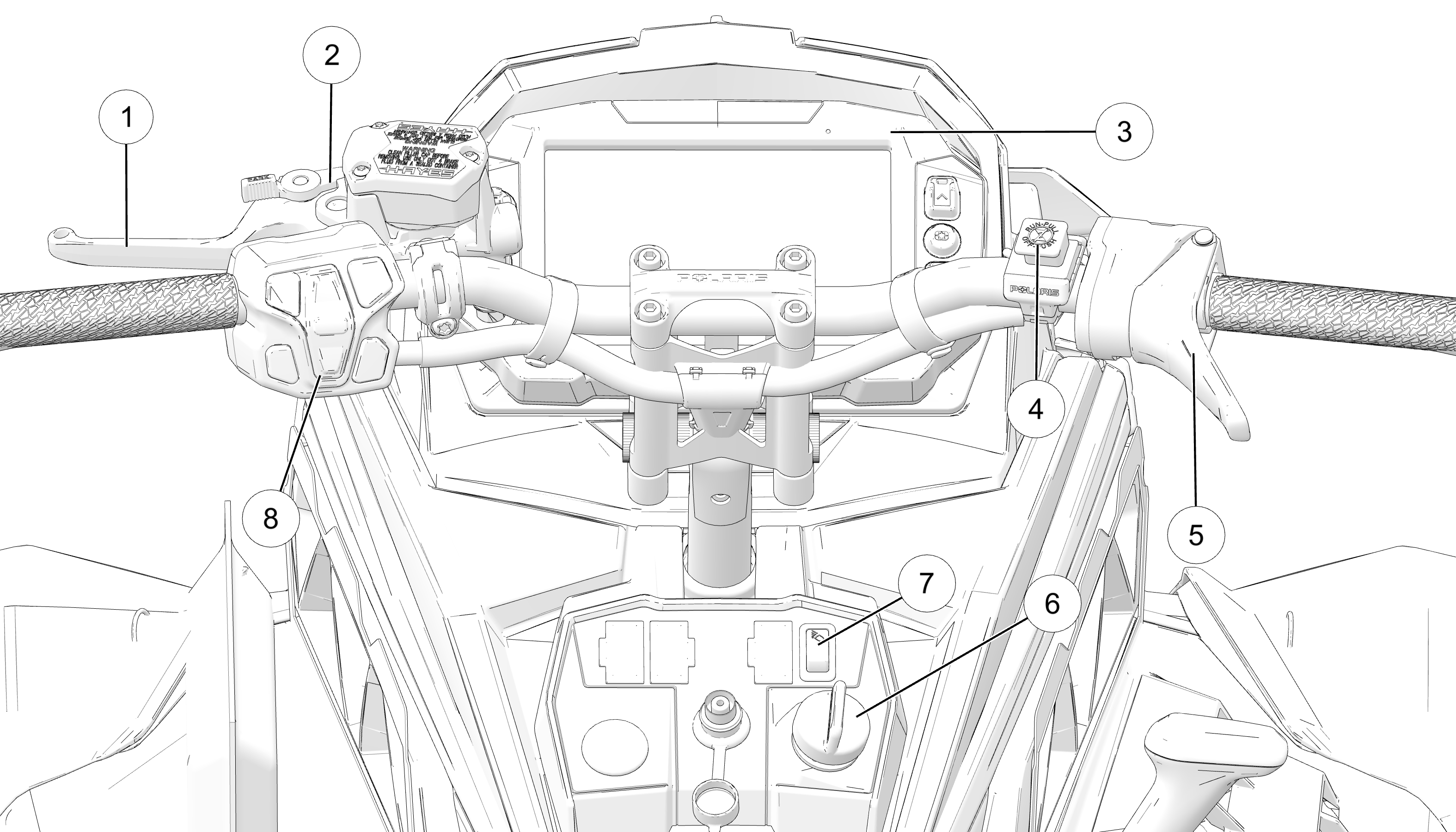
3.3.2.2: Controls

  • 1 Brake Lever

  • 2 Temporary Brake Lock

  • 3 Instrument Cluster

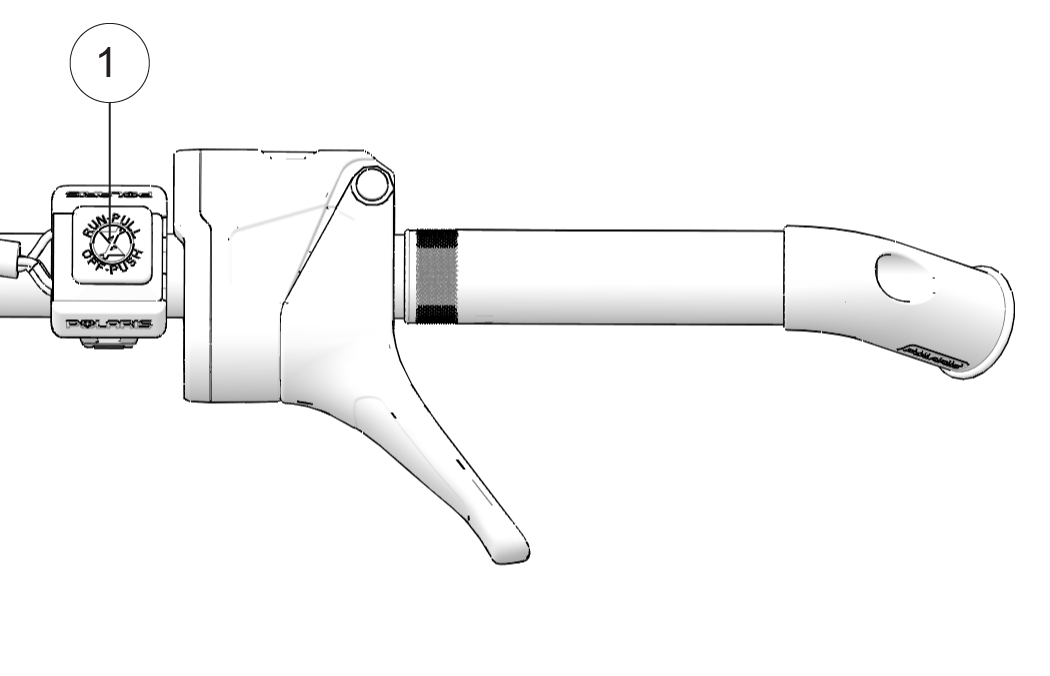
  • 4 Engine Stop Switch

  • 5 Throttle Control

  • 6 Ignition Switch

  • 7 Rear Work Light

  • 8 Left Hand Controls

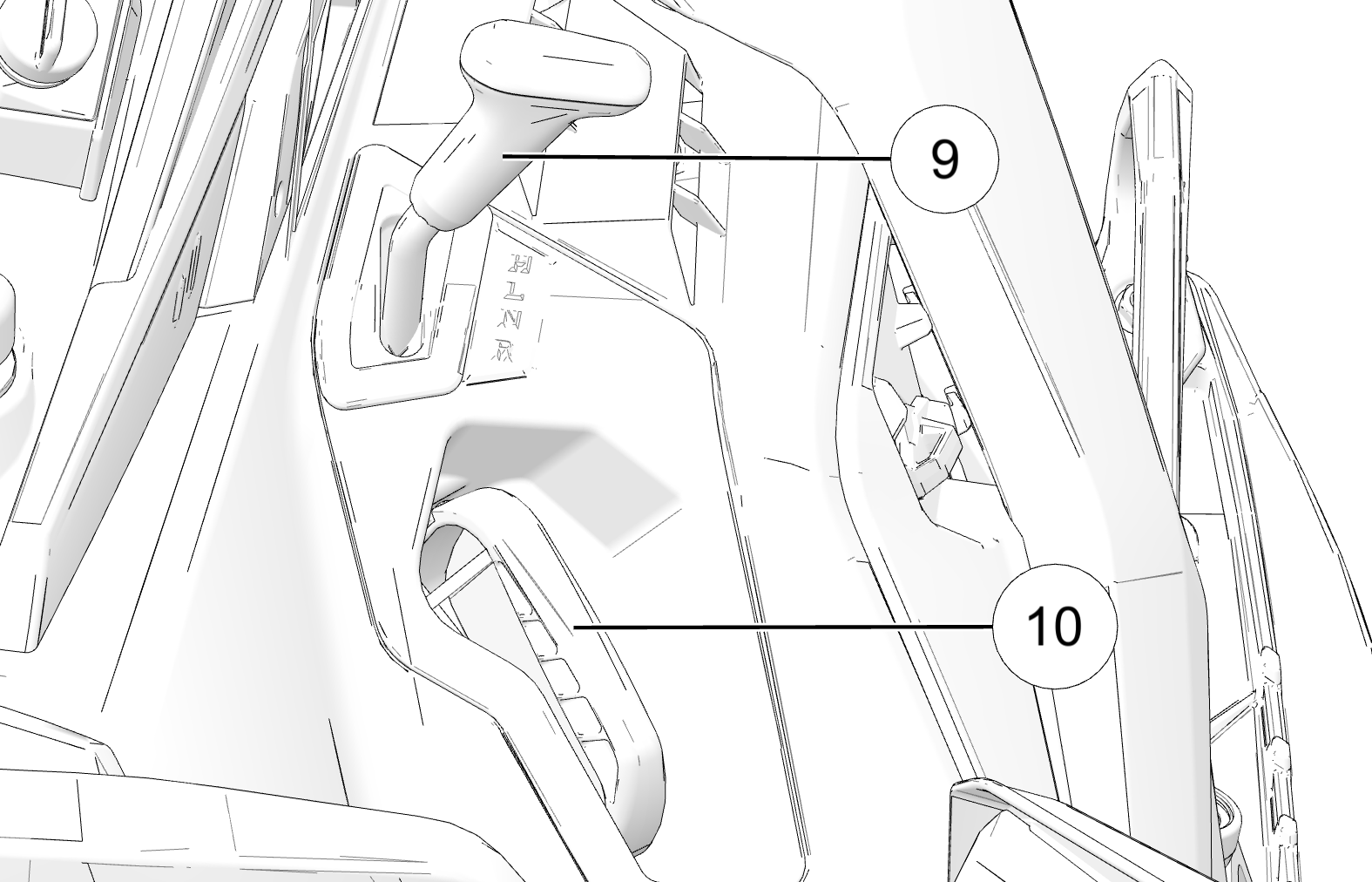
  • 9 Gear Shifter

  • 10 Recoil Starter Handle

  • 11 Heated Grips Button

  • 12 Reverse Override Switch

  • 13 Headlight Dimmer Button

Not shown: Mirrors (if equipped)

3.3.2.3: Gear Shifter

To change gears, stop the vehicle, and with the engine idling, move the lever to the desired gear. Do not attempt to shift gears with engine speed above idle or while the vehicle is moving.

  • H: High Gear

  • L: Low Gear

  • N: Neutral

  • R: Reverse

NOTICE

Do not attempt to shift the transmission while the vehicle is moving or damage to the transmission could result. Always shift when the vehicle is stationary and the engine is at idle.

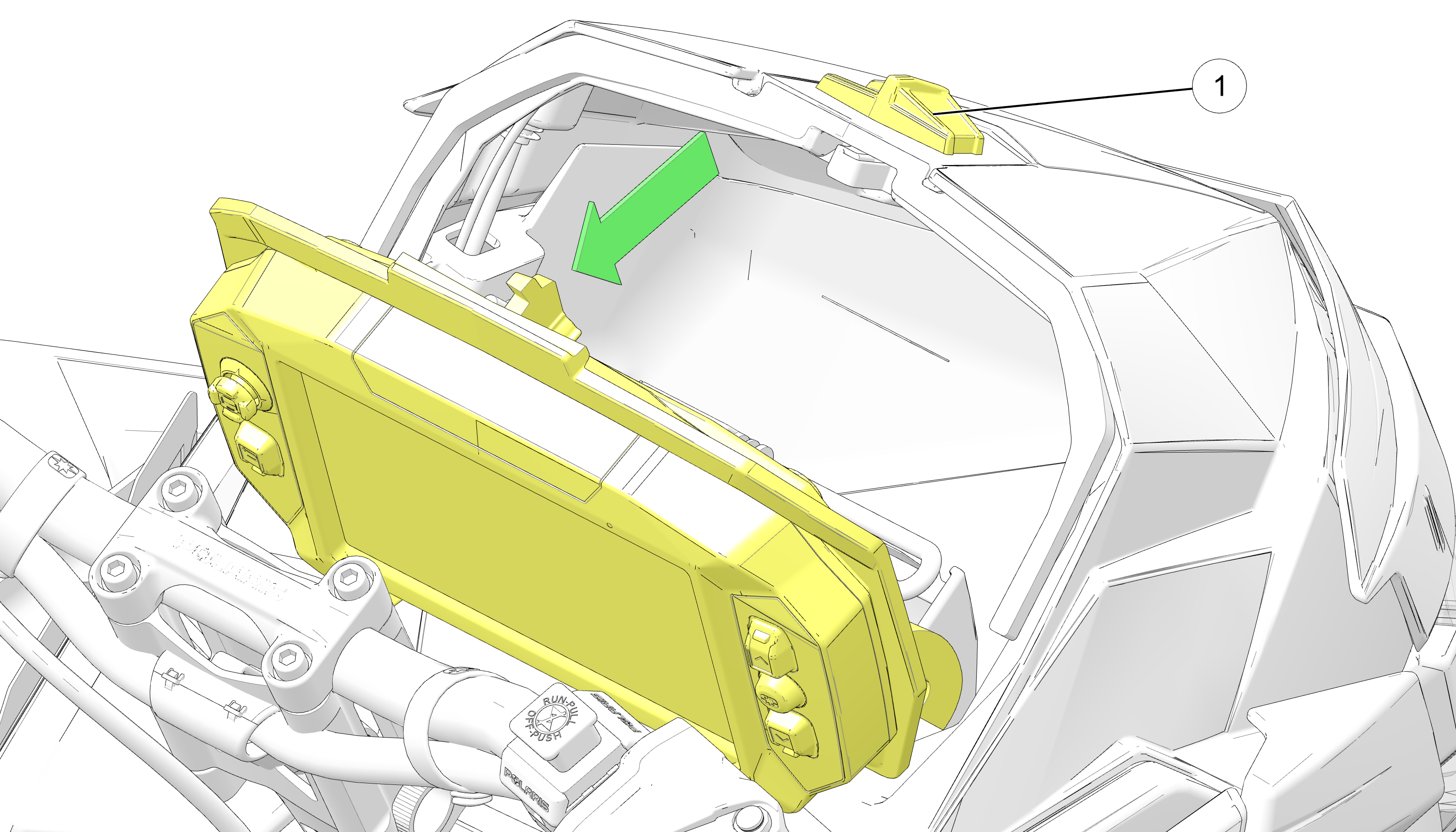
3.3.2.4: Onboard Storage

To access the onboard storage behind the gauge, slide the lever 1 and pull the gauge away.

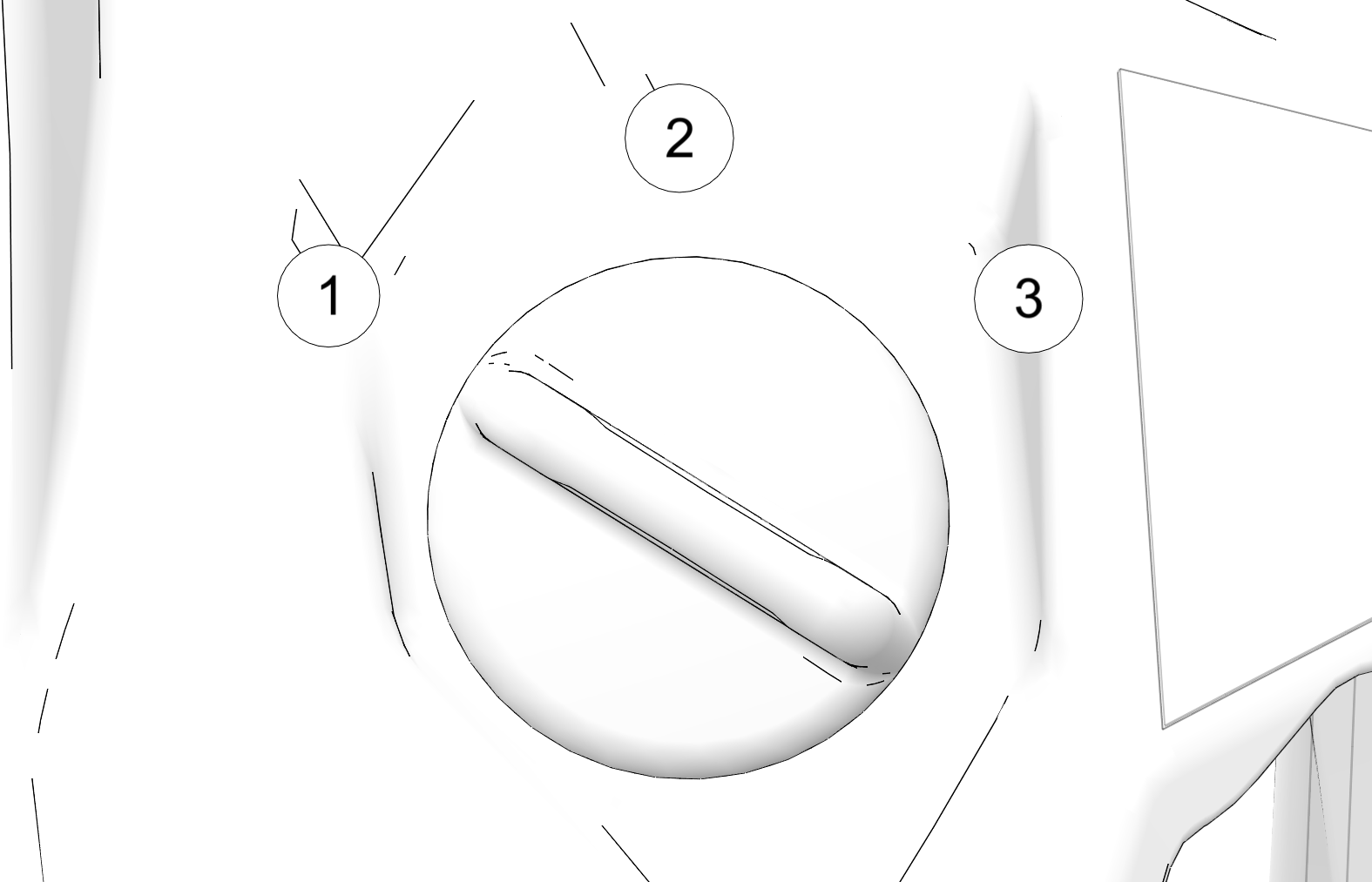
3.3.2.5: Ignition Switch

The ignition switch has three positions: OFF, RUN, and START.

  • 1 OFF Vehicle / Display power off

  • 2 RUN Vehicle / Display power on

  • 3 START Activates starter motor (if equipped)


If equipped with electric start, turn the key to START to crank the engine. When released, the key automatically returns to the RUN position.

If the key remains in the RUN position after using the engine stop switch to stop the engine, the 7S Display will remain active. The screen will turn off after several minutes of inactivity, but if a battery is installed, the display will continue to draw a small amount of current from the battery until the key is turned off. This feature is useful for accessing Ride Command without starting the engine, but make sure to turn the key off when the display is not in use.

The 7S Display is not dependent on a battery while the engine is running. This allows the 7S to remain fully powered and retain GPS lock during a successful PERC event (forward/reverse transition). When the engine is shut off, the display will immediately power down.

For vehicles equipped with a battery, the 7S Display will remain fully powered for 60 seconds when the key remains in the RUN position after Engine Stop Switch is depressed. The display will power off automatically after 10 minutes of inactivity.

3.3.2.6: 12-Volt RCA Power Source

12-Volt RCA Power Plug

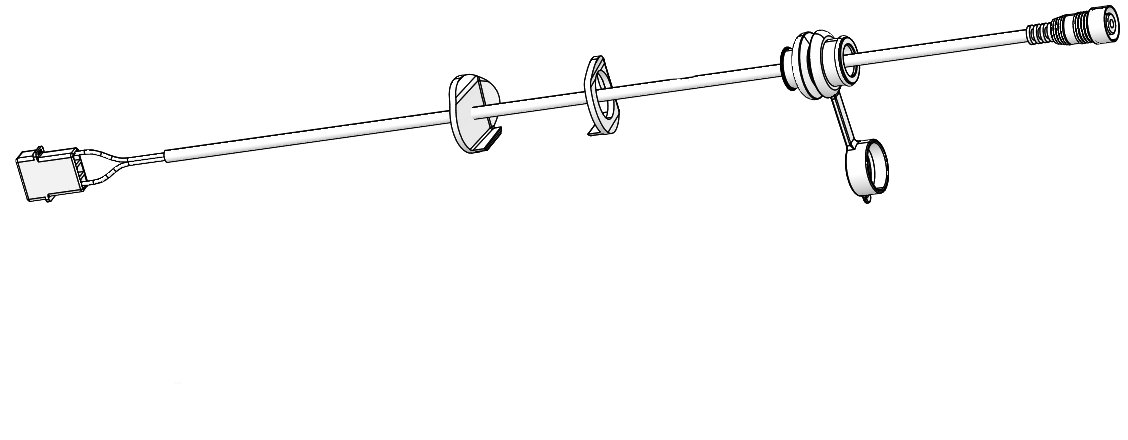
The RCA power plug (with cover) mounts to the switch panel and is plugged into the main vehicle wire harness. Installation instructions are provided with the accessory. This power point is powered by the load shed relay and is not fuse protected. POLARIS recommends using this power point for electric helmet shields.

3.3.2.7: Adjustable Headlight

NOTICE
The image below is for reference only. Your model may differ slightly.

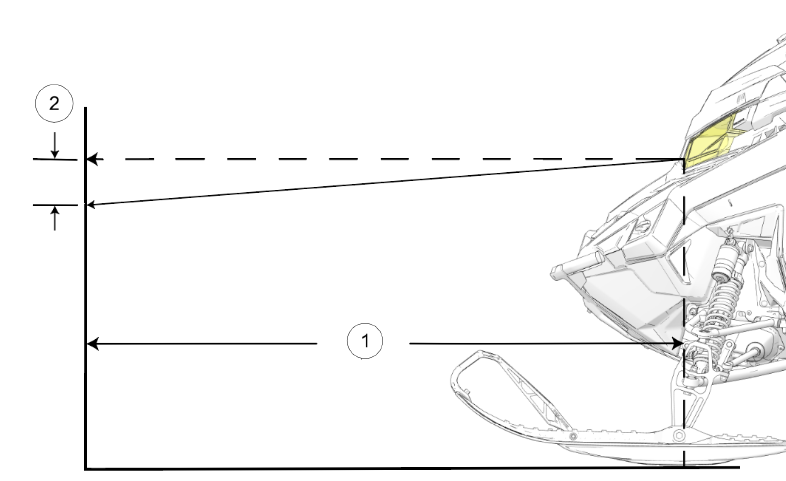
The headlight can be adjusted for vertical aim using the following procedure.

  1. In a well-ventilated area, position the snowmobile on a level surface with the headlight approximately 25 ft (7.6 m) from a wall 1.

  2. Place the rider or the approximate weight of the rider on the seat or tunnel floorboards.

  3. Measure the distance from the floor to the center of the headlight and make a mark on the wall at the same height.

  4. Start the engine. Move the headlight switch to high beam.

  5. Observe the headlight aim on the wall. The most intense part of the headlight beam should be 2 in (5 cm) 2 below the mark on the wall.

  6. If adjustment is necessary, stop the engine and allow the exhaust system to cool completely before you make any adjustments.

  7. Locate the headlight fastener through the left side panel. Turn the fastener clockwise to lower the beam. Turn the fastener counterclockwise to raise the beam.

3.3.2.8: Tail light

The tail light can be changed to a white work light. See Controls for tail light switch location.

IMPORTANT
Do not drive the snowmobile with the work light on.

3.3.2.9: Spare Belt Holder / Tools

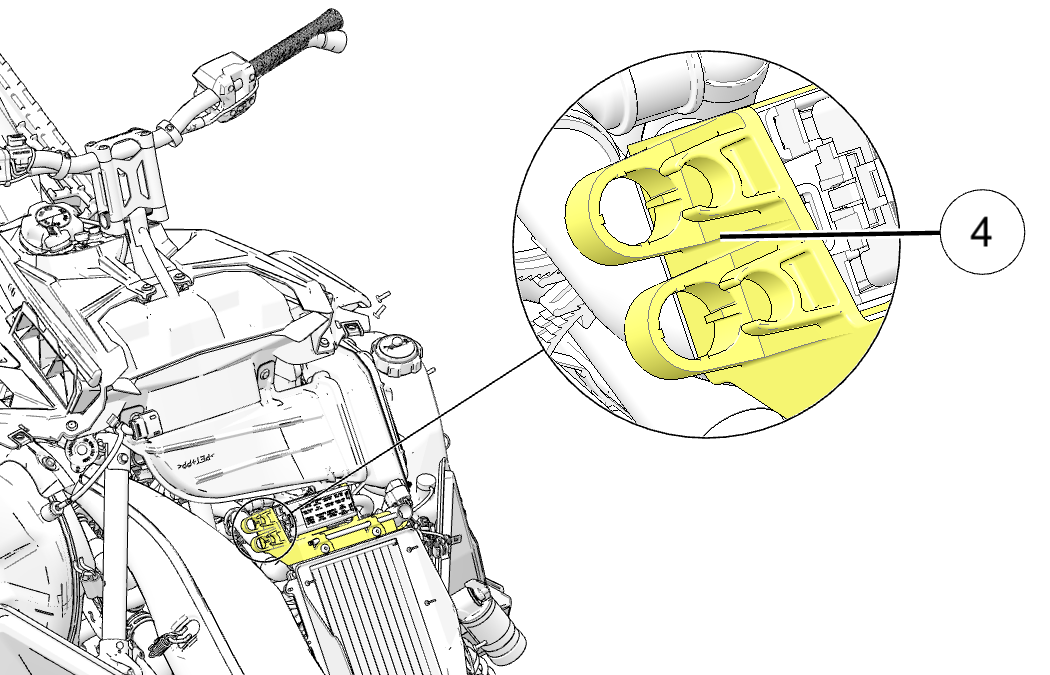
A driven clutch L-wrench and a spare belt holder are provided with the snowmobile. The spare belt holder has provisions for two spark plugs and is secured to the front bumper with the spark plug wrench. Open the left side panel and hood to access the tools.

NOTICE

The spare belt and spark plugs are not included with the vehicle from the factory.

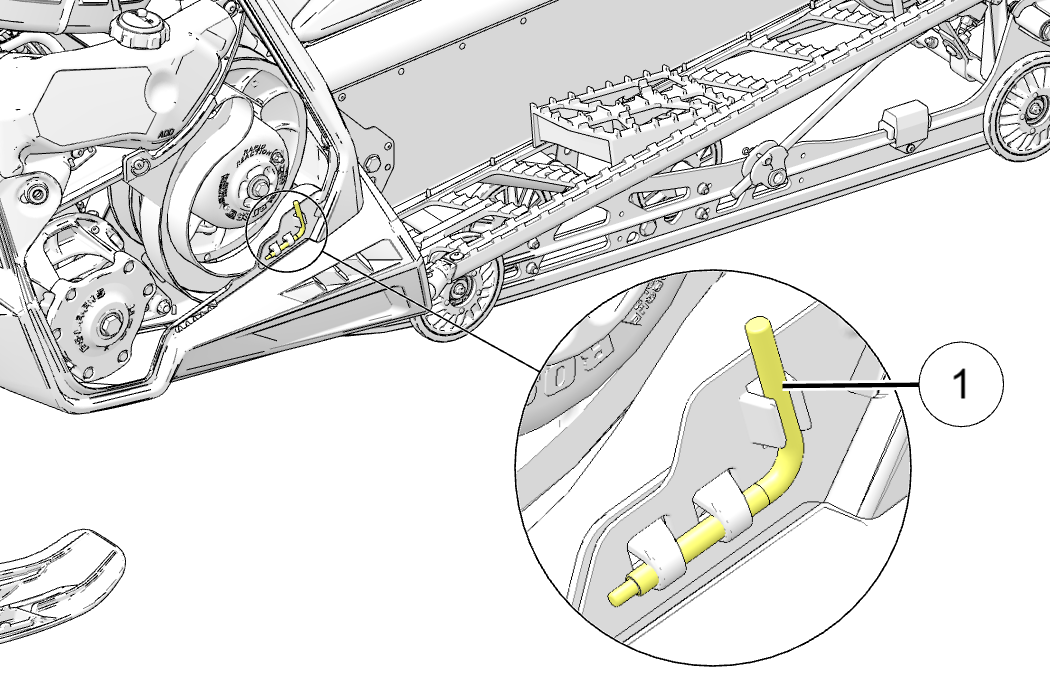
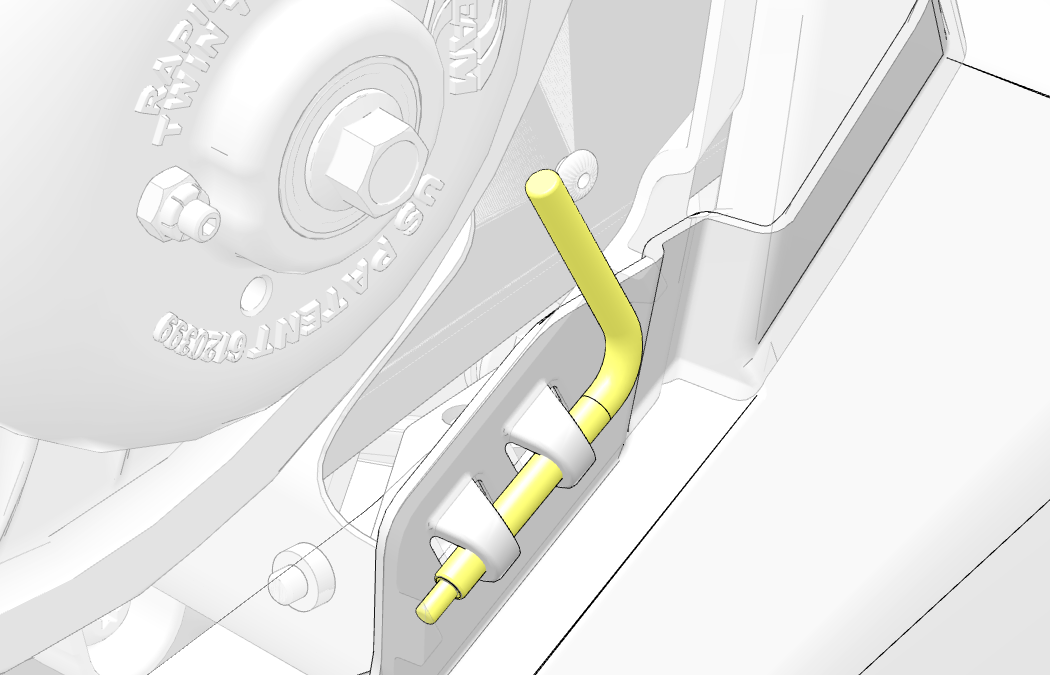
The L-wrench 1 (located under the left side panel) is used to open and close the driven clutch when working with the drive belt. The L-wrench, when properly engaged in the bracket, secures the fender to the console. To retrieve the L-wrench, rotate it counterclockwise and slide it upward from the bracket. When the L-wrench is not in use, return it to the bracket and rotate it clockwise.

If you have a spare belt, use the spare belt strap 2 (located under the left side panel) to hold the belt in place.

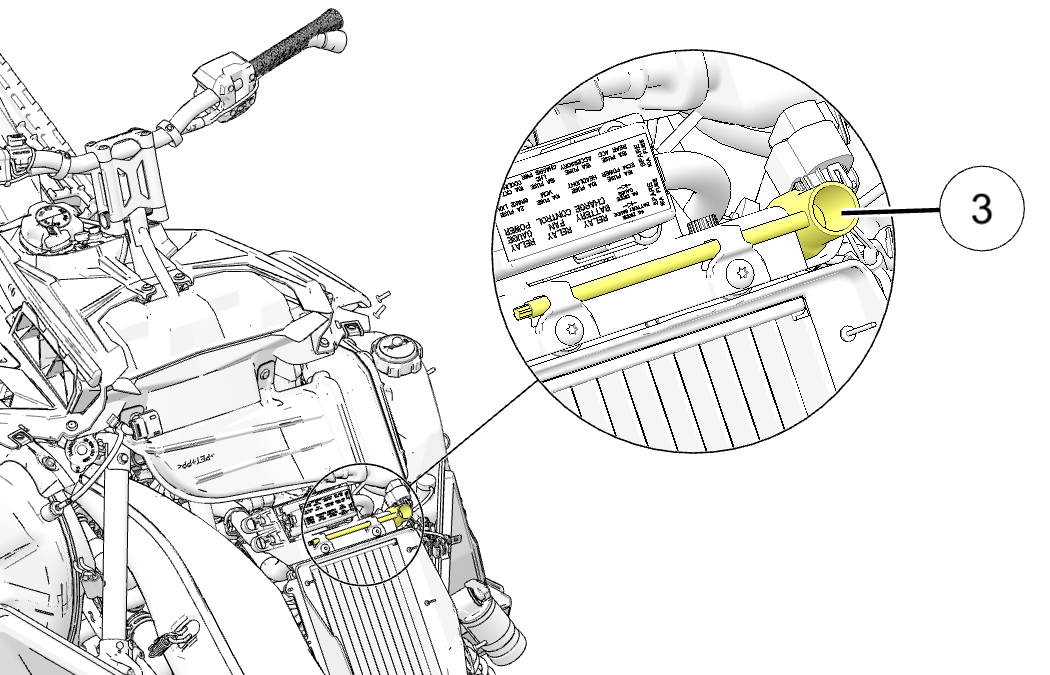
To retrieve the spark plug wrench 3 (located under the hood), rotate the wrench counterclockwise and slide it outward from the bracket. When the wrench is not in use, return it to the bracket and rotate it clockwise.

The spark plug case 4 (located under the hood), can hold spare spark plugs. The spare spark plugs are not included with the vehicle from the factory.

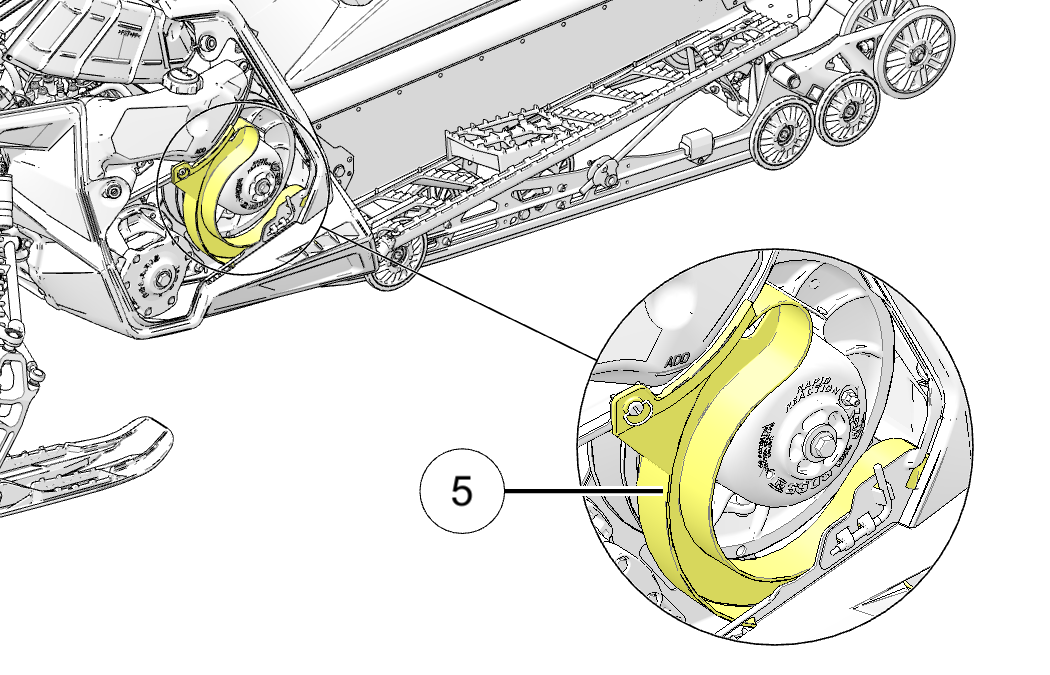
The spare belt holder 5 (located under the left side panel) is attached to the clutch guard.

Use the following procedure to remove the spare belt holder from the snowmobile.

  1. Remove the left side panel.

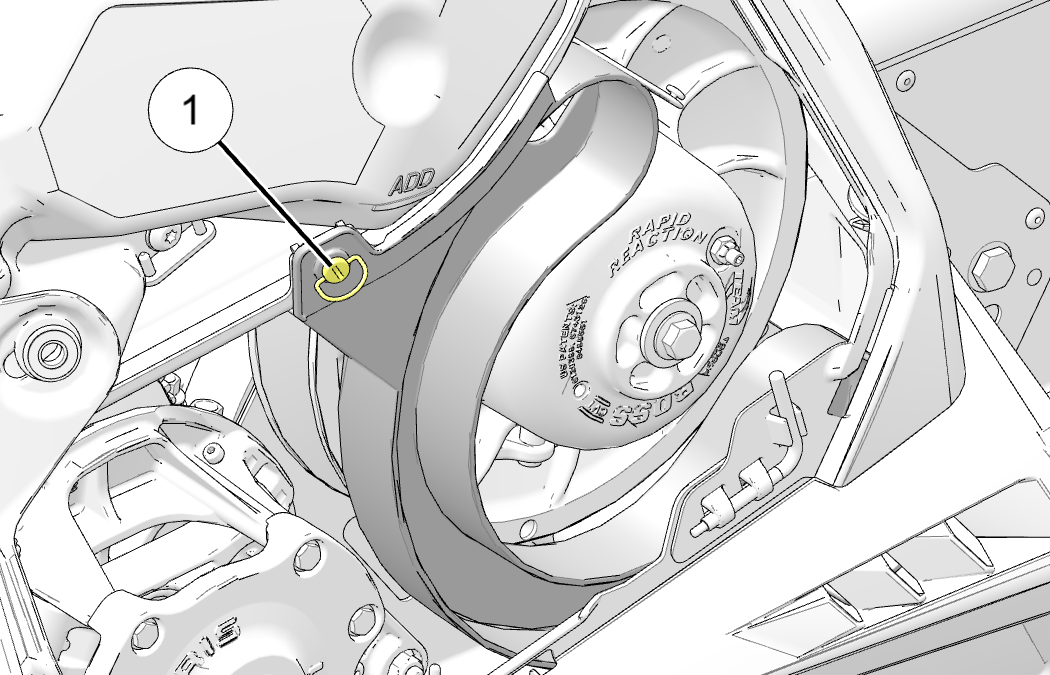
  2. Rotate the 1/4 turn fastener 1 at the top of the spare belt holder.

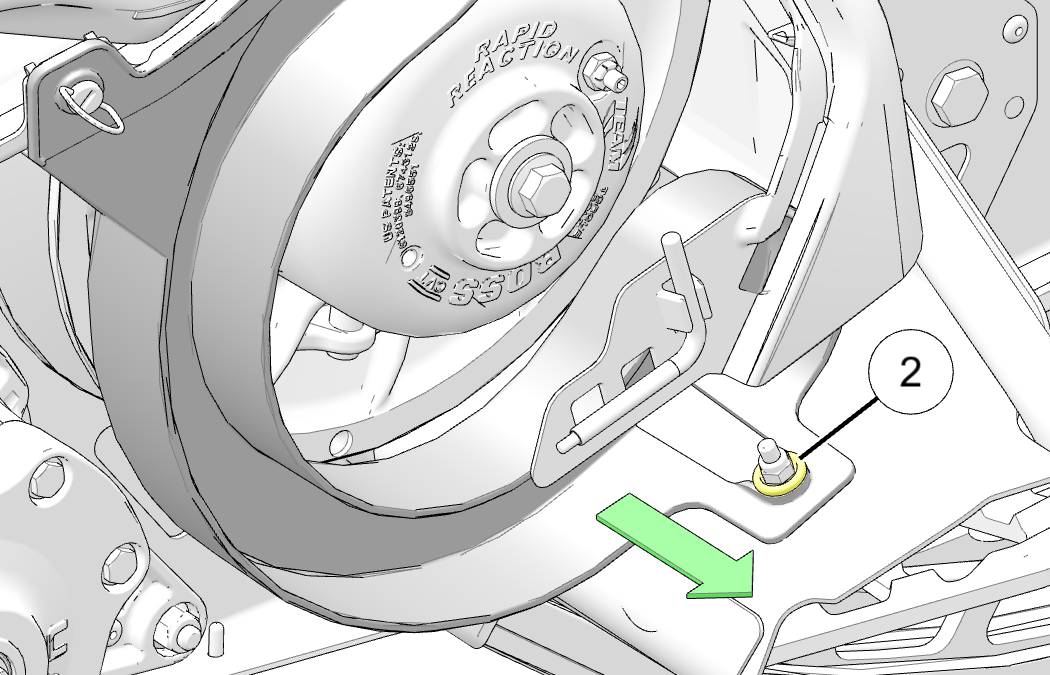
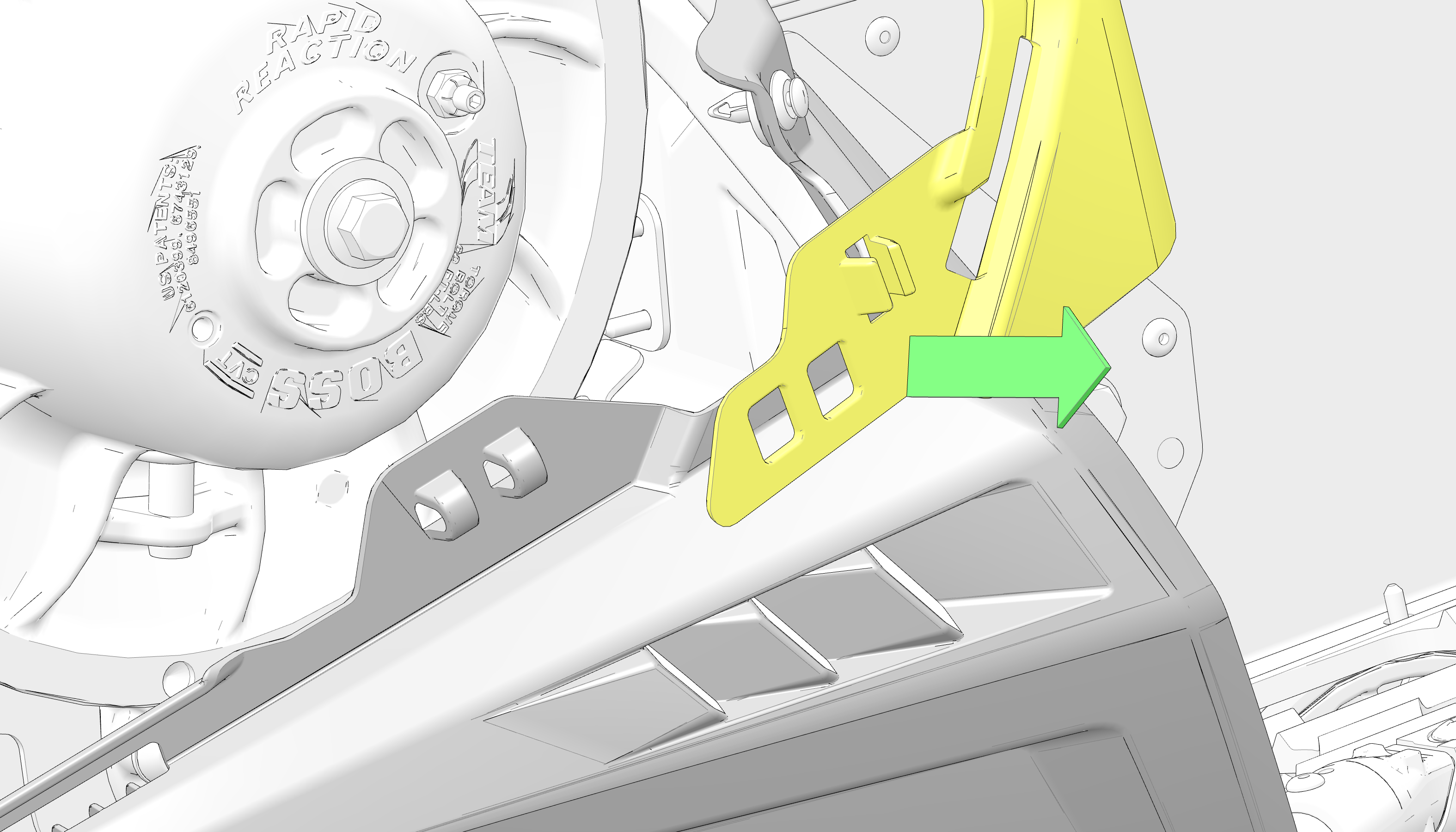
  3. Slide the spare belt holder outward to release it from the mount 2 on the footrest.

    NOTICE

    Fender has been hidden for image clarity.

  4. Lift upward and remove the spare belt holder.

  5. Reinstall the drive belt into the spare belt holder.

  6. Install and align spare belt holder mounting points.

  7. Slide the belt holder inward to secure it to the mount on the footrest.

  8. Rotate the 1/4 turn fastener to secure the spare belt holder.

3.3.2.10: Detonation Elimination Technology (DET)

When DET senses and takes action to reduce detonation, the driver may notice a drop in engine RPM and/or reduced performance. The ECU will illuminate the check engine LED and display “DETONATION” on the LCD screen whenever the DET system is active.

If the ECU determines the detonation cannot be controlled by normal means, and further operation may cause engine damage, the check engine LED will flash, the instrument clusters will display “DETONATION” and the ECU will either limit the maximum engine speed or turn off the engine.

If the ECU limits RPM, the limit will remain active until the driver stops and restarts the engine.

DETONATION PROTECTION MODES

Check Engine LED/Gauge Display

Protection Mode

650 / 850 Models

LED illuminated / “DETONATION” displayed

Slight drop in engine RPM/power

LED flashing / “DETONATION” displayed

Exhaust valves close to reduce engine RPM/power. Restart engine to reset.

The most likely causes of severe detonation are outlined in the troubleshooting table on Troubleshooting Detonation Elimination Technology (DET).

3.3.2.11: Oil Pump Failure Protection (if equipped)

If the ECU determines there is a problem with the electronic oil pump control circuit, the engine management system will limit engine speed to approximately 4500 RPM and illuminate the check engine indicator light on the instrument cluster.

3.3.2.12: Extended Idle Engine Shutoff

This engine feature causes the ECU to shut down the engine when engine temperature reaches 120° F (50° C) and there is no throttle lever input for five minutes.

3.3.2.13: ECU Speed Limiter

The ECU monitors the vehicle speed supplied by the vehicle speed sensor. The sensor is mounted to the transmission behind the brake disc.

Gear Position Speed Limit
Neutral N/A
Reverse — Override button off (button not pressed) 10 mph (16 kph)
Reverse — Override button on (button pressed) 20 mph (32 kph)
Low 50 mph (80 kph)
Low/high — Speed sensor signal lost Exhaust valves set to closed position
Reverse — Speed sensor signal lost

3.3.2.14: Security System (Ignition Lock System)

Your snowmobile has an optional security function that can be activated by an authorized Polaris dealer. If you have this feature activated, you can lock the ignition to prevent unauthorized use when leaving the snowmobile unattended. A locked system will limit engine speed to 3000 RPM, which prevents clutch engagement, and the snowmobile will not move when throttle is applied.

3.3.2.15: Battery Maintainer Port

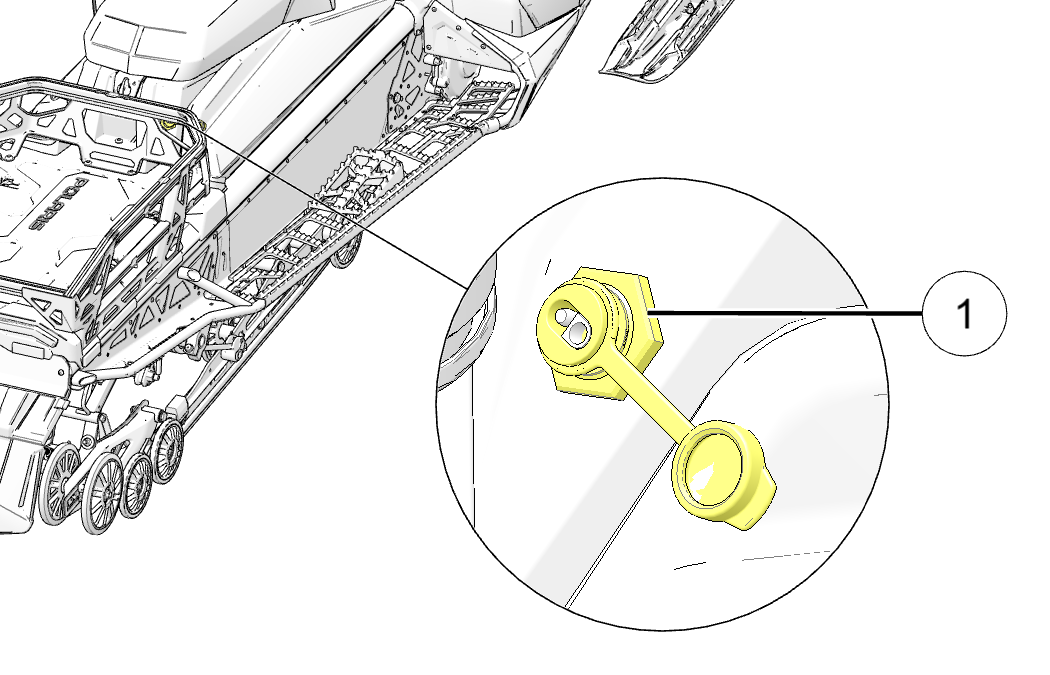
The battery maintainer port 1 is located behind the seat.

3.3.2.16: Hitch and Towing

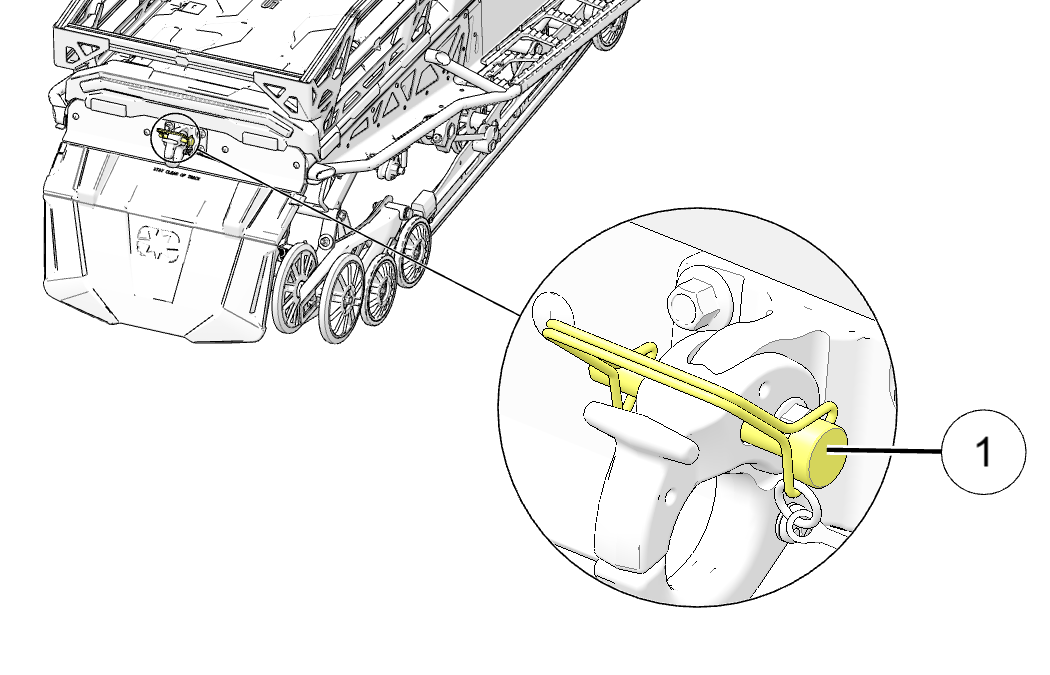
The hitch is located at the rear of the snowmobile and secured with a pin 1. Remove the pin to unlock the hitch for towing.

IMPORTANT
Always replace the pin before driving the snowmobile with a load.

3.3.2.17: Storage Rack

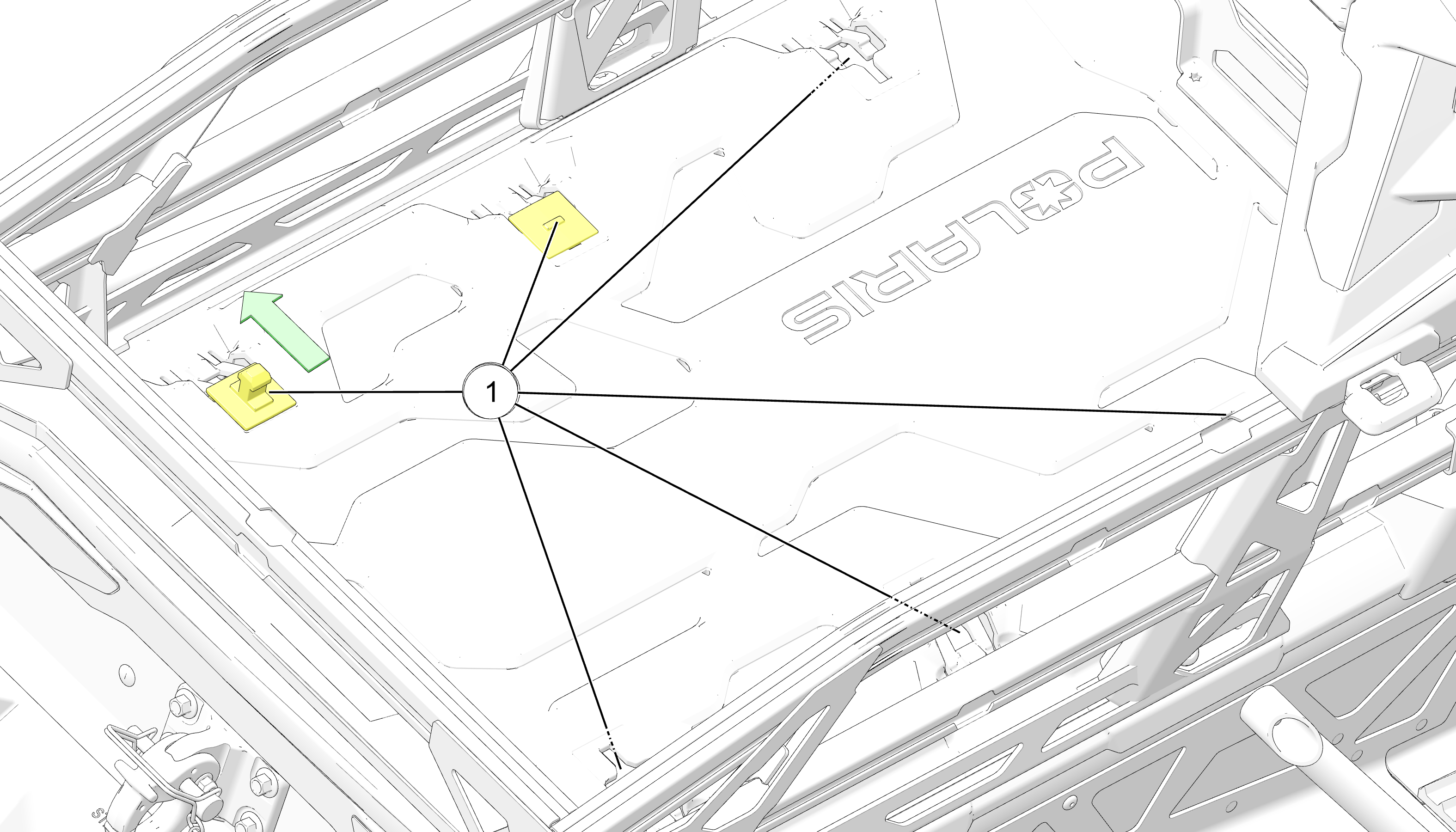
There are six accessory attachment points 1. The accessory attachment pieces can be reversed to create a flat bed.

NOTICE
The storage rack maximum weight capacity is 125 lb (56.7 kg).

3.3.2.18: Removable Snow Flap

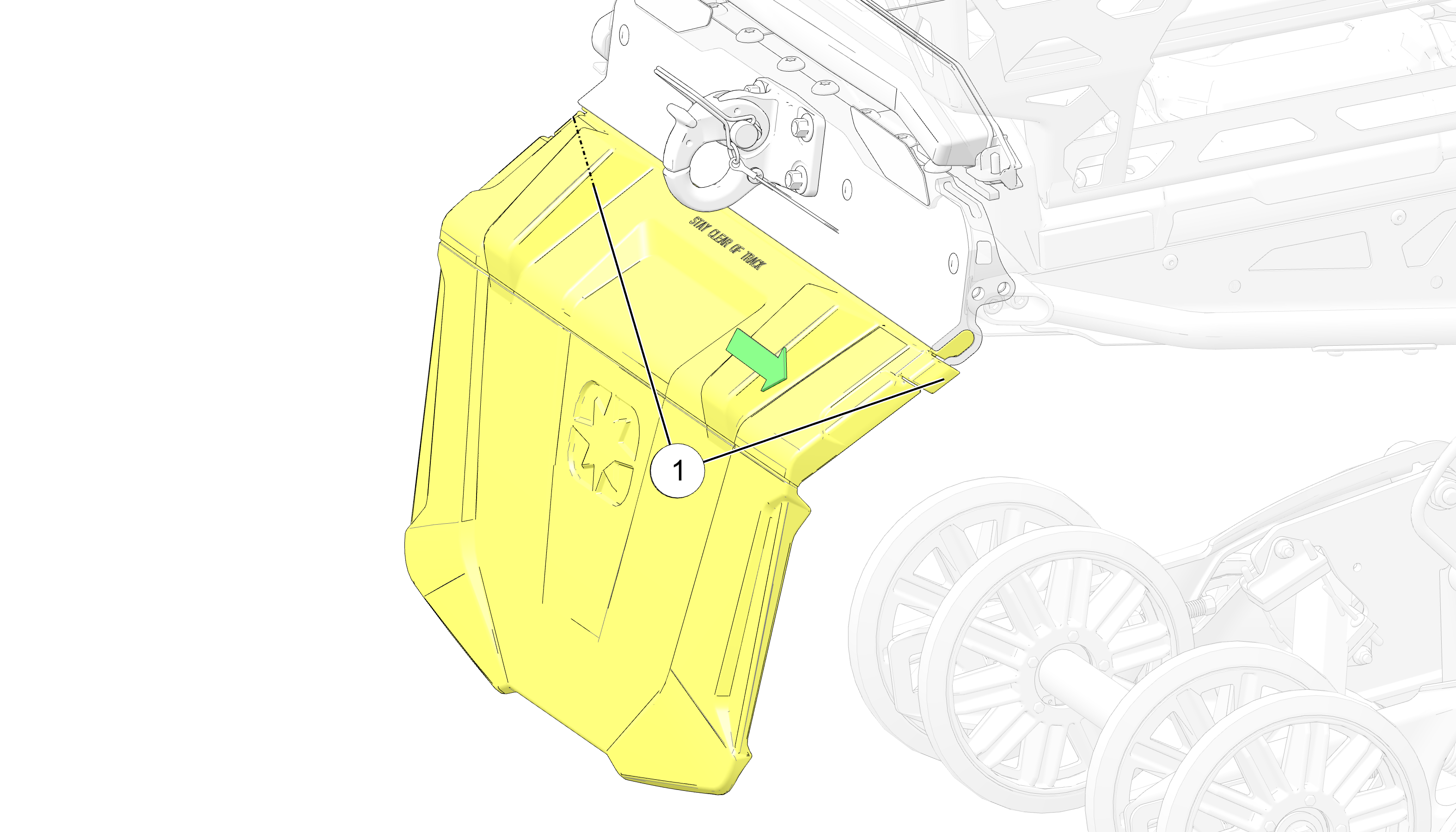
The snow flap is removable. To remove the snow flap, pull the clasp 1 and slide the snow flap to either side.

NOTICE
Make sure the snow flap is secured before every ride.

3.3.2.19: Portable Fuel Containers

This vehicle is designed to use a Polaris-approved Portable Fuel container and Mount.

WARNING
Fuels such as gasoline can be extremely flammable. Rollovers, crashes, rough riding, or changes in elevation or temperature may lead to fuel spilling or vapor release from portable containers. Hot vehicle parts can cause fires, even after the engine has been turned off. Improperly carrying fuel can lead to serious burn injuries or death. To reduce these risks, only carry fuel using a POLARIS-approved Portable Fuel Container and Mount, and follow the instructions that come with the container and mount.

Chapter 4: Gauge

4.4.1: Standard Instrument Cluster

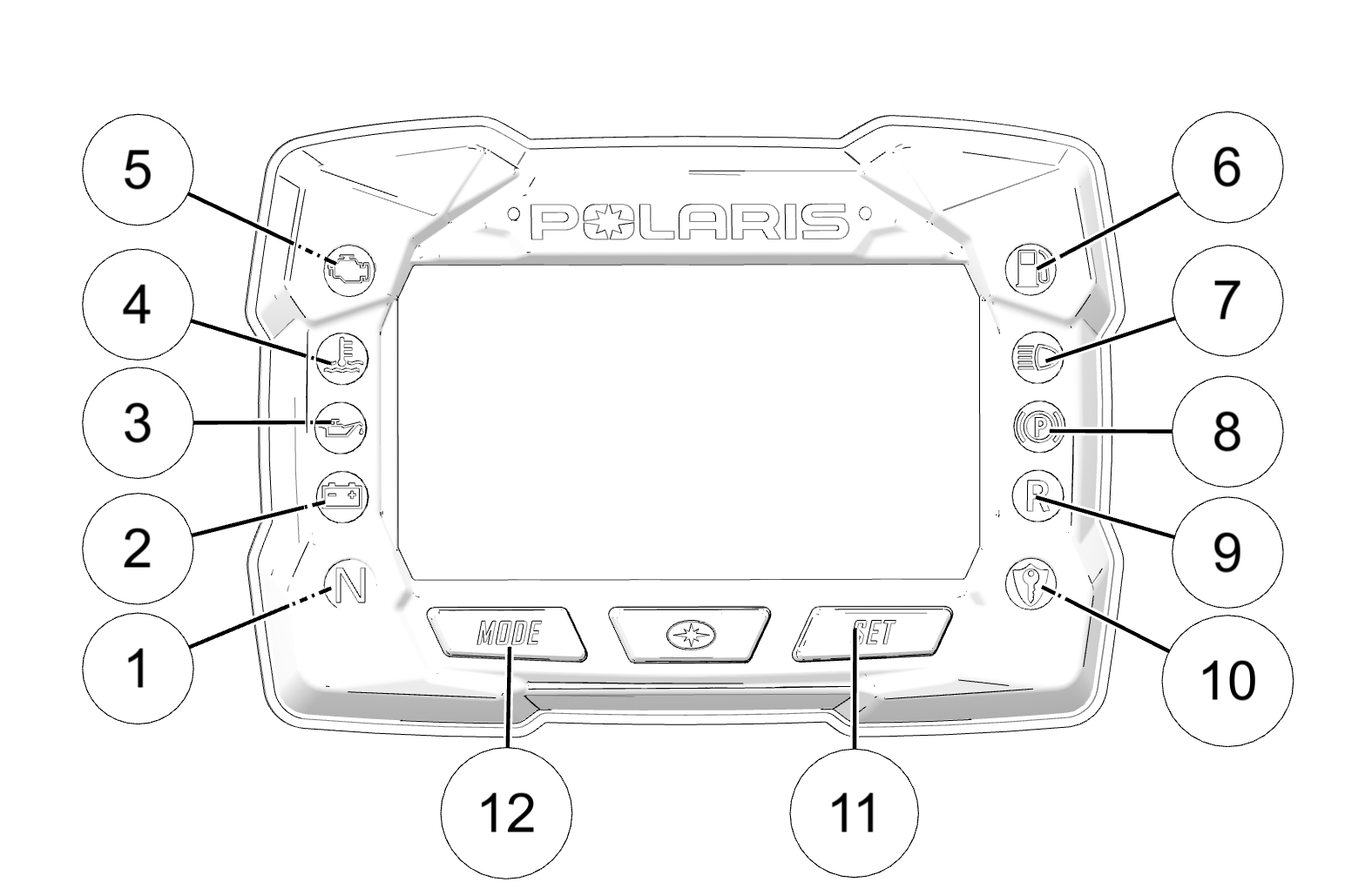
  • 1 Check Engine

  • 2 Engine Hot

  • 3 Low Oil

  • 4 Low Battery Voltage

  • 5 Playback

  • 6 Low Fuel

  • 7 High Beam

  • 8 Temporary Brake Lock

  • 9 Reverse

  • 10 Security

  • 11 SET Button

  • 12 MODE Button

NOTICE

Certain products will damage the lens and other plastic surfaces. Do not use alcohol to clean the instrument cluster. Immediately clean off any gasoline that splashes on the instrument cluster.

The instrument cluster contains indicator lights and the rider information center. The information center can be controlled by the SET button 11 and MODE button 12 on the instrument cluster.

4.4.1.1: Indicator Lamps

Indicator Condition

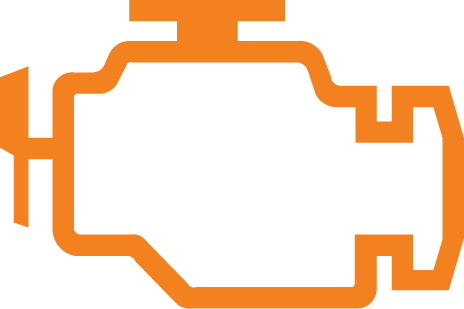
This indicator appears if an EFI-related fault occurs. Do not operate the snowmobile if this warning appears. Serious engine damage could result. Your authorized POLARIS dealer can assist.

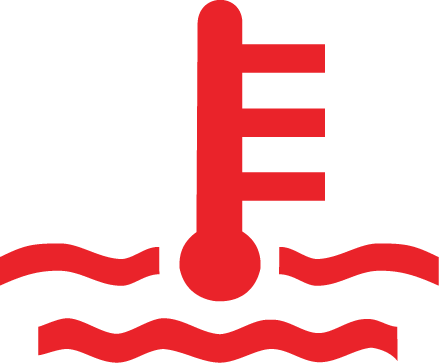
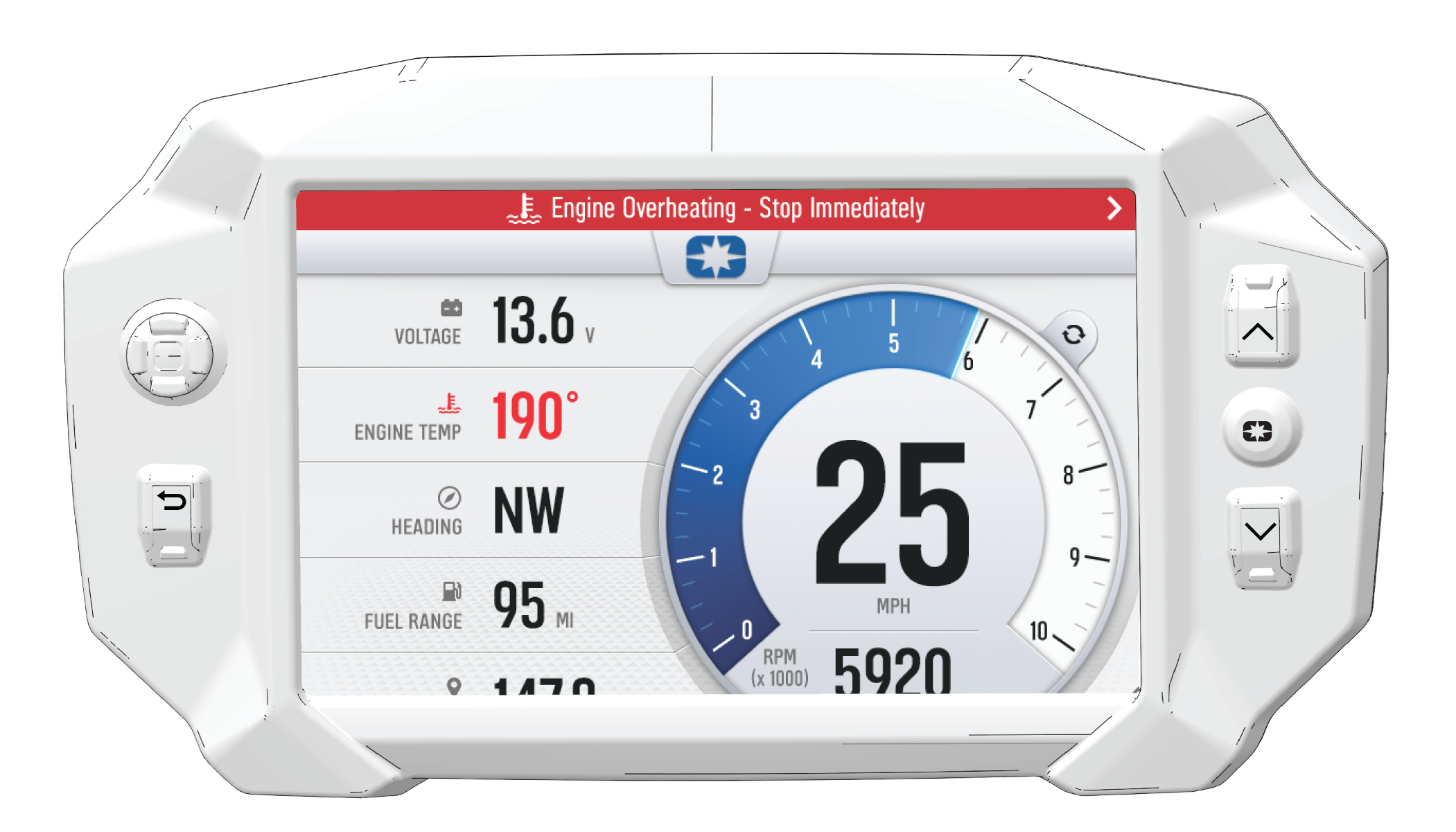
The over-temperature indicator will illuminate when the engine is overheating. Take action to cool the engine. The indicator will flash when engine temperature reaches critical levels. Stop the engine immediately.

The low oil indicator light may flicker at times due to oil movement in the bottle, but when the light comes on and remains on, add the recommended oil before further operation.

The low battery voltage indicator illuminates when the battery voltage is low.

The neutral indicator illuminates when the gauge is in playback mode or when the transmission is in the neutral position.

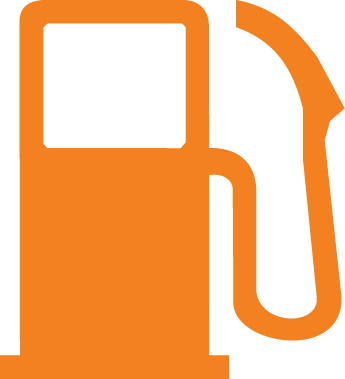
The low fuel indicator illuminates when there is 2 gal (7.5 l) of fuel remaining in the tank.

The high beam indicator illuminates when the lights are set to high beam.

The temporary brake lock indicator illuminates when the temporary brake lock is engaged. It will also illuminate when the service brake is in use.

The reverse indicator flashes when the transmission is in reverse.

The security indicator illuminates when the security system is activated.

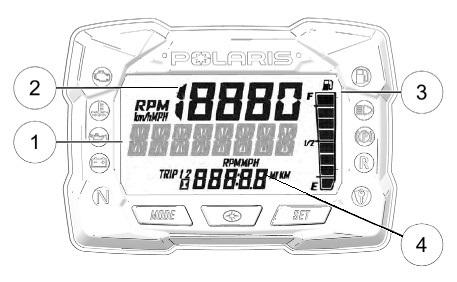
4.4.1.2: Rider Information Center

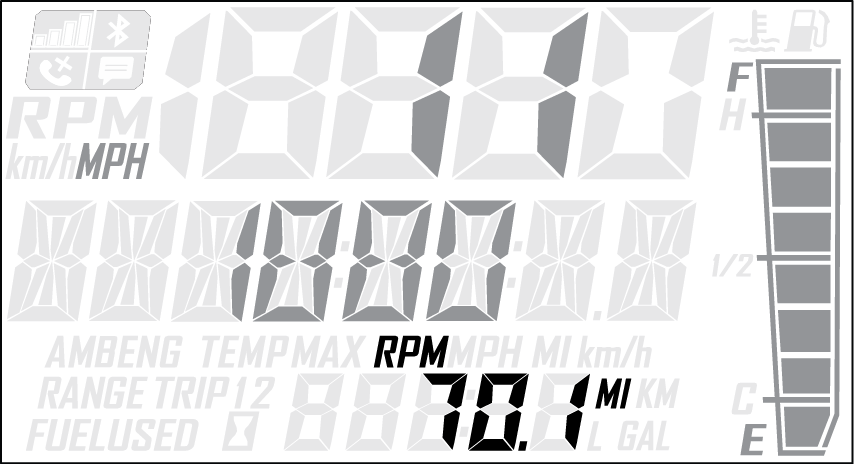
The rider information center is located in the instrument cluster. The center displays vehicle speed, engine speed, odometer, resettable trip meters (2), total engine hours of operation, fuel level, engine temperature, and a diagnostic display mode.

Setting changes must be made with the engine running or with the vehicle powered by an external DC power supply connector. The information center is set to display standard units of measurement for distance and temperature.

1 Information Display Area - This area displays either engine speed or vehicle speed (whichever is not displayed in the speed display), engine temperature and maximum vehicle speed.

2 Speed Display - The speed display area displays either vehicle speed or engine speed.

3 Fuel Gauge - Not available on all models. The segments of the fuel gauge show the level of fuel in the fuel tank. When the last segment clears, a low fuel warning is activated. All segments including the fuel icon will flash. Refuel immediately.

NOTICE
The low fuel indicator and fuel level gauge on the Standard Instrument Cluster are not supported on models with a fuel level gauge on the fuel cap.
TIP
If the fuel icon fails to display, an open or short circuit has occurred in the fuel sensor circuit. See your dealer.

4 Odometer/Engine Hour Display - This area displays the odometer, Trip A, Trip B and engine hours.

4.4.1.2.1: Information Display Area

This area displays either engine speed or vehicle speed (whichever is not displayed in the speed display), engine temperature, maximum vehicle speed, and speed or RPM. To change the display, press and release the MODE button or the MODE switch until the desired item is displayed.

4.4.1.2.2: Speed Display Area

The speed display area displays either vehicle speed or engine speed. Vehicle speed is displayed in either miles per hour (MPH) or kilometers per hour (km/h). Engine speed is displayed in revolutions per minute (RPM).

  1. To change which item displays, first make sure the information display area is set to display either engine speed or vehicle speed.

  2. Press and release the center button.

4.4.1.2.3: Fuel Gauge

The segments of the fuel gauge show the level of fuel in the fuel tank. When the last segment clears, a low fuel warning is activated. All segments including the fuel icon will flash. Refuel immediately.

TIP

If the fuel icon fails to display, an open or short circuit has occurred in the fuel sensor circuit. See your authorized POLARIS dealer.

4.4.1.2.4: Odometer/Engine Hour Display Area

This area displays the odometer, Trip 1 meter, Trip 2 meter, CLOCK, and Engine Hours meter.

The odometer displays the total distance traveled by the vehicle since manufacture. Each trip meter records the distance traveled by the vehicle on a trip if the meter is reset before each trip. The CLOCK displays the time, and the engine hour meter displays the total hours the engine has been in operation since manufacture.

To change the display, press and release the SET button or SET switch until the desired item is displayed.

To reset a trip meter, press and hold the SET button or SET switch until the meter resets to zero.

4.4.1.2.5: Playback Function

The playback function allows the rider to record and play back engine speed, vehicle speed and throttle position sensor information for up to three minutes.

To Record
  1. Press and hold the center button on the instrument cluster to enter the Options Menu.

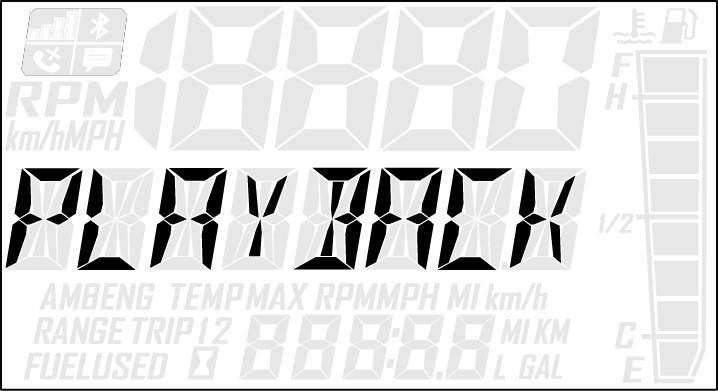
  2. Press and release the MODE button until PLAYBACK appears in the information display area.

  3. Press and release the SET button.

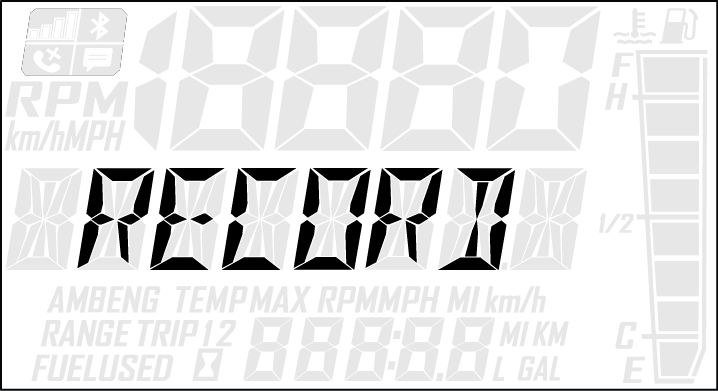
    RECORD will appear in the information display area.

  4. To begin recording, press and release the SET button.

    The playback indicator will flash while recording is in progress. Recording is complete when the light stops flashing.

    NOTICE
    To stop recording at any time during the recording process, press and release the SET button.
To Playback
  1. To play back the recorded data, stop the vehicle and wait for engine speed to drop below clutch engagement.

  2. Press and hold the center button on the instrument cluster to enter the Options Menu.

  3. Press and release the MODE button until PLAYBACK appears in the information display area.

  4. Press and release the SET button twice.

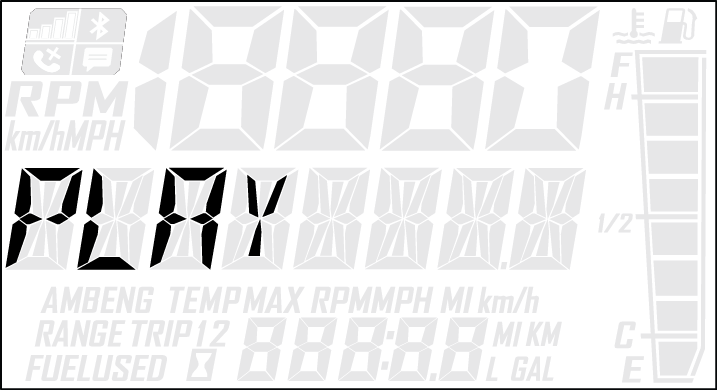
    PLAY will appear in the information display area.

  5. Press and release the SET button to play the recorded data.

    Once playback has concluded, REPLAY will appear in the information display area.

  6. Press and release the SET button to REPLAY recorded data.

  7. Press and release the MODE button to end playback and return to the Options Menu.

4.4.1.2.6: Standard/Metric Display

The odometer and temperature displays can be viewed in either standard or metric units of measurement. Both displays change if units are changed. The new settings will remain until changed by the operator.

Change Method 1

  1. Press and hold the center button on the instrument cluster to enter the Options Menu.

  2. Press and release the MODE button until engine temperature appears in the information display area.

  3. Press and release the SET button or SET switch to change units.

Change Method 2

  1. Press and release the SET button or SET switch until the odometer appears in the information display area.

  2. Press and hold the SET button or SET switch until the units change.

4.4.1.3: Security System (Ignition Lock System)

This system is an optional feature and will not function until it has been activated by your authorized POLARIS dealer. If you have this feature activated, you can lock the ignition to prevent unauthorized use when leaving the snowmobile unattended. A locked system will limit engine speed to 3000 RPM, which prevents clutch engagement, and the snowmobile will not move when throttle is applied.

If you wish to use this feature, you must complete all four tasks on the following pages to have your system activated and to change the security code to one of your own choosing.

4.4.1.3.1: First Time Use of Your Security System

Perform all tasks in the order shown if you wish to activate and use the optional security system.

TASK 1: Activate the Security System

See your authorized POLARIS dealer to have the optional security system feature activated in the electronic control unit (ECU).

TASK 2: Lock the System the First Time

NOTICE
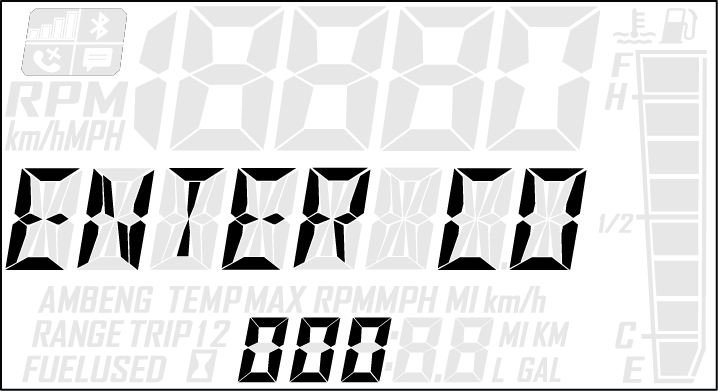
To lock the system for the first time, use code 000.
  1. Press and hold the center button on the instrument cluster to enter the Options Menu.

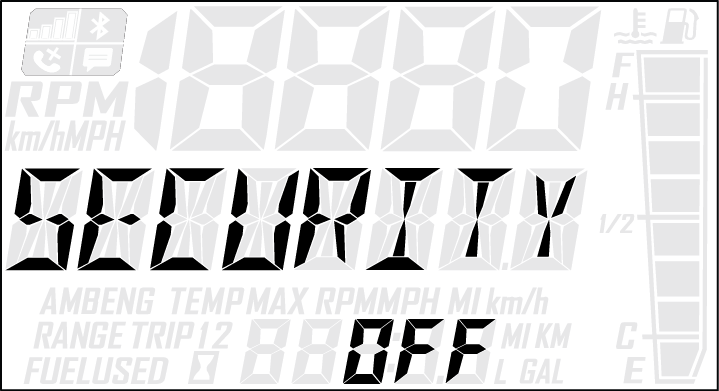
  2. Press and release the MODE button until SECURITY OFF appears in the information display area.

  3. Press and release the SET button.

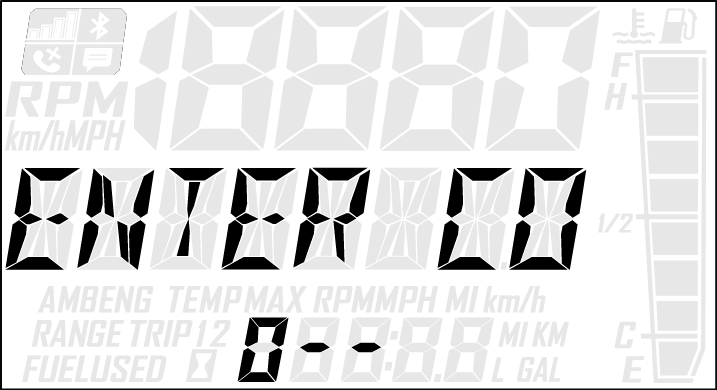
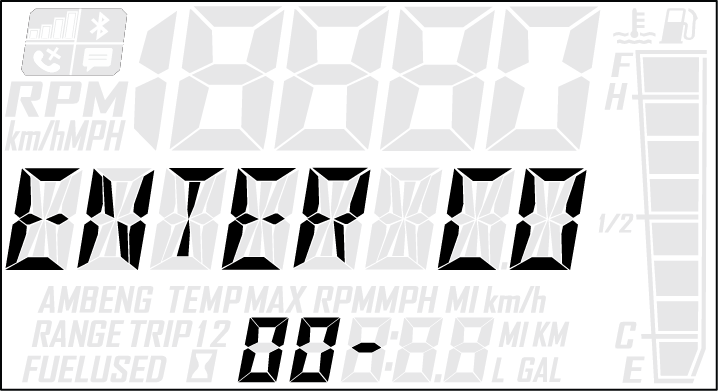
    ENTER CODE will appear in the information display area.

  4. Press and release the SET button to increase the 1st digit.

  5. Press and hold the SET button to accept the 1st digit and advance to the 2nd digit.

  6. Press and release the SET button to increase the 2nd digit.

  7. Press and hold the SET button to accept the 2nd digit and advance to the 3rd digit.

  8. Press and hold the SET button to accept the 3rd digit and submit code.

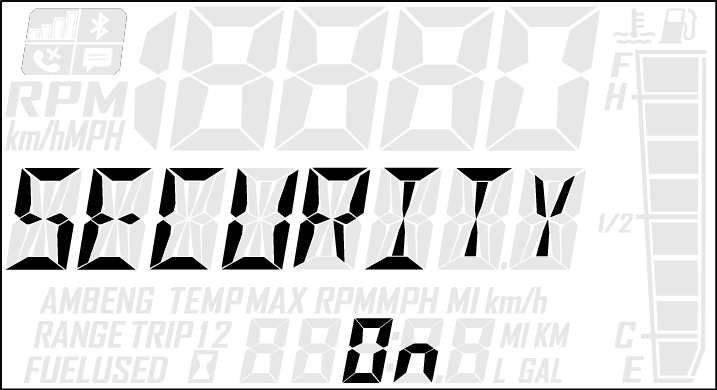
    If code is correct, SECURITY ON will appear in the information display area. The system is now locked. Proceed immediately to Task 3.

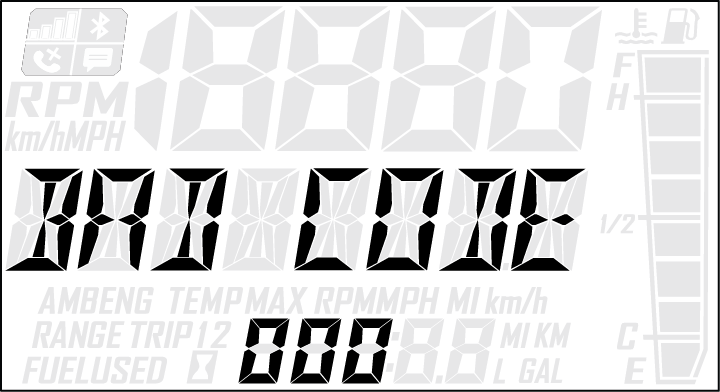
    If code is incorrect, BAD CODE will appear in the information display area. Return to step 3 to re-enter code.

TASK 3: Unlock the System

NOTICE
To unlock the system for the first time, use code 000.
  1. While the engine is running, press and release the SET button.

    ENTER CODE will appear in the information display area.

  2. Press and release the SET button to increase the 1st digit.

  3. Press and hold the SET button to accept the 1st digit and advance to the 2nd digit.

  4. Press and release the SET button to increase the 2nd digit.

  5. Press and hold the SET button to accept the 2nd digit and advance to the 3rd digit.

  6. Press and release the SET button to increase the 3rd digit.

  7. Press and hold the SET button to accept the 3rd digit and submit code.

    If code is correct, SECURITY OFF will appear in the information display area.

    NOTICE
    The system is now unlocked.

    If code is incorrect, BAD CODE will appear in the information display area. Return to step 1 to re-enter code.

  8. You must now enter a new security code. Proceed immediately to TASK 4.

TASK 4: Enter Your New Security Code

  1. Immediately after locking and unlocking the system, and while SECURE OFF is displayed, simultaneously press and hold the MODE and SET buttons.

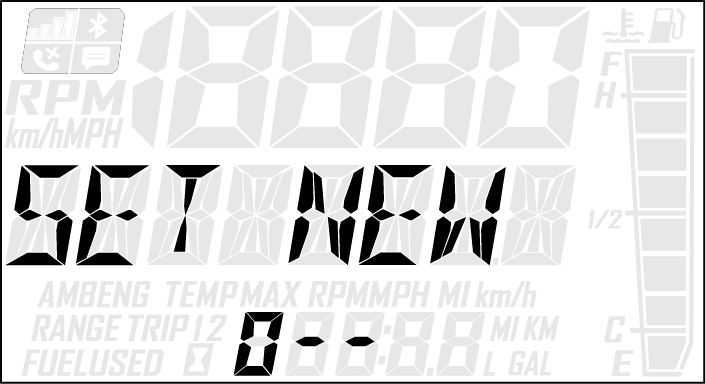
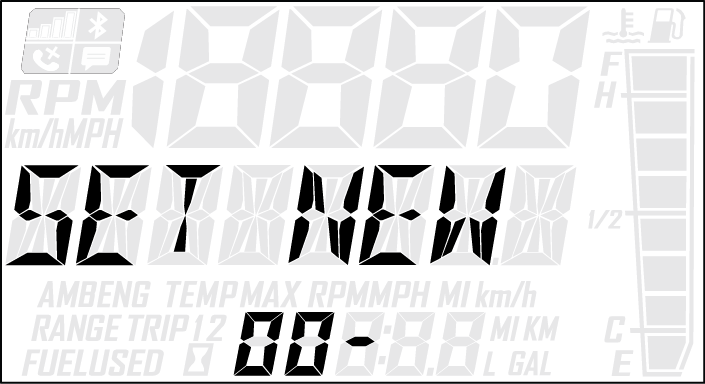
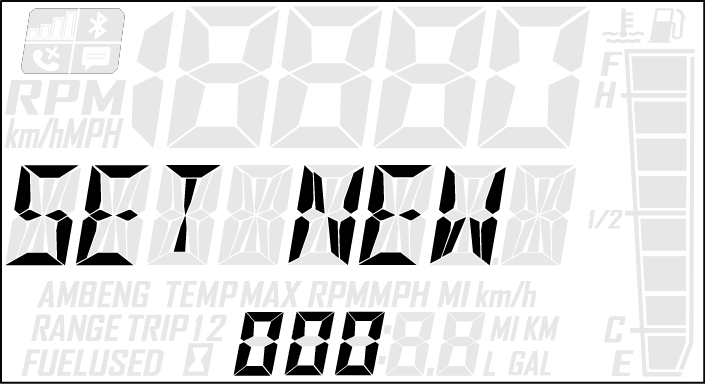
    SET NEW CODE will appear on the information display area.

  2. Press and release the SET button to increase the 1st digit.

  3. Press and hold the SET button to accept the 1st digit and advance to the 2nd digit.

  4. Press and release the SET button to increase the 2nd digit.

  5. Press and hold the SET button to accept the 2nd digit and advance to the 3rd digit.

  6. Press and release the SET button to increase the 3rd digit.

  7. Press and hold the SET button to accept the 3rd digit.

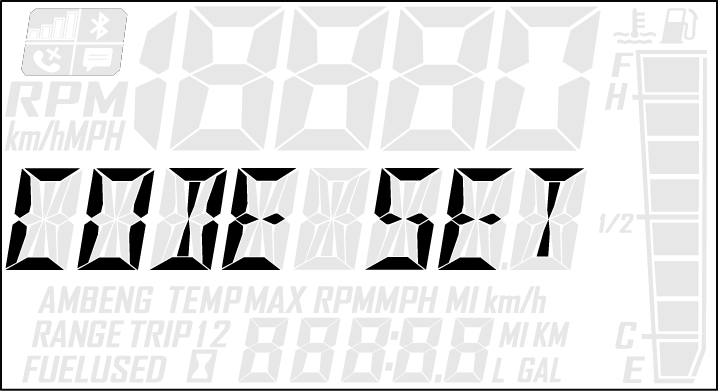
    CODE SET will appear in the information display area, and then the new code will blink three times in the information display area

    NOTICE
    Your new code is now set. The system is NOT locked.
  8. Record your new security code in a safe place for future reference.

Record your new personal security code here: __________________

TIP
If you lose your personal security code, see your authorized POLARIS dealer to have the code reset to “000”. Then perform TASK 2 through TASK 4 to change the code to one of your own choosing.
4.4.1.3.2: Locking System With Personal Security Code
  1. Start the engine.

  2. Press and hold the center button on the instrument cluster to enter the Options Menu.

  3. Press and release the MODE button until SECURITY OFF appears in the information display area.

  4. Press and release the SET button.

    ENTER CODE will appear in the information display area.

  5. Press and release the SET button to increase the 1st digit.

  6. Press and hold the SET button to accept the 1st digit and advance to the 2nd digit.

  7. Press and release the SET button to increase the 2nd digit.

  8. Press and hold the SET button to accept the 2nd digit and advance to the 3rd digit.

  9. Press and hold the SET button to accept the 3rd digit and submit code.

    If code is correct, SECURITY ON will appear in the information display area. The system is now locked. Proceed immediately to Task 3.

    If code is incorrect, BAD CODE will appear in the information display area. Return to step 3 to re-enter code.

4.4.1.3.3: Unlocking System With Personal Security Code
  1. While the engine is running, press and release the SET button.

    ENTER CODE will appear in the information display area.

  2. Press and release the SET button to increase the 1st digit.

  3. Press and hold the SET button to accept the 1st digit and advance to the 2nd digit.

  4. Press and release the SET button to increase the 2nd digit.

  5. Press and hold the SET button to accept the 2nd digit and advance to the 3rd digit.

  6. Press and release the SET button to increase the 3rd digit.

  7. Press and hold the SET button to accept the 3rd digit and submit code.

    If code is correct, SECURITY OFF will appear in the information display area.

    NOTICE
    The system is now unlocked.

    If code is incorrect, BAD CODE will appear in the information display area. Return to step 1 to re-enter code.

4.4.1.3.4: Changing to a New Security Code

Any time you wish to change your current security code to a new code, perform TASK 2 through TASK 4 of the First Time Use of Your Security System procedure. Instead of using the factory default code “000” in TASK 2 and TASK 3, use your current security code.

4.4.1.3.5: Security System Access Quick Reference

Now that you have become familiar with the procedure for locking and unlocking the system, use the chart below as a quick reference.

Security System Access Quick Reference Chart

Action

Result

  1. Start engine.

  2. Press and hold the center button.

  3. Press and release the SET button until SECURITY appears in information display area.

  4. Press and release SET button.

Displays ENTER CODE (to lock the system)

Press and release the SET button.

Advances a digit on the ENTER CODE screen

Press and hold the SET button.

Accepts a digit and displays the next digit position (if any remain) on the ENTER CODE screen

While SECURITY OFF is shown on the information display area, simultaneously press and hold the MODE and SET button.

Allows user to change security code

4.4.1.4: Diagnostic Display Mode

The diagnostic display mode is for informational purposes only. Your authorized POLARIS dealer can perform all major repairs.

The diagnostic mode is accessible only when the check engine warning indicator is illuminated and a diagnostic code is active.

Do not stop the engine if you want to view the active code (failure code). Active codes cannot be retrieved if power is interrupted to the instrument cluster. The codes will become inactive codes if power is interrupted. Inactive codes are stored in the history of the unit. Please see your authorized POLARIS dealer who can help retrieve inactive codes.

Use the following procedure to view active codes.

  1. Do not stop the engine.

  2. Press and hold the center button on the instrument cluster to enter the Options Menu.

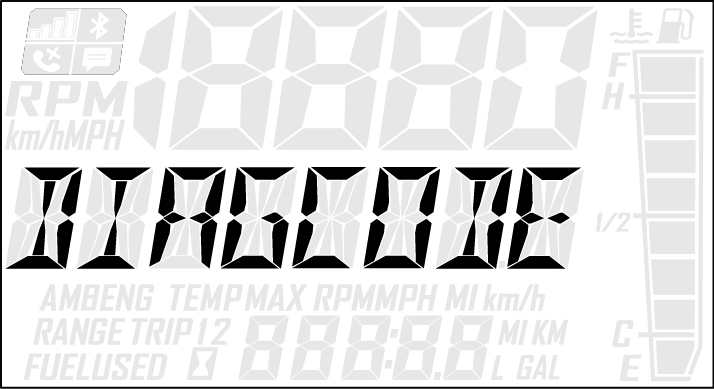
  3. Press and release the MODE button until DIAGCODE appears in the information display area. The Diagnostic display mode will appear in the Options Menu if there is an active trouble code.

    TIP

    When the diagnostic mode is displayed, the check engine warning indicator will begin to flash.

  4. A set of two numbers will appear in the display.

    • The 2-6 digit suspect parameter number (SPN) in the information display area indicates which component is generating the fault code.

    • The 1-2 digit failure mode indicator (FMI) number in the odometer area indicates the fault mode, such as open or short circuit.

  5. More than one fault may be active. Press and hold the SET button or SET switch for two seconds to toggle to the next active code. Repeat until all codes are retrieved.

  6. See Diagnostic Trouble Codes for code definitions and failure descriptions.

4.4.2: Flashing Indicator

Flashing indicators indicate continued operation could result in serious engine damage. The engine management system will automatically reduce engine power and create a misfire condition. Stop the engine immediately. Allow the engine to cool down.

NOTICE
If engine overheating seems to be caused by something other than poor cooling conditions, your authorized POLARIS dealer or other qualified technician can perform a diagnosis.

4.4.3: Engine-Cooling Actions

If the engine is overheating, promptly take action to cool the engine.

  • Drive in loose snow.

  • Stop the engine and allow it to cool down.

  • View the coolant level. Do not open the pressure cap while the engine is hot.

  • Add coolant if the level is low. Do not add coolant while the engine is hot. Wait for the engine to cool before adding coolant.

  • If snowmobile is equipped with rail scratchers, make sure they are deployed.

NOTICE
If you must continue to operate while the indicator light is illuminated, drive slowly and stop the engine frequently to allow it to cool down.

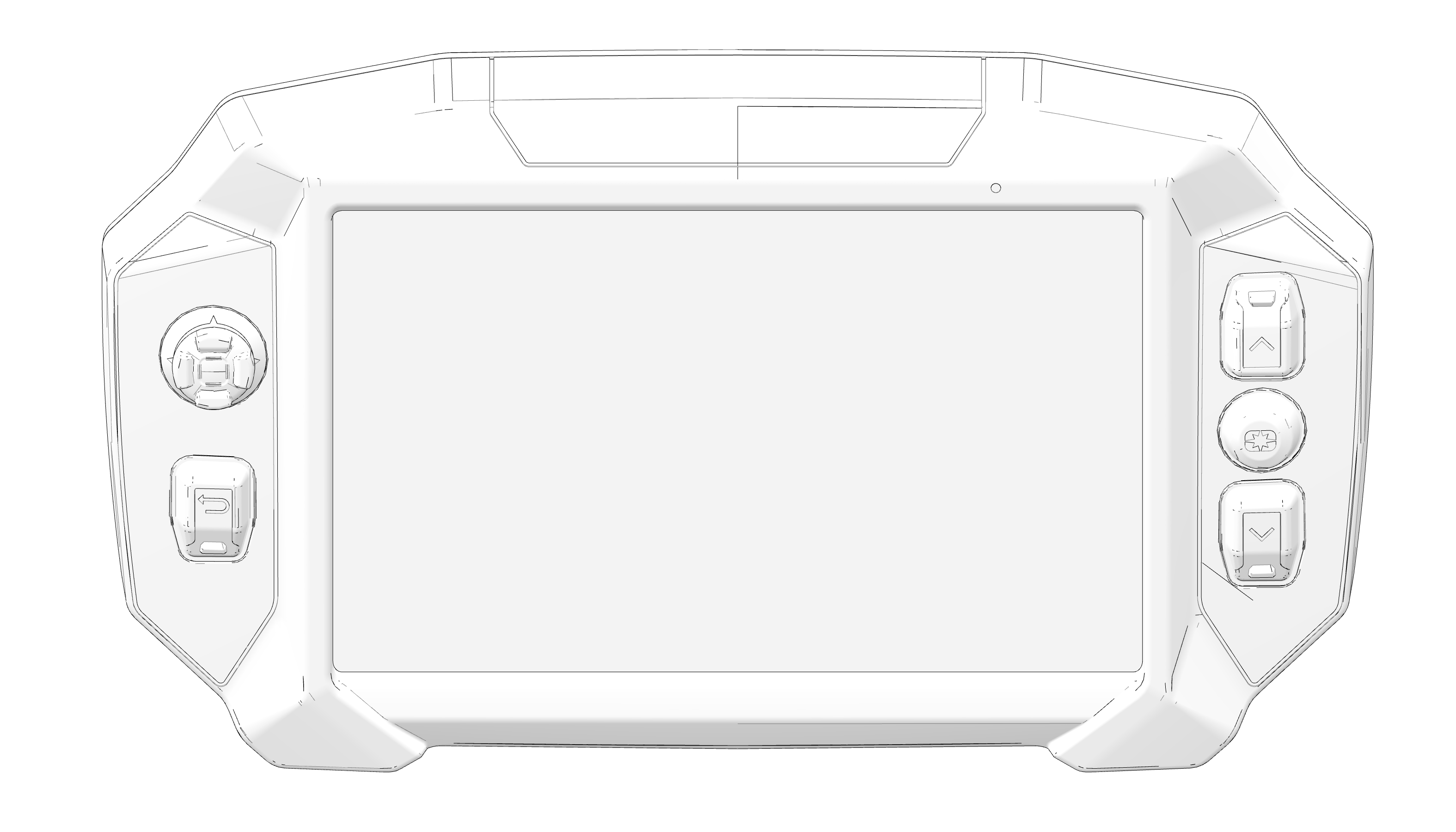
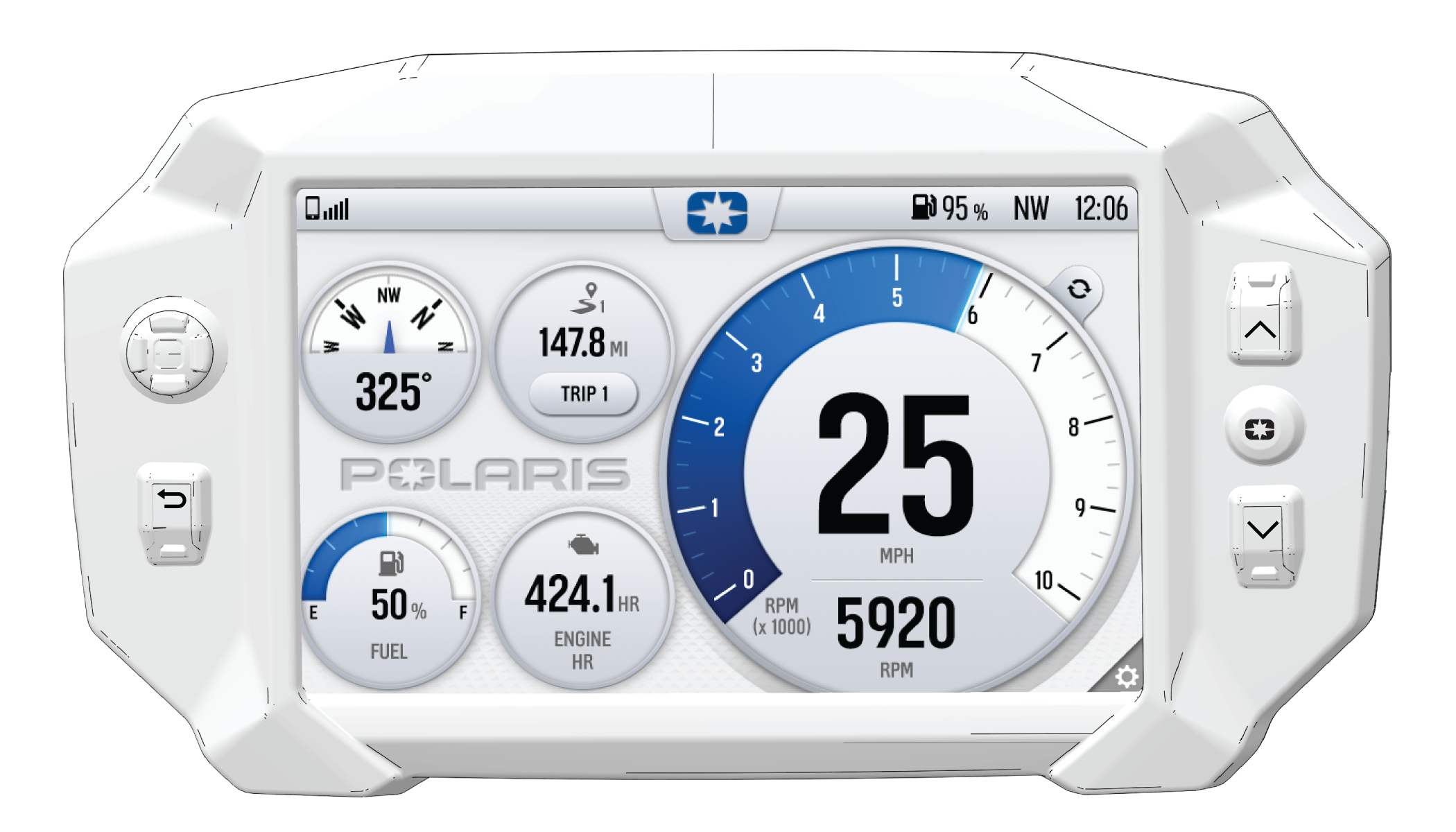
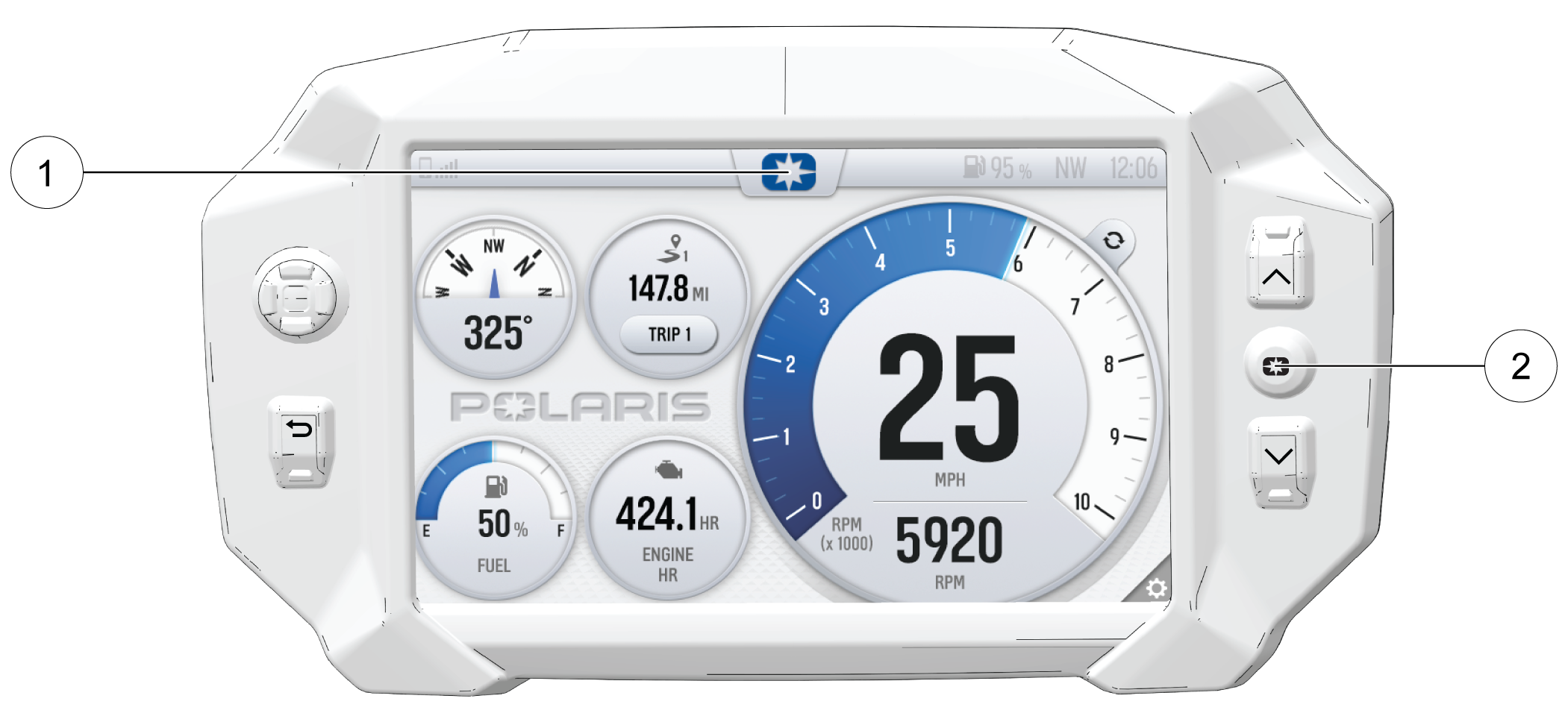
4.4.4: 7" Display Powered by RIDE COMMAND

4.4.4.1: Introduction

Thank you for purchasing a RIDE COMMAND Display, and welcome to the Polaris RIDE COMMAND App. This intuitive display gives you access to your vehicle’s custom information and a variety of features.

For a safe and enjoyable riding experience with your new Display, please read your vehicle’s owner’s manual and this Display owner’s manual. If you should need additional assistance with Display operation or software updates, please see your Polaris dealer or visit polaris.com/ridecommand.

For the latest information about your RIDE COMMAND Display, including software updates, please visit ridecommand.polaris.com.

WARNING
Do not enter information while operating your vehicle. Failure to pay attention to operating your vehicle could result in loss of control, injury, or death. You assume all risks associated with using this device. Read your User Guide. Always ride with the latest maps and trails data from https://ridecommand.polaris.com/en-us/update.

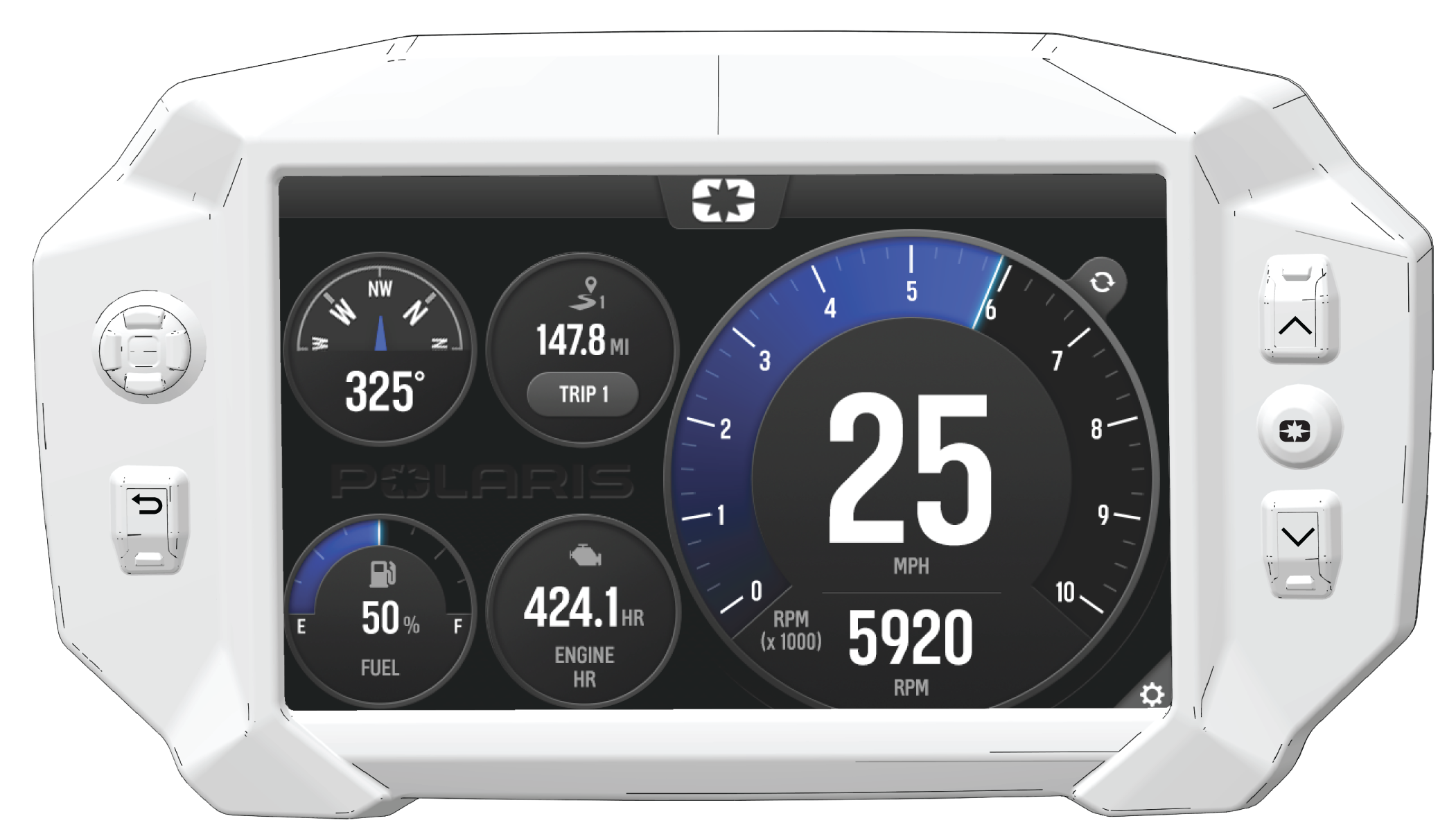
4.4.4.2: 7" Display Powered by RIDE COMMAND

NOTICE

Certain products will damage the lens and other plastic surfaces. Do not use alcohol to clean the instrument cluster. Immediately clean off any gasoline that splashes on the instrument cluster.

4.4.4.3: Before you Ride

Before riding with your new display, do the following:

  • Read this entire manual.

  • Familiarize yourself with the features and operations of the Display while the vehicle is stationary.

  • Download the Polaris Ride Command App from the Apple® App Store® or the Google Play® store and create your personalized Ride Command account.

  • Check your display to ensure you have the appropriate maps and trails visible for your area.

  • Check https://www.polaris.com/en-us/owners-manuals/ for the latest updates to the owner’s manual.

  • Complete the pre-ride checklist.

NOTICE
Trails change often, and the trail data file is only considered valid for 90 days after the release date. Please keep your trail data up to date. Download the latest trails at http://ridecommand.polaris.com.
NOTICE
Using the display for an extended period of time while the vehicle’s engine is off can drain the battery (if equipped).

4.4.4.4: Device Operating Requirements

Phone functionality is dependent on the capabilities of your cell phone.

NOTICE
Some cell phones or operating systems will not work as shown in this manual.

4.4.4.5: Engine Overheat Indicator

When the engine goes over temperature, a red banner will appear at the top of your 7S Display stating: ENGINE OVERHEATING – STOP IMMEDIATELY.

The appearance of this banner indicates continued operation of your snowmobile could result in serious engine damage. The engine management system will automatically reduce engine power and set a fault. Stop the engine immediately. Allow the engine to cool down.

NOTICE
If engine overheating seems to be caused by something other than poor cooling conditions, see your dealer or other qualified technician for service.

4.4.4.6: Overview

For the latest information about your Ride Command display, including software updates, please visit: https://ridecommand.polaris.com.

WARNING
Driving while distracted can result in loss of vehicle control, crash, and injury. We strongly recommend that you use extreme caution when using any device that may take your focus off the trail. Your primary responsibility is the safe operation of your vehicle. We recommend against the use of any hand-held device while riding and encourage the use of voice-operated systems when possible. Be aware of all applicable local laws that may affect the use of electronic devices while riding.

NOTICE
If your vehicle is equipped with electric start, the 7S display (if equipped) will remain on when the key is in the ON position and will continue to pull power from the battery. This snowmobile is not equipped with manual start. If the battery drain from the display depletes the battery, the engine will fail to restart. After 60 seconds, the display backlight will dim and then fully shut down after 10 minutes of inactivity.

4.4.4.7: Ride Command Buttons

Display

  Button Description Function
1 5-Way UI Control Moves the cursor and pans the focus on the map screen.
2 Back Button Cycles all screens and backs user out of menus.
3
Up/Down Buttons Zooms in and out of map and scrolls through lists of features.
4 Polaris Button Opens and closes the Badge Panel.
Left Hand Controls

The electronic hand controls are located on the left side of the handlebars. The hand controls operate certain Ride Command features, headlights, reverse operation, and heated grips.

  Button Description Function
5

Back Button

Cycles all screens and backs user out of menus.

6

Heated Grips Button

Activates the SmartWarmers in the handlebars and throttle lever.

7


Up and Down Buttons

Zooms in and out of map and scrolls through lists of features.

8

Select Button

Opens the Badge Panel and chooses options.

4.4.4.8: Gauge Screen

The Gauge Screen is the screen that will appear upon vehicle start-up and displays a customizable view of vehicle information including speed, RPM, fuel level, engine temperature, engine hours, trip meter, battery voltage, and compass.

4.4.4.8.1: Configure Gauge Screen

The display allows up to four customized gauge screens. All but one screen can be deleted; one will always remain as the default.

NOTICE
When in the gauge configuration panel, the display buttons and left-hand control buttons will not function. You must use the touchscreen to change screen settings and layouts.

Follow the instructions below to create customized gauge screens.

  1. Press the Gear Icon in the bottom right corner of the touchscreen.

  2. On the right side of the configuration panel, press the Screens Tab followed by the “Add New” button.

  1. In the left side panel, choose a gauge layout from the three provided options.

No Configuration Description
1 Two circular widgets and three linear widgets.
2 Five linear widgets.
3 Four circular widgets.

  1. Select the Data Tab. Choose up to 5 widgets to display on the screen.

    TIP
    Keep your display software up-to-date as more widget options become available. For more information, see Update Software.

  1. Reorder the widgets by pressing and holding down on the widget and sliding the widget up or down into the desired position.

  1. Click the green check mark or “Done” to close the configuration panel.

4.4.4.8.2: Gauge View Mode

Press 1 to toggle between the two available gauge view modes, Analog and Digital.

4.4.4.9: Icon Bar

The Icon Bar is located across the top of the touchscreen and displays cell phone and headset connectivity, fuel range, compass heading and local time.

NOTICE
The Icon Bar will not appear when the Badge Panel is open.

Icon Description Function
1 Headset Displays icon if headset is connected
2 Signal Strength Displays current cell signal strength
3 Fuel Level Displays current fuel capacity percentage
4 Vehicle Direction Displays vehicle direction
5 Clock Displays current time

4.4.4.10: Badge Panel

The badge panel provides easy access to frequently used features, basic display and vehicle controls, and a list of recent notifications.

Accessing the Badge Panel

There are two ways to open the Badge Panel, press the Polaris icon 1 at the top of the touchscreen or the Polaris Button 2 on the right side of the display.

Features

NOTICE
Press and hold the Polaris Icon for 2 seconds to disable the touchscreen.

  • 3 Controls Tab

  • 4 App Tray

  • 5 Display Mode

  • 6 Display Brightness

  • 7 Badge Panel/Polaris Icon

  • 8 Notifications Tab

  • 9 Heated Grips

  • 10 Fuel Type

  • 11 Lock Vehicle Button

  • 12 All Settings Button

4.4.4.10.1: Controls Tab

Press the Controls tab to change display mode, display brightness, activate heated grips, and change fuel type.

4.4.4.10.2: App Tray

The App Tray provides easy access to key features on the display screen. Tap on any of the listed icons to navigate to that display screen. For example, tap the map icon to navigate to the map screen, or press the audio icon to navigate to the audio screen.

4.4.4.10.3: Display Mode

From the Control tab, select the display mode from the available options. The display mode can be set to Day, Night, or AUTO mode.

Day Mode

Night Mode

4.4.4.10.4: Polaris Button

The Polaris icon opens and closes the Badge Panel.

4.4.4.10.5: Notifications Tab

Press the Notifications tab to view DTC codes, installed software, and vehicle warnings.

4.4.4.10.6: Heated Grips

Matryx models are equipped with three individual SmartWarmers heated grips: the left hand grip, right hand grip, and right thumb throttle lever. The warmers automatically adjust with the ambient temperature and windchill to keep the temperature of the grips at the preset temperature.

There are four settings:

  • Low

  • Medium

  • High

  • Off

The settings are customizable by temperature. To change the settings, press the Polaris button to open the Badge Panel.

Choose the setting by pressing the Heated Grip button 1 on the left hand control or by opening the Badge Panel.

SMARTWARMERS

In the Heated Grips section of the Badge Panel, press the Heated Grip Settings button on the touchscreen. To customize the temperature of your hand grips and thumb lever, use Plus and Minus Buttons beside each heat level to choose your preferred setting. Click the “X” in the top left of the screen, or the Back Button, to close the menu.

Button Button Name Function
Heated Grips Button Changes the level of hand grip warmth to low, medium, high, or off.
Heated Grips Settings Opens the SmartWarmers settings to customize the temperature of each heat level.
Plus Button Increases the grip warmth by one degree.
Minus Button Decreases the grip warmth by one degree.
NOTICE
To change the temperature units from Fahrenheit or Celsius, open the All Settings menu from the Badge Panel and navigate to the General tab.
4.4.4.10.7: Display Brightness

From the Controls tab, select display brightness by moving the touchscreen slider to the left or right. Press the AUTO check box to allow the screen to adjust automatically based on ambient light conditions.

4.4.4.10.8: Lock Vehicle

Snowmobiles equipped with a 7S display have the ability to lock the snowmobile into a low power mode until a security passcode is entered. Locking the snowmobile using the Lock Vehicle button will limit the vehicle’s RPM so the vehicle will remain motionless.

NOTICE
The vehicle can be locked only when the engine is running and the vehicle is not in motion. If the engine is OFF, the Lock Vehicle button will be disabled.
Changing your Passcode

A default passcode is available at the time of vehicle purchase. Changing the passcode will always require the old passcode. To change the security passcode, do the following:

  1. Press the Polaris button to open the Badge Panel.

  2. Press the All Settings button and open the Vehicle Settings tab.

  3. Under Passcode Security, click “Change Passcode”.

  4. Enter the existing/old passcode.

  5. Enter the new passcode.

  6. Enter the new passcode again.

  7. A popup box should appear confirming your passcode has changed.

Locking your Snowmobile

To lock your vehicle, do the following:

  1. Stop vehicle completely. Keep the engine running.

  2. Press the Polaris Button to open the Badge Panel.

  3. Press the Lock Vehicle button.

  4. Enter your 4-digit passcode.

Locking your Snowmobile

To unlock your vehicle, do the following:

  1. Start the engine.

  2. A banner will appear that top of the display screen prompting you to enter your passcode. Click on the ribbon or the Unlock Vehicle button from the Badge Panel.

  3. Enter your 4-digit passcode.

4.4.4.10.9: All Settings Button

Press the All Settings button to navigate to the settings menu. For more information about the settings menu, see Settings.

4.4.4.11: Music Screen

NOTICE
Your snowmobile is not equipped with a speaker system. Audio can only be transmitted through a Bluetooth® media device or headset. Only one device and one headset can be connected at a time.

Audio playback through USB or Bluetooth® devices are compatible with your Ride Command display. The Music Screen allows you to access music stored on your smartphone or other music device. You can pair your device using Bluetooth®, or by connecting it to the display’s USB port.

Device Requirements

Audio playback is only available on USB flash drives formatted to exFAT® or FAT32 and operating systems iOS® 10 and Android® 5.0 or newer.

4.4.4.12: Phone Screen

The phone screen displays recent calls, contact list, keypad, and messages. The display will only show messages received while smartphone is paired via Bluetooth® and “show notifications” is enabled on your smartphone.

Connect a smart phone and headset to listen to audio, make and receive calls and text messages, access a phone’s contact list, and call history.

Connect your Phone to the Display

The Ride Command display is compatible with Android® and iOS®. Go to https://ridecommand.polaris.com/en-us/supported-devices for latest operating system compatibility.

Connect your Bluetooth® device to do the following:

  • Connect your Bluetooth® device to pair and connect phones and Bluetooth® headsets.

  • View list of paired devices with connection status.

  • For phones, view signal strength.

  • Listen to music using headset or optional vehicle speakers.

NOTICE
Ensure that your smartphone Bluetooth® settings are set to share phone calls, media audio, text messages, and contact information.
NOTICE
There is no built in microphone in the display. Phone call audio will play through the phone speakers or Polaris approved headset if connected. Some dial options may be unavailable at speeds greater than 3 MPH.
iPhone®

To connect your iPhone® to the display, do the following:

  1. In your iPhone® settings turn on Bluetooth®. If available, make your phone discoverable to other devices in your Bluetooth® settings. When your phone appears on the display press the “+” button next to it.

  2. A prompt will appear on your iPhone® requesting permission to pair with your phone.

  3. Ensure the confirmation code on the screen and your phone are the same then press “Pair” on your phone.

  4. For optimal experience, enable notifications and sync contacts from your smartphone’s Bluetooth® settings.

Android®

To connect your Android® device to the display, do the following:

  1. From your smartphone settings, open the Bluetooth® options on your device and ensure that Bluetooth® is turned on.

    NOTICE
    On some phones you have to make the phone visible to other devices. If your phone has this feature, it should show up on the Bluetooth® connection screen of your phone. If no option exists to make your phone visible to the display, it is already visible to the display.
  2. Press the add device button, then press “OK” on the display.

  3. When your phone appears on the display press the “+” button next to it to pair with your phone.

  4. Ensure the confirmation code on the screen and your phone are the same then press “OK” on your phone.

  5. For optimal experience press “Accept” on your phone when requested to access contacts and messages.

  6. The display will now show a list of previously connected phones on the display. If it is unpaired, click on your phone from the list.

  7. Once the display says connected/paired, your phone is now connected to the display via Bluetooth®. After a phone is connected, the Device Manager Screen will appear.

  8. When a smartphone is connected to the display via Bluetooth®, users are able to make phone calls from the display through the keypad, recent calls, or their contacts by pressing the phone icon in the device manager screen or through the pull down menu.

Connecting your Bluetooth® Headset with the Display

The Ride Command touchscreen display can be connected to a smartphone and headset simultaneously. The display can connect with Polaris-approved Bluetooth® headsets to listen to music, take phone calls, and talk with other riders.

To connect your Bluetooth® headset to your display, do the following:

  1. Put your Bluetooth® device into pairing mode.

  2. Press the Polaris button to open the Badge Panel.

  3. From the Bluetooth® device settings screen, the Phone screen, or the Music screen, tap on the Add Device button to bring up the pairing prompt.

  4. Select the name of the device you want to pair from the touchscreen display to finish the pairing process.

NOTICE
For a better riding experience, connect your headset directly to the display, not your mobile device.

4.4.4.13: Map Screen

Press the Back Button to cycle to the map screen or press the Map button from the App Tray in the Badge Panel. The map will center you based on the location of the in-vehicle GPS.

NOTICE
Controls on the map surface disappear after 10 seconds of inactivity, return with a tap anywhere on the map.
4.4.4.13.1: Zoom

Use the plus and minus signs on the left side of the screen, or pinch the screen with your fingers, to zoom in and out on the map.

The waypoint icon appears when navigation is in use and the GPS is routed to a specific waypoint. Press the waypoint icon to focus on the destination point. To set the focus back to your location, press the target icon in the bottom right corner of the screen.

  • Pinch zoom

  • Plus / Minus button

  • Auto-zoom to waypoint while navigating

  • Current zoom level relative to maximum and minimum zoom

4.4.4.13.2: Map Orientation

The compass icon on the right side of the screen toggles how the map orients itself during navigation. There are two orientation options: North Up and Course Up. Pressing this button will also re-center your vehicle if not already centered.

Map Orientation Map Icon

North Up view locks the maps orientation so that North is always at the top of the screen, regardless of your vehicle’s position or direction.

Course Up view rotates the map to match the direction of your vehicle.

4.4.4.13.3: Waypoints

Waypoints are user-defined locations on the map. Waypoints can be saved and shared with friends.

To add a waypoint, do the following:

  1. From the map screen, tap the map menu icon at the bottom of the display screen 1.

  2. Select Add Waypoint 2 from available options.

4.4.4.13.4: Points of Interest (POI)

Points of interest (POI), such as restaurants, gas stations, hotels, dealers, and more, are available from the map screen. POI will display on the map screen as you zoom in and out of the map. Tap on the POI icon to view more information about the location.

4.4.4.13.5: Go to Nav

Go to Nav is available from the map screen when viewing a waypoint or POI. Go to Nav will display the distance and directional bearing of the POI.

NOTE
Go to Nav does not provide turn-by-turn directions to a POI.

4.4.4.14: Group Ride

NOTICE
The display requires a GPS lock, indicated by a blue arrow marker (as shown below), before you are able to setup or join a group ride.

Invite your friends to a group to see their live location on the map of your smartphone, tablet, or in vehicle Ride Command Display.

For information on how Group Ride works and for instructions on how to set up Group Ride using your smartphone, or with a vehicle-to-vehicle (V2V) antenna, tap the “i” icon beside the title from the Group Ride Panel 1.

4.4.4.14.1: Group Ride Setup

There are two ways to set up a group ride.

  • Mobile Phone

  • Vehicle-to-Vehicle Antenna

Mobile Phone Group Ride

Features of using your mobile phone for group riding:

  • Works within cellular range

  • Requires a tethered mobile phone

  • Infinite range between vehicles

  • Works with friends using the mobile app

To set up a group ride using a mobile phone, do the following:

  1. Enable your Bluetooth® tethering in your phone’s settings. Tap instruction for more information of how to enable tethering on an iPhone® or Android® phone.

  2. Connect your phone via Bluetooth®. If you phone is currently connected you MUST disconnect and reconnect it.

  3. Press the login button to login to your Ride Command account. If you do not have a ride command account, sign up at ridecommand.polaris.com.

    NOTICE
    Once you’ve completed all three steps above, your information will be stored (unless cleared manually) and you will not need to login again into your Ride Command account for future group rides.
  4. Press the back button to go back to the group ride screen and join your Group Ride.

NOTICE
In order for mobile phone users to join a V2V ride group, at least one group member must be connected via both the V2V antenna and a mobile phone.
Vehicle to Vehicle (V2V) Antenna

Features of using the Vehicle-to-Vehicle antenna for group riding:

  • Works anywhere, no phone required

  • Requires an installed V2V antenna, standard on vehicles equipped with a 7S display

  • 1+ miles range between vehicles

Use the following procedure to setup a V2V Group Ride:

  1. From the map menu, tap the Group Ride button.

  2. Tap Setup V2V Group Ride button on the display screen.

  3. Tap the Antenna Installed toggle switch to the Yes position.

4.4.4.14.2: Joining a Ride Group

To join a group, do the following:

  1. From the map menu, tap the Group Ride button.

  2. Nearby ride groups will display in order of distance.

  3. Tap the Join button 1 to join a group.

NOTICE
You can only be active in one ride group at a time.

Close the pop up to show the map view of your chosen ride group. Other riders appear as dots on the map. If a rider is moving, the dot includes a heading arrow pointing in the direction they are riding. The ride group panel on the side of the screen shows the name of the group and lists all group members with their name, icon color, distance and bearing from you to that rider.

NOTICE
The map is set to zoom-to-group and as you ride it will automatically zoom to keep all riders in view. Tap the zoom control to return to manual zoom mode.
4.4.4.14.3: Riding with a Group
  1. Tap the handle by the group name 2 to minimize the panel and show more map.

  2. After 10 seconds of not interacting with the screen, the map controls will disappear. Tap the screen to make them visible again.


  1. Tap on a rider icon in the ride group panel to show that rider relative to your location. If center-on-me is enabled, the display reverts to the centered state after 10 seconds.

4.4.4.14.4: Creating a Ride Group

To create a Ride Group, do the following:

  1. On the Group Ride Panel, tap the “New Group” button 3 to create a group for others to join.

  2. Give the group a name and choose whether a passcode should be required for others to join the group. If the “Private” toggle is tapped, you will be prompted to enter a four-digit passcode.


  1. After creating a group, the panel closes and shows the new group on the map.

  2. If your ride group has been set to Private, other riders must enter your chosen passcode to join the group.

  3. After a second rider joins, the map will switch to zoom-to-group and as you ride it will automatically zoom to keep all riders in view. Tap the zoom control to return to manual zoom mode.

4.4.4.15: Settings

From Settings, you can view important details about your vehicle and personalize your touchscreen display. The settings menu is comprised of four categories: Vehicle Info, General, Time, and Vehicle Settings.

To open Settings, press the Polaris button on the display and then the All Settings button from the touchscreen.

4.4.4.15.1: Vehicle Information

From the Information settings tab you can view the following:

  • Vehicle Identification Number (VIN)

  • Installed Software Version

  • Mileage

  • Total Engine Hours

  • Next Service Interval


4.4.4.15.2: General Settings

From the General settings tab you can do the following:

  • Connect to Ride Command account

  • Manage Bluetooth® devices

  • Change the display language

  • Set the speed units of measure (MPH or KM/H)

  • Set the temperature units (F or C)

  • System information

  • Update software

  • Update maps and trails

4.4.4.15.3: Time Settings

From the Time Settings tab you can do the following:

  • Set time from internal GPS location

  • Set time zone

  • Set time (if GPS time is not enabled)

  • Set date

  • Enable GPS Time (automatically sets the time to the time zone you are currently in)

  • Set the time format (12-hour or 24-hour)

4.4.4.15.4: Vehicle Settings

From the Vehicle Settings you can do the following:

  • Access vehicle diagnostics

  • GPS Status

  • Set fuel type

  • Customize heated grip temperatures

4.4.4.16: Maintenance

4.4.4.16.1: Care and Maintenance

To clean the display shell, use a soft cloth with mild soap and water. Do not use harsh or abrasive cleaners. For best results, use a micro-fiber towel to clean the screen.

NOTICE
Certain products will damage the screen and other plastic surfaces. Do not use alcohol to clean the display. Immediately clean off any gasoline that splashes on the display.
4.4.4.16.2: Vehicle Storage

When preparing the vehicle for storage make sure the ignition switch is in the OFF position to prevent battery drain and diminished battery life.

4.4.4.16.3: Speed Limitation

Various aspects of the display such as phone contacts and call logs may be unavailable while driving at high speeds.

4.4.4.16.4: Update Software
NOTICE
Before updating the display, always export your existing rides and waypoints to a USB drive to avoid losing them.

To update the software, do the following:

Download Software onto your Personal Computer
  1. Go to ridecommand.polaris.com/display . Select the display that matches what is on your vehicle.

  2. Click the Update Software button.

  3. Save the file to a removable USB drive. It is recommended you use a USB drive with 32GB in exFAT® format.

Upload Software on your Vehicle
  1. Plug the USB drive into your vehicle’s USB cable and turn on the display. Note: ensure the USB is fully inserted into the port.

  2. Turn on your vehicle.

  3. On the display, press the Polaris icon button.

  4. In the right-hand corner, select All Settings.

  5. Select General.

  6. Select System Information.

  7. Select the file you want to install. "Newest" will be automatically displayed next to the newest version detected on the USB drive.

  8. The display will reboot and install the software.

Error Messages and Troubleshooting

If an error occurs while updating your software, perform one or all of the following actions to resolve the issue:

  • Remove and reconnect the USB flash drive securely.

  • Make sure the display files are not inside a folder on the flash drive.

  • Make sure only display files are on the flash drive. Remove any other files if necessary.

  • Try using a different USB flash drive.

  • Ensure the capacity of data on the USB drive is larger than 1GB and smaller than 64GB.

  • Re-format the flash drive to the correct format (FAT32 or exFAT®). Re-download the update(s) from the RIDE COMMAND website. Drag and drop the file(s) into the flash drive folder.

4.4.4.16.5: Update Maps

To update the maps on your display, do the following:

  1. Go to ridecommand.polaris.com/display and download the map update to a USB flash drive.

  2. Insert USB flash drive into the USB port on your vehicle.

  3. Press the Update maps in the General Settings.

  4. Select the file you want to install by pressing the corresponding down arrow icon.

  5. This will update the display’s map which will automatically restart the display once the update is complete. Do not remove the USB flash drive until the display has fully restarted.

4.4.4.16.6: USB Hardware
Software Updates

For software update, POLARIS recommends using a SanDisk® or similar USB flash drive with a minimum of 4GB in available memory, formatted using the FAT32 or exFAT® file systems. For best results remove all files from the flash drive before starting the update process.

Map Updates

For Map updates, a 32GB USB drive is required (USB 3.0 drive is highly recommended) USB drive must be formatted to exFAT® before copying the map file onto it.

Trail Updates

For Trail updates, a 4GB drive formatted to FAT32 can be used.

4.4.4.16.7: USB Port
TIP

The USB Port is located in the storage compartment behind the display.

The USB Port makes it easy to power devices, such as phones, audio sources, or GPS units, in addition to allowing you to stream music through the LCD display to your Bluetooth® headset.

On models equipped with a Polaris Ride Command display, the USB port is also used to update the display software. For the latest software, go to https://ridecommand.polaris.com/en-us/update.

IMPORTANT
Due to harsh riding environments, Polaris recommends using a USB device with retention features.

Chapter 5: The Perfect Fit

5.5.1: Suspension Quick Set-Up Guide

5.5.1.1: Introduction

The front and rear suspensions on your snowmobile are easy to adjust. Just remember three simple steps:

  1. Ride your snowmobile.

  2. Adjust the torsion springs to tune vehicle balance (ski pressure and weight transfer).

  3. Adjust shock clickers (if equipped) to tune ride quality (stiffer or softer ride).

Step 1: Ride your snowmobile.

Ride the snowmobile in various terrain to fully experience the existing suspension settings before making any adjustments.

Step 2: Adjust the torsion spring to tune vehicle balance.

After riding, you should be able to determine if the snowmobile needs more or less transfer.

  • For more transfer, decrease the torsion spring preload.

  • For less transfer, increase the torsion spring preload.

If you prefer your snowmobile has lighter steering, decrease the torsion spring preload or increase the front track shock spring preload.

Step 3: Adjust shock clickers (if equipped) for ride quality.

For models equipped with monotube shocks, always adjust the rear torsion spring preload to enhance bottoming resistance.

For models with shock clickers, you can adjust the clickers to control bottoming and adjust ride comfort.

  • Turn a clicker counterclockwise to decrease damping for a softer ride.

  • Turn a clicker clockwise to increase damping for a stiffer ride and less bottoming.

Test ride the snowmobile and continue making spring and clicker adjustments until you achieve the perfect ride.

NOTICE
Adding traction components, such as traction studs or additional ski skag carbides, or changing the factory equipped track, could change handling characteristics. Additional setup may be required.

5.5.1.2: Front Suspension (IFS) Factory Shock Settings

Always perform shock spring preload adjustments with the weight of the vehicle removed from the shock and with the shock at full extension.


650 Titan SP
650 / 850 Titan Adventure

850 Nordic Pro

Factory Installed Length

10.125 in (25.7 cm)

10.43 in (25.7 cm)

Minimum Installed Length

9.3 in (23.62 cm)

8.77 in (22.28 cm)

Maximum Installed Length

10.375 in (26.35 cm)

10.675 in (27.11 cm)

Clicker Position

2 (Middle)

5.5.1.3: Rear Suspension

5.5.1.3.1: Front Track Shock Settings

Always perform shock spring preload adjustments with the weight of the vehicle removed from the shock and with the shock at full extension.


650 Titan SP
650 / 850 Titan Adventure

850 Nordic Pro

Factory Installed Length

7.75 in (19.7 cm)

7.75 in (19.7 cm)

Minimum Installed Length

7.45 in (18.92 cm)

7.75 in (19.7 cm)

Maximum Installed Length

8.625 in (21.91 cm)

8.625 in (21.91 cm)

Clicker Position

2 (Middle)

5.5.1.3.2: Rear Track Shock Settings
Clicker Settings
Model Clicker Setting

650 Titan SP

650 / 850 Titan Adventure
850 Nordic Pro

2 (Middle)
Spring Settings

Non-adjustable. The rear track shock does not have a spring.

5.5.1.3.3: Torsion Spring Adjustments

To adjust rear torsion spring preload, rotate the three-position cam using the engine spark plug tool. Adjustment is easiest when the cam is rotated from low to medium, and then to high. Rotating directly from low to high will require significantly more effort. Different rate torsion springs are available if a firmer ride is desired. See your authorized POLARIS dealer for more information.

Soft

Medium

Firm

All Matryx vehicles are equipped with standard stock rear track suspension springs. To customize your ride, rear torsion spring kits can be installed to accommodate your particular total rider weight range.

Titan / Voyageur 155 Torsion Spring Chart
Kit Number Part Number Description Model Used (Stock) Spring Description Weight Range

2891587

K-Spring UTL MD

Voyageur 155

Utility Medium Duty

0-250 lb
(0-113 kg)

2891618

K-Spring UTL HD

Titan

Utility Heavy Duty

150-300 lb
(68-136 kg)

2891517

K-Spring UTL XHD

Accessory only

Utility Extra Heavy Duty

300+ lb
(136+ kg)

5.5.1.4: Limiter Strap Adjustment

The front torque arm limiter straps are factory set at position 1.

The front torque arm limiter strap setting should NOT be changed from position 1. If the fasteners have been removed for rear suspension service, make sure to torque the limiter strap nuts to specification.

TORQUE

Limiter Strap Nut:

12 ft-lbs (16 N·m)

IMPORTANT

Do NOT change the front torque arm limiter strap setting.

5.5.2: Handlebar Settings

5.5.2.1: Handlebar Component Torque Settings

IMPORTANT

Moving a handlebar component without first loosening its mounting screws may cut grooves into the handlebar, making it difficult to secure the component. Do not move a handlebar component without first loosening its mounting screws. Take care to avoid damaging hand warmer or brake switch wires when moving components.

Component

Torque

Do not over-tighten

1

Left Handlebar Control Block

20 in-lbs (2.3 N·m)
2

Upper / Lower Riser Clamps

14.8 ft-lbs (20 N·m)
3

Auxiliary Engine Stop Switch Set Screw

12 in-lbs (1.4 N·m)
4

Throttle Lever Block Cover Screws

6 in-lbs (0.7 N·m)
Not Shown Hand Guard Mounts (if applicable) Hand-Tight
Not Shown Mountain Hoop Bar (if applicable) 10 ft-lbs (13.6 N·m)
Not Shown Mirrors (if equipped) Hand-Tight

5.5.2.2: Handlebar Component Locations

Refer to the following illustration and measurements to position handlebar components at factory-specified locations.

NOTICE

Do not move handlebar components without first loosening the component’s screws.

1 10 in (254 mm) 4 6.7 in (169 mm)
2 0.04 in (1 mm) 5 0.5 in (13 mm)
3 0.08 in (2 mm) 6 0.13 in (3.3 mm)

5.5.2.3: Left Hand Control Adjustment

IMPORTANT

Moving the left hand control without loosening the four mounting screws will cause the housing locating pins to cut grooves into the handlebar. When this occurs, the left hand control may not clamp tightly to the handlebar.

If the left hand control was inadvertently moved without loosening the screws and is loose, move the control block slightly to the left of right on the handlebars to re-locate the pins.

  1. Loosen the brake master cylinder mounting screws 1 and move it away from left hand control.

  2. Loosen the four left hand control mounting screws 2.


CAUTION

Use care when moving brake master cylinder. Do not damage the brake light signal wire.

NOTICE

If applicable, hand guards or mountain bar may need to be loosened or removed to access and move the brake master cylinder.

  1. Move the control block to the desired position.

  2. Torque control block screws to specification in the sequence shown in the image.

TORQUE

Left Hand Control Screws:

20 in-lbs (2.3 N·m)

Do not over-torque.

  1. Return the brake master cylinder to its specified position. Verify clamp will not pinch brake light signal wire. Torque clamp screws to specification beginning with the screw farthest from the reservoir and then screw next to reservoir.

    TORQUE

    Brake Master Cylinder Clamp:

    70 in-lbs (8 N·m)

    Torque screw farthest from the reservoir and then the screw next to reservoir. Do not over-torque.

5.5.2.4: Throttle Block Alignment

  1. Slightly loosen the set screw 1 on the bottom of the housing.

  2. Move the control block to the desired position.

    NOTICE

    Take care to avoid damaging hand warmer wires when moving components.

  3. Torque the screw to specification. Do not over-torque.

    TORQUE

    Throttle Block Set Screw:

    27 in-lbs (3 N·m)

  4. With the engine off, test throttle lever movement after tightening the screw. See Throttle Safety Switch.

5.5.2.5: Engine Stop Switch Alignment

CAUTION

The stop switch must be positioned in an easily accessible location.

  1. Slightly loosen the set screw on the bottom of the housing 2.

  2. Move the switch to the desired position.

  3. Tighten the screw to specification. Do not over-torque.

TORQUE

Stop Switch Set Screw:

20 in-lbs (2.3 N·m)

5.5.2.6: Riser Angle

Riser angle can be adjusted to suit rider preference.

  1. Loosen the four bolts on the bottom of the adjuster block 2. If necessary, pry the blocks apart with a screwdriver.

  2. Adjust the riser forward or rearward to the desired position.

  3. Torque the bolts to specification.

    TORQUE

    Handlebar Riser Bolts:

    11 ft-lbs (15 N·m)

5.5.2.7: Handlebar Angle

Handlebar angle can be adjusted to suit rider preference.

  1. Loosen the four bolts on the top riser block 1.
  2. Adjust the handlebar upward or downward to the desired angle. Be sure the handlebar, brake lever and throttle lever operate smoothly and do not hit the gas tank, windshield or any other part of the machine when turned fully to the left or right. If necessary, loosen the set screws for the left and right controls, rotate the controls slightly, then tighten the set screws to the proper torque.

NOTICE

Do not stretch wires while adjusting the controls. Stretching the wires could damage the handwarmers.

  1. Torque the bolts to specification.

    TORQUE

    Handlebar Riser Bolts:

    11 ft-lbs (15 N·m)

Chapter 6: Snowmobile Break-In

6.6.1: Engine Break-In Period

650 / 850 Models

Break-In Function Engine Run Time Duration Description
Fuel Injectors 2 hours * Additional fuel
Engine Oil Pump Enrichment Period 10 Hours * Enriched oil supply to engine
* = Total engine run time above 3,500 RPM

6.6.1.1: Engine Break-In

IMPORTANT

Engines equipped with an electronic oil pump do not require initial fuel premix.

Excessive heat build-up during the first three hours of operation will damage close-fitted engine parts. Do not operate at full throttle or high speeds for extended periods during the first three hours of use. Vary the throttle openings and vehicle speeds to reduce friction on all close-fitting machined parts, allowing them to break in slowly without damage.

NOTICE

The engine management system utilizes both a fuel injector break-in period and oil pump enrichment program. The duration of these break-in programs are independent of each other and are timed-out based on engine run-time. Regardless of these automatic engine break-in / enrichment features, the following engine break-in procedures must be performed when the engine is new or overhauled.

IMPORTANT

Never mix brands of oil. Serious chemical reactions can cause injection system blockage, resulting in serious engine damage. Oils may also be incompatible and the result could be sludge formation, filter blockage, and reduced cold weather flow rates. All Polaris oils are compatible with each other.

Drive with extra caution during the break-in period. Perform regular checks on fluid levels, lines, and all other important areas of the snowmobile.

6.6.2: Oil Injection System

Always check and fill the oil bottle during pre-ride inspection and refueling.

NOTICE

Serious engine damage can occur without the proper lubrication. Check the oil bottle level often during the first tank of fuel. If the oil level doesn’t go down, contact your authorized POLARIS dealer or other certified technician immediately.

6.6.3: Drive Belt Break-In

  • The break-in period for a new drive belt is 30 miles (48 km). During this time, vary the throttle position under 50% and limit full throttle use.

  • New drive belts should be washed with warm, soapy water and allowed to air dry prior to use.

  • Always take time to warm up the belt and driveline prior to operating the snowmobile. Free the track and skis from the ground before engaging throttle.

6.6.4: Track Break-In

It is very important to inspect and adjust track tension after every ride for the first 150 mi (240 km) of use to ensure the proper tension during the break-in period. Aggressive riders in certain snow conditions may need to adjust track tension as early as 20 mi (32 km). After the break-in period track tension should be inspected every 150 mi (240 km).

IMPORTANT
Track tension must be kept at specification – neither too loose nor too tight. Overly loose track tension is inefficient and overly tight tension causes premature wear or drive train system failures.
NOTICE
Ratcheting occurs when the drive shaft drivers slip on the track. A ratcheting event typically produces extreme vibration and is often experienced when the track is subjected to heavy loads.

Early wear can be caused by two conditions – improper track tension and/or sustained trail riding at high speeds without scratchers. Neither condition results from a defect in the track, and wear caused by either or both of these conditions is not covered by warranty.

Loose tracks reduce drive system efficiency because:

  • Track tension constantly varies on snowmobiles as the rear suspension extends and compresses.

  • Loose track tension increases the chance for the drive shaft to ratchet in high load driving modes. Track ratcheting may damage the track and drive nubs.

  • Loose track tension decreases rail slider life and can cause uneven slider wear.

  • The slack in a loose track bows out in front of the rail tips. This bowing effect significantly reduces drive system efficiency, creates drag, and changes the approach angle of the rear suspension, which decreases the snowmobile’s ability to get on top of the deep snow.

Chapter 7: Pre-Ride Inspections

7.7.1: Pre-Ride Checklist

Inspect all items on the checklist for proper operation or condition before each use of the snowmobile. Procedures are outlined in the referenced sections.

Loose nuts and bolts can reduce your snowmobile’s reliability and cause needless repairs and down time. Before beginning any snowmobile trip, a visual inspection will uncover potential problems. Check the following items on a weekly basis or before any long trip.

Item

See Section

Drive Belt

Drive Belt Condition

Steering System

Steering System

Recoil Rope

Recoil Rope

Coolant Level

Coolant Level

Transmission Oil Level

Transmission Fluid Level Check

Injection Oil Level

Low Oil Level

Temporary Brake Lock/Brake Lever/Brake System

Temporary Brake Lever Lock

Auxiliary Shut-Off Switch (Engine Stop Switch)

Engine Stop Switch

Ignition Switch

Ignition Switch

Headlight/Taillight/Brakelight

Lighting

Skags (Wear Bars)

Ski Skags

Suspension Mounting Bolts

-

Ski Saddle and Spindle Bolts

-

Hood and Side Panel Fasteners

Hood and Side Panel Fasteners

Throttle Lever/Safety Switch

Throttle Safety Switch

Rear Wheel Idler Bolt

Track Tension

Tether Switch/Strap (if equipped)

Tether Switch (if equipped)

Track Alignment/Condition

Track

Rail Slide Condition/Rear Articular Wear/Rear Articulation Stop

Rail Slide Wear

Removable Snow Flap

Removable Snow Flap

Taillight Switch

Tail light

Check suspension mounting bolts for tightness.

-

Check rear idler wheel bolt for tightness.

Track Tension

Check rear idler adjusting bolt locknuts for tightness.

-

Check front torque arm limiter strap condition.

-

Check rail slide condition.

Rail Slide Wear

Check track tension.

Track Tension

Check ski runner/skag condition.

Ski Skags

Check ski spindle bolts for tightness.

-

Check tie rod end nuts for tightness.

-

7.7.2: Before Starting the Engine

Before starting the engine, always refer to all safety warnings pertaining to snowmobile operation. Never start the engine without checking all vehicle components to be sure of proper operation.

WARNING
Operating the vehicle with worn, damaged, contaminated, or malfunctioning components could result in serious injury or death. Never start the engine without checking all vehicle components to be sure of proper operation.

7.7.2.1: Read and Understand Your Owner’s Manual

Read the Owner’s Manual completely and refer to it often. The manual is your guide to a safe and enjoyable snowmobiling experience.

7.7.2.2: Throttle Lever

WARNING
Ice and snow build-up may cause the throttle control system of your snowmobile to stick open, resulting in serious injury or death. Keep the throttle control area free of snow and ice.

The throttle and brake are the primary controls of your snowmobile. Always make sure both are functioning properly.

Squeeze the throttle lever to make sure it compresses evenly and smoothly. When released, the lever should immediately return to the idle position without binding or hesitation. If the throttle does not function smoothly, or if you discover excessive lever freeplay, DO NOT start the engine. Have the throttle serviced immediately.

7.7.2.3: Throttle Safety Switch

Test the throttle safety switch system before the snowmobile is operated. See the Throttle Safety Switch section for more information.

7.7.2.4: Brakes

Always check the following items for proper operation before starting the engine.

7.7.2.4.1: Brake Lever Travel

Squeeze the brake lever. It should move no closer to the handgrip than 1/2 inch (1.3 cm) 1. A smaller distance indicates low brake fluid level or air in the hydraulic system. Refer to the brake bleeding information in the Hydraulic Brake Inspection section. An authorized POLARIS dealer can assist.

7.7.2.4.2: Lever Feel

If the brake lever feels “spongy” when squeezed, check the brake fluid level and condition. Add fluid as needed. See the Brake Fluid section for details.

WARNING
Continued use of “spongy” brakes may cause a complete loss of brakes, which could result in serious injury or death. Always have the brakes serviced at the first sign of sponginess.

7.7.2.5: Temporary Brake Lever Lock

Use the temporary brake lever lock only when you want the snowmobile to remain stationary; for example, when parked on an incline for a period of five minutes or less.

  • 1 Brake Lever

  • 2 Temporary Brake Lever Lock

  • 3 Master Cylinder Reservoir/Cover

7.7.2.5.1: Lock Engagement

To engage the lock, squeeze the brake lever tightly and push forward on the lock. Hold the lock forward while releasing the brake lever.

NOTICE
If the brake lever is squeezed tightly enough, the lock will move freely into place. Do not force the lock or it may break.

The temporary brake lock light on the gauge will light up if the temporary brake lever lock is set while the engine is running. It will also be lit when the service brake is in use. If the temporary brake lock light does not come on when the temporary brake lock or service brake is in use, have it serviced by your authorized POLARIS dealer.

7.7.2.5.2: Lock Release

To release the lock, squeeze the brake lever tightly. The lock will return to the unlocked position.

WARNING
If the temporary brake lever lock is partially or entirely engaged while riding, the brakes may overheat, resulting in brake damage. In extreme cases it could cause a fire, which could result in serious injury or death. Always ensure that the lever lock is completely disengaged before operating the snowmobile.

7.7.2.6: Steering System

WARNING
Ice and snow build-up may interfere with the steering of your snowmobile, resulting in serious injury or death. Keep the underhood area free of snow and ice.

Before driving, manually turn the skis to the left and right to be sure ice and snow are not interfering with full left and right steering. If difficulty is encountered, remove ice and snow build-up that may be obstructing the steering linkage.

7.7.2.7: Track

Track damage or failure caused by operation on ice or poor lubrication conditions voids the track warranty.

WARNING
Operating the snowmobile with a damaged track increases the possibility of track failure, which could cause loss of control resulting in serious injury or death. Always inspect the track for damage before using the vehicle.
WARNING
Use of traction products such as studs increases the possibility of track damage and/or failure. Driving at high speeds for extended periods of time in marginal lubrication could severely damage track rods, break track edges, and cause other track damage. Examples of marginal lubrication would include frozen bodies of water without snow cover, icy trails, and no-snow conditions.

7.7.2.8: Hood and Side Panel Fasteners

CAUTION

The hood and side panels of the snowmobile protect the operator from moving parts. Never operate a snowmobile with the hood or side panels open or removed. Always ensure that the hood and side panels are securely in place before starting the engine.

7.7.2.9: Recoil Rope

Inspect the recoil rope and handle for excessive wear, and make sure the knot securing the rope inside the handle is secure. If excessive wear is found, your authorized POLARIS dealer can provide a replacement.

7.7.3: Start the Engine and Check

Before starting the engine, always refer to all safety warnings pertaining to snowmobile operation. Never engage the starter when the engine is running. Never start the engine without checking all vehicle components to be sure of proper operation. See Before Starting the Engine.

7.7.3.1: Engine Stop Switch

Check the auxiliary shut-off switch for proper operation. Push the switch down to stop the engine. Pull it up to allow restarting.

7.7.3.2: Ignition Switch

Make sure the engine stops when the ignition switch is turned to OFF.

7.7.3.3: Tether Switch (if equipped)

If your snowmobile has a tether switch, remove the tether from the switch to make sure the engine stops immediately.

7.7.3.4: Lighting

Check the headlight (high and low beam), taillight, and brake light. Replace burned out lamps before operating.

7.7.3.5: Mirrors (if equipped)

Adjust the mirrors so they can be used to their full advantage.

7.7.3.6: Operating Area

Before driving away, check your surroundings. Be aware of obstacles and make sure bystanders are a safe distance from the snowmobile.

Chapter 8: Operation

8.8.1: Starting the Engine

IMPORTANT
Engaging the starter when the engine is running WILL result in serious engine damage, especially if the engine is in reverse. Never engage the starter when the engine is running.
  1. Turn the key to the ON position.

  2. Pull the engine stop switch up to the RUN position.

  3. If equipped with electric start, turn the key to START to crank the engine. Release the key to the ON position when the engine starts.

  4. If not equipped with electric start, grasp the starter handle and pull slowly until the recoil engages; then pull abruptly to crank the engine.

    TIP
    Don’t pull the starter rope to the fully extended position and don’t allow it to snap back into the housing. Damage may result.
  5. If the engine does not start after several attempts, slightly depress the throttle no more than 1/4 inch (2.54 cm) open while cranking the engine. When the engine starts, immediately release the throttle.

CAUTION
To avoid injury and/or engine damage, do not operate the electric starter or pull-rope starter while the engine is running.
NOTICE
Operating the vehicle immediately after cold starting could cause engine damage. Allow the engine to warm up for several minutes before operating the vehicle. If cold drive-away is attempted, the engine RPM may stumble slightly to protect the engine.

8.8.1.1: Restarting an Engine

If the rider stops the engine by pushing the engine stop switch down, restart the engine using the normal starting procedure. If the engine fails to start using the normal procedure:

  1. Push the engine stop switch down to the OFF position.

  2. Turn the key to the OFF position.

  3. With both switches OFF, squeeze and hold the throttle in the wide open position.

  4. Crank the engine several times to clear the engine.

  5. Release the throttle.

  6. Restart the engine using the normal starting procedure.

8.8.2: Track Warm-Up

WARNING
A loose track or flying debris could cause serious injury or death. Stand clear of the front of the snowmobile and the moving track. Never hold the snowmobile up or stand behind it while warming up the track. Do not use excessive throttle during warm-up or when the track is free-hanging. Use a stable rear support.
WARNING
Use of traction products such as studs, ice growsers, etc. will increase the possibility of track damage and/or failure. This could cause loss of control, resulting in serious injury or death. Always inspect for track damage before operating the snowmobile.

Follow these steps to ensure proper warm-up of the engine, drive train and track.

  1. Use an appropriate stand to securely support the rear of the snowmobile at the rear bumper. See Elevating the Snowmobile. The track should be about 4 inches (10 cm) off the ground.

  2. Start the engine and allow it to warm up two to three minutes.

  3. Depress the throttle abruptly and allow the track to rotate several revolutions.

    TIP
    It will take longer to sufficiently warm-up the track during colder outdoor temperatures.
  4. Release the throttle, apply the brakes, shut off the engine and lower the snowmobile to the ground.

  5. Grasp the skis by their front loops and move them from side to side to loosen snow and ice.

8.8.3: Slide Rail and Track Cooling

NOTICE
Inadequate cooling and lubrication will lead to overheating of the slide rail and track, resulting in premature wear and failure. Reduce speeds and frequently drive into fresh snow to allow adequate cooling and polishing of the slide rail and track surfaces. Avoid operating on ice, hard-packed surfaces or roads.

8.8.4: Fuel

WARNING
Gasoline is highly flammable and explosive under certain conditions.
  • Always exercise extreme caution whenever handling gasoline.

  • Always refuel outdoors or in a well-ventilated area.

  • Always turn off the engine before refueling.

  • Do not overfill the tank. Do not fill the tank neck.

  • Do not smoke or allow open flames or sparks in or near the area where refueling is performed or where gasoline is stored.

  • If gasoline spills on your skin or clothing, immediately wash it off with soap and water and change clothing.

  • Never start the engine or let it run in an enclosed area. Engine exhaust fumes are poisonous and can cause loss of consciousness or death in a short time.

WARNING
The engine exhaust from this product contains chemicals known to cause cancer, birth defects or other reproductive harm. Operate this vehicle only outdoors or in well-ventilated areas.

8.8.5: Fuel Recommendation

North American Fuel

POLARIS recommends 87 octane minimum fuel with up to 10% ethanol (E10). If ethanol content less than 10% Ethanol (E10) or ethanol content is unknown, POLARIS recommends adding Anti-Static Fuel Treatment.

IMPORTANT

Do not use fuel containing more than 10% ethanol. Never use E85 or 88 E15 fuel in your snowmobile.

NOTICE
Operating with obstructed fuel systems will result in serious engine damage. Perform maintenance as recommended. Prolonged exposure to petroleum based products may damage paint. Always protect painted surfaces when handling fuel.
650 / 850 Models
Ethanol Content 87 (R+M)/2 91 (R+M)/2
Non-Ethanol Fuel with Polaris Anti-Static Fuel Treatment ETHANOL/NON-PREMIUM MODE PREMIUM MODE
Unknown or Up to 10% Ethanol with Polaris Anti-Static Fuel Treatment ETHANOL/NON-PREMIUM MODE ETHANOL/NON-PREMIUM MODE
10% Ethanol ETHANOL/NON-PREMIUM MODE ETHANOL/NON-PREMIUM MODE
Shaded cells indicate the optimum fuel recommendation for this engine.

International Fuel

The table below indicates the recommended fuel for your snowmobile engine. If using less than 10% Ethanol (E10) or if the ethanol content is unknown, POLARIS recommends adding Anti-Static Fuel Treatment. If lower octane is used, some engine performance will be lost and fuel economy will decrease. Do not use gasoline with a higher ethanol rating than E10. See fuel chart below for more information.

650 / 850 Models
Ethanol Content 95 RON 98 RON
Non-Ethanol with Polaris Anti-Static Fuel Treatment ETHANOL/NON-PREMIUM MODE PREMIUM MODE
Unknown or Up to 10% Ethanol, MTBE, or ETBE with Polaris Anti-Static Fuel Treatment ETHANOL/NON-PREMIUM MODE ETHANOL/NON-PREMIUM MODE
10% Ethanol ETHANOL/NON-PREMIUM MODE ETHANOL/NON-PREMIUM MODE
Shaded cells indicate the optimum fuel recommendation for this engine.

8.8.6: Fuel System Deicers

If you use non-ethanol fuel (sometimes labeled “non-oxygenated”), POLARIS recommends the regular use of isopropyl-based fuel system deicer. Add 1-2 ounces per gallon (8-16 ml per liter) of gasoline to prevent damage resulting from fuel system icing. Never use deicers or additives containing methanol.

IMPORTANT
If you use fuel with up to 10% ethanol (sometimes labeled “oxygenated”) do not add deicers or additives that contain any form of alcohol. Adding deicer to oxygenated fuels could result in severe engine damage.

8.8.7: Oil

8.8.7.1: Low Oil Level

NOTICE
The oil level indicator lamp will not engage unless engine is fully started.

Always maintain the oil level between the “add” mark and the bottle neck. Do not fill the bottle neck.

  1. Immediately stop the engine if the low oil indicator light comes on.

  2. Open the left side panel.

  3. View the oil level in the oil bottle.

  4. Add oil as needed before operating.


NOTICE
Operating the snowmobile without adequate engine lubrication can result in serious engine damage. Always check the oil level when refueling. Add oil as needed.

The oil bottle cap is vented to allow proper oil flow. Your POLARIS dealer can assist with recommended replacement parts.

8.8.8: Throttle Lever

WARNING

An improperly functioning throttle lever may cause erratic snowmobile behavior and loss of control, which could result in serious injury or death. If the throttle lever does not work properly, DO NOT start the engine.

Ice and snow build-up may cause the throttle control system of your snowmobile to stick open, resulting in serious injury or death. Keep the throttle control area free of snow and ice.

If the engine stops abruptly when the throttle lever is released:

  1. Turn the ignition switch to OFF.

  2. Visually inspect the throttle cable and carburetor/throttle body to determine what caused the safety switch to activate.

  3. Test the throttle lever by compressing and releasing it several times. The lever and cable must return to the idle position quickly and completely.

  4. If the throttle lever operates properly, turn the ignition switch on and go through normal starting procedures.

  5. If the engine doesn’t start, your authorized POLARIS dealer can perform this service.

Excessive freeplay in the throttle cable may cause the safety switch to activate, preventing the engine from starting. If this occurs, return the snowmobile to an authorized POLARIS dealer for service.

If an emergency exists and it’s necessary to start the engine, the throttle safety switch and engine stop switch may be disconnected from the wire harness. When these switches are disconnected, the ignition key switch must be used to shut off the engine. DO NOT continue to operate the snowmobile with the throttle safety switch disconnected. Return the snowmobile to an authorized POLARIS dealer for service as soon as possible.

8.8.9: Engine Stop Switch

Push down on the engine stop switch 1 to ground out the ignition and stop the engine quickly. Pull the switch up to the ON position to allow restarting.

8.8.10: Throttle Safety Switch

The throttle safety switch is designed to stop the engine whenever all pressure is removed from the throttle lever and the throttle cable or valves do not return to the normal closed position.

WARNING

Operating the snowmobile with a faulty throttle safety switch can result in serious injury or death in the event of an accident. If the throttle safety switch does not shut off the engine during a carburetor/throttle system malfunction, immediately push down the engine stop switch. Do not start the engine again until the malfunction has been corrected by your dealer.

Test the throttle safety switch system daily before operation.

  1. Sit on the seat.

  2. Start the engine and allow it to idle.

  3. Hold the throttle lever pin stationary by exerting pressure on the pivot pin in the direction shown in the illustration.

  4. Apply a slight amount of throttle. A properly functioning switch must shut down the engine.

8.8.11: Emergency Stopping

The following chart lists methods for stopping the snowmobile in the event of an emergency.

SYSTEM

WHAT IT DOES

Ignition Switch

Interrupts ignition circuit

Brake

Slows jackshaft

Engine Stop Switch

Interrupts ignition circuit

Throttle Safety Switch

Interrupts ignition circuit

Tether Switch (Option)

Interrupts ignition circuit

8.8.12: Towing

For your safety, do not attempt to use a tow hitch until you’ve read the following warnings and understand the proper hitch functions.

Towing capacity is 1200 lb (544 kg). Do not exceed this weight while towing.

Use LOW gear while towing.

WARNING
Objects towed with a rope have no braking power and can easily collide with the rear of the snowmobile or other objects, resulting in serious injury or death. Do NOT tow toboggans, sleds, saucers, or any type of vehicle with a rope. Only a stiff metal pole connecting the towed object and the tow hitch on the snowmobile should be used. If passengers are to be towed on a toboggan or sled, make sure the pole is at least 4 ft (1.2 m) long to prevent any possibility of contact between the snowmobile’s track and a person riding in the towed object.
WARNING
Braking distances increase when towing loads. Slow down to maintain control of the snowmobile.

If the snowmobile becomes inoperable and must be towed, and if it isn’t possible to use a rigid tow bar, attach the tow rope to the ski spindles (not to the ski loops) to prevent damage to the steering components. Remove the drive belt before towing, and have someone ride on the towed snowmobile to operate the brake and steering when necessary.

IMPORTANT
Always remove the drive belt from a disabled snowmobile before towing. Towing a disabled snowmobile with the drive belt in place can result in serious damage to the engine and drive system.

Chapter 9: Maintenance

9.9.1: Emission Control Information

Any qualified repair shop or qualified person may maintain, replace, or repair the emission control devices or systems on your snowmobile. An authorized POLARIS dealer can perform any service that may be necessary for your vehicle. POLARIS also recommends POLARIS parts for emissions related service, however equivalent parts may be used for such service. It is a potential violation of the Clean Air Act if a part supplied by an aftermarket parts manufacturer reduces the effectiveness of the vehicle’s emission controls. Tampering with emission controls is prohibited by federal law.

Owners are responsible for performing the scheduled maintenance identified in this owner’s manual.

9.9.1.1: Emission Control Label

Your snowmobile is equipped at the time of sale with an emission control information (ECI) label and a factory-installed emissions information hangtag. These items are required by U.S. Environmental Protection Agency regulations. The ECI label is permanently affixed to either the right side of the tunnel or the engine recoil cover. The ECI label should not be removed, even after you purchase the snowmobile. You may remove the factory-installed emissions information hangtag, which is intended solely for your use in making a purchasing decision.

9.9.1.2: Emission Control Maintenance Requirements

Your snowmobile is certified to operate on gasoline with a minimum octane level of 87 (R+M)/2 with 10% ethanol (E10) or non-ethanol fuel with POLARIS Anti-Static Fuel Treatment. If your snowmobile is equipped with a check engine light and it comes on, you must take your snowmobile to an authorized POLARIS dealer for diagnostic service. Specifications and adjustments for engine tune-ups are located in the Service Manual, which is available to your qualified service technician. Reverse (if equipped) must not be engaged during engine tune-ups.

9.9.1.3: Owner’s Responsibilities

Please read the Snowmobile Engine Emissions Limited Warranty, and read the maintenance section of your owner’s manual. You are responsible for ensuring that the specified maintenance is performed. POLARIS recommends that you contact an authorized POLARIS dealer, or other qualified person, to perform any service that may be necessary.

9.9.1.4: Non-ionizing Radiation

This vehicle emits some electromagnetic energy. People with active or non-active implantable medical devices (such as heart monitoring or controlling devices) should review the limitations of their device and the applicable electromagnetic standards and directives that apply to this vehicle.

9.9.2: POLARIS Recommended Maintenance Program

NOTICE
Hot components can cause damage to plastic. Always make sure the exhaust system and engine have cooled before tipping the snowmobile on its side for service or inspection.

To ensure many trouble-free miles of snowmobiling enjoyment, follow recommended regular maintenance and perform service checks as outlined in this manual. Record maintenance and service in the Maintenance Log beginning on Maintenance Log.

The recommended maintenance schedule on your snowmobile calls for service and maintenance inspections at 150 mi (240 km), 500 mi (800 km), 1000 mi (1600 km), and 2000 mi (3200 km). These inspections should be performed by a qualified service technician. For continued optimum performance and component life, continue maintenance checks at 1000 mi (1600 km) intervals.

All necessary replacement parts and labor incurred, with the exception of authorized warranty repairs, become the responsibility of the registered owner. If, during the course of the warranty period, part failures occur as a result of owner neglect in performing recommended regular maintenance, the cost of repairs are the responsibility of the owner.

Personal safety is critical when attempting to service or make adjustments to your snowmobile. If you’re not familiar with safe service or adjustment procedures and the use of tools, or if you don’t feel comfortable performing these tasks yourself, your authorized POLARIS dealer can provide any needed service.

WARNING
Take precaution and wear appropriate PPE (gloves and safety glasses) when servicing or inspecting areas under the hood, exhaust components, chassis components, or rear suspension components for any items that could be sharp.

9.9.3: Polaris Maintenance Schedule

The intervals shown in this table are based on vehicles operated under normal conditions.

Each interval is given in miles (kilometers). Service the components or systems at that interval.

Continue to follow the maintenance schedule as miles/kilometers increase on the vehicle. For example, after the 2000 mi (3200 km) service has been completed, do the service every 2000 mi (3200 km).

Vehicles subjected to severe use must be serviced at 50% of the stated interval. Examples of severe use include: constant high RPM use; prolonged low-speed or heavy load operation; extended idle; short trips.

150 mi (240 km)
Brake Pads / Brake Disc Inspect and replace as needed
Transmission Inspect for leaks
Rail Slide Condition Inspect or Adjust
Ski Skags Inspect or Adjust
Spark Plugs Inspect or Adjust
Track Alignment / Track Tension Inspect or Adjust

Vehicles subjected to severe use must be serviced at 50% of the stated interval. Examples of severe use include: constant high RPM use; prolonged low-speed or heavy load operation; extended idle; short trips.

500 mi (800 km)
Drive / Driven Clutch Condition Inspect or Adjust
Brake Pads / Brake Disc Inspect and replace as needed
Transmission Oil Replace
Rail Slide Condition Inspect or Adjust
Ski Skags Inspect or Adjust
Spark Plugs Inspect or Adjust
Track Alignment / Track Tension Inspect or Adjust
Suspension Grease

Vehicles subjected to severe use must be serviced at 50% of the stated interval. Examples of severe use include: constant high RPM use; prolonged low-speed or heavy load operation; extended idle; short trips.

1000 mi (1600 km)
Drive / Driven Clutch Condition Inspect, adjust, or replace as needed
Brake Pads / Brake Disc Inspect and replace as needed
Transmission Inspect for leaks
Rail Slide Condition Inspect or Adjust
Ski Skags Inspect or Adjust
Spark Plugs Inspect or Adjust
Track Alignment / Track Tension Inspect or Adjust
Suspension Grease

Vehicles subjected to severe use must be serviced at 50% of the stated interval. Examples of severe use include: constant high RPM use; prolonged low-speed or heavy load operation; extended idle; short trips.

Every 2000 mi (3200 km)
Drive / Driven Clutch Condition Inspect, adjust, or replace as needed
Brake Fluid Replace
Brake Pads / Brake Disc Inspect and replace as needed
Transmission Inspect for leaks
Clutch Alignment / Offset Inspect or Adjust
Rail Slide Condition Inspect or Adjust
Shocks (If serviceable) Replace oil and recharge; Rebuild if needed.
Ski Skags Inspect or Adjust
Spark Plugs Replace
Track Alignment / Track Tension Inspect or Adjust
Suspension Grease

Additional Maintenance Intervals

Every 4000 mi (6400 km)

Drive / Driven Clutch Condition Inspect, adjust, or replace as needed
Transmission Oil Replace

Every 60 months / 5 years

50/50 Extended Life Coolant Contact your POLARIS dealer for service

9.9.4: Elevating the Snowmobile

Some procedures require raising the snowmobile to remove weight from the component being inspected. Elevate the snowmobile by attaching a strap to the left or right side rear structure tube 1.

9.9.5: Lubrication

9.9.5.1: Rear Suspension

Lubricate the suspension pivot shafts with POLARIS All Season Grease at the intervals outlined in the Periodic Maintenance Table section and before seasonal storage. When operating in heavy, wet snow conditions, lubricate every 500 miles (800 km).

Lack of lubrication will adversely affect ride quality and the life of the suspension. For more information about suspension lubrication and adjustments, see your POLARIS dealer.

9.9.6: Hood/Side Panel

CAUTION
The hood and side panels of the snowmobile protect the operator from moving parts. Never operate a snowmobile with the hood or side panels open or removed. Always ensure that the hood and side panels are securely in place before starting the engine.

Side Panels

To open a side panel, rotate the three 1/4 turn fasteners 1 at the upper edges of the side panel. Release the side panel strap at the lower edge of the panel.

To remove an open side panel, pull the panel outward to release the tabs at the lower edge of the panel.


Hood

To remove the hood, do the following:

  1. Remove the left and right side panels.

  2. Rotate the 1/4 turn fasteners 2 at the rear corners of the hood.

  3. Disconnect the hood wire harness connector 3.

  4. Remove the hood assembly from the vehicle.

9.9.7: Intake Filters

The intake foam filters 1 limit snow ingestion into the intake system. When operating in loose powder snow, check the foam filters periodically to remove any accumulation of snow.

9.9.8: Fuel Pump

All fuel pump service must be performed by an authorized POLARIS dealer. Do not attempt to service the fuel pump.

9.9.9: Fuel Filter / Fuel Lines

This snowmobile is not equipped with an in-line fuel filter. The fuel pump uses a sock-type pickup filter located within the fuel tank. This filter should only require maintenance if debris or foreign material enters the fuel tank. An authorized POLARIS dealer can provide service.

Contaminated or poor quality fuel may shorten the life of fuel system components and result in poor engine performance. Always store fuel in clean fuel containers. If low fuel pressure or reduced engine performance occurs, the filter may need replacement. An authorized POLARIS dealer can assist.

Inspect the fuel lines regularly for signs of deterioration or damage. Always check fuel line condition after periods of storage. Normal deterioration from weather and fuel compounds may occur. Replace worn or damaged fuel lines promptly.

NOTICE

Kinking the fuel lines or using a pliers or similar tools to remove fuel lines may cause damage to the lines. If a fuel line has been damaged or kinked, replace it promptly.

9.9.10: Spark Plugs

9.9.10.1: Spark Plug Recommendations

NOTICE
Using non-recommended spark plugs can result in serious engine damage. A spark plug with a heat range too high will always cause engine damage if the engine is operated in conditions more severe than intended for that plug. Always use the spark plugs recommended for your snowmobile.

A new engine can cause temporary spark plug fouling due to the lubricant added during the assembly process. Avoid prolonged idle speeds, which cause plug fouling and carbonization.

Refer to the Specifications chapter for the specific spark plug to be used in your snowmobile.

Change the spark plugs at the intervals outlined in the Periodic Maintenance section.

  • Use recommended spark plugs with the proper gap. Refer to the specifications section for the specific spark plug to be used in your snowmobile.

  • Use only solid tip spark plugs.

  • Torque spark plugs to specification.

    TORQUE

    Spark Plug:

    18-22 ft-lbs (24-30 N·m)

  • Always carry spare spark plugs.

9.9.10.2: Spark Plug Maintenance

Inspect / replace the spark plugs as outlined in the periodic maintenance table.

The spark plugs can be serviced by using the following procedure.

  1. Position the snowmobile on a level surface.

  2. Remove both side panels by turning the three quarter-turn latches.

  3. Disconnect the two hood latches.

  4. Lift the hood up slightly, disconnect the hood wire harness connector, and remove the hood.

  5. Using the Torx® end of the spark plug wrench 1, remove the two fasteners 2 from the load center.

  6. Remove the two push pin rivets 3 from the front intake tube. Remove the front intake tube and set aside.

  7. Carefully unclip the retention clamp 4 from the radiator hoses and rotate the load center away from the radiator.

    NOTICE
    Exhaust assembly hidden for image clarity.
  8. Remove the spark plug leads.

  9. Clean the area around the spark plugs so no debris falls into the engine when the plugs are removed.

  10. Using the spark plug wrench, remove the spark plugs 5 by rotating each plug counterclockwise.

  11. Inspect the electrodes for wear and carbon buildup and verify there are no cracks around the insulator. The plugs should have a sharp outer edge with no rounding or erosion.

  12. Inspect the color of each plug as follows:

    • A light brown/dark tan color indicates the engine is running properly.

    • If the spark plug electrode/insulator tip is white, the engine may be running lean. Inspect the engine, throttle body boots, etc. for air leaks.

    • If the spark plug electrode/insulator is black, oily, or shows heavy soot, the engine may be running rich. Inspect the engine, fuel system and lubrication system for problems.

  13. Inspect and adjust the spark plug gaps. Replace with the recommended plug as needed.

    MEASUREMENT

    NGK® BPR8ES Gap:

    0.027 in (0.70 mm)

  14. Carefully install the spark plugs into the engine and torque to specification.

    TORQUE

    Spark Plug:

    18-22 ft-lbs (24-30 N·m)

  15. Apply a small amount of dielectric grease to the spark plug caps.

  16. Reconnect the spark plug caps onto the plugs and make sure they are secure.

  17. Reinstall the load center back onto the radiator and reconnect the clamp to the radiator hoses.

  18. Reinstall the front intake tube. Make sure the tube is fully inserted and aligned to the intake tube assembly.

  19. Reinstall the two push pin rivets.

  20. Place the spark plug wrench back into the holder.

  21. Reinstall the hood panel, ensuring the front tabs are properly engaged.

  22. Reconnect the hood wire harness connector underneath and verify it is secure.

  23. Secure the two hood panel latches.

  24. Reinstall both side panels by inserting the upper tab and pivoting in to engage the lower tab.

  25. Turn the three quarter-turn latches to secure each panel.

  26. In a well-ventilated area, start the vehicle to ensure proper operation.

9.9.10.3: Spark Plug Inspection and Replacement Video

Help Center Video

9.9.10.4: Spark Plug Inspection and Replacement Video

Help Center Video

9.9.10.5: Spark Plug Condition

Normal Plug

The normal insulator tip is gray, tan or light brown. There will be few combustion deposits. The electrodes are not burned or eroded. This indicates the proper type and heat range for the engine and the service.

TIP
The tip should not be white. A white insulator tip indicates overheating, caused by use of an improper spark plug or incorrect carburetor/throttle body adjustments.
Wet Fouled Plug

The wet fouled insulator tip is black. A damp oil film covers the firing end. There may be a carbon layer over the entire nose. Generally, the electrodes are not worn. General causes of fouling are excessive oil or use of non-recommended injection oil.

9.9.11: Cooling System

9.9.11.1: Coolant

POLARIS recommends the use of POLARIS Antifreeze 50/50 Premix. This antifreeze is already premixed and ready to use. Do not dilute with water. If the vehicle will be stored or operated at extremely low temperatures, greater protection may be required. An authorized POLARIS dealer can assist.

To ensure that the coolant maintains its ability to protect the engine, the system should be completely flushed every five years and refilled with fresh Antifreeze 50/50 Premix.

Any time the cooling system has been drained for maintenance or repair, replace the coolant with fresh Antifreeze 50/50 Premix.

NOTICE
If coolant flow becomes restricted or plugged, coolant loss, air lock, or engine damage may result.

9.9.11.2: Coolant Level

The engine coolant level is controlled by the recovery system. The recovery system components are:

  • Coolant bottle/overflow tank

  • Pressure cap

  • Connecting hoses

Always maintain the coolant level at or slightly above the FULL COLD mark on the coolant bottle (when the engine is cold).

  1. Stop the engine.

  2. Open the right side panel and the hood.

  3. View the coolant level in the coolant bottle. Add coolant as needed.

NOTICE

Operating the snowmobile with insufficient coolant will result in overheating and serious engine damage. Always maintain the coolant level as recommended.

NOTICE

The cooling system is self bleeding when the coolant level is correct.

9.9.11.3: Flushing the Cooling System

To ensure that the coolant maintains its ability to protect the engine, Polaris recommends that the system be completely drained every five (5) years and fresh Antifreeze 50/50 Premix added. This service must be performed when the engine is cold. Your authorized POLARIS dealer can check the coolant when performing the fall tune-up on your snowmobile.

9.9.11.4: Cooling System Fill & Bleed Procedure

CAUTION

Cooling system under pressure. Steam and hot liquids will cause burns to your skin. Never bleed the cooling system or remove the pressure cap when the engine is warm or hot. Wear eye protection when servicing the cooling system.

NOTICE

Pressure cap rated at 13 psi (0.9 bar). Use of a non-standard pressure cap will not allow the recovery system to function properly.

CAUTION

Perform this procedure in a well-ventilated area. Use the recommended 50/50 Extended-Life Antifreeze.

  1. Remove the side panels.

  2. Remove the hood.

  3. Loosen the radiator bleed screw 1.

    NOTICE

    Do not remove the radiator bleed screw.

  4. Remove the coolant pressure cap, and then add coolant to the FILL line until it begins to overflow from the radiator bleed port.

  5. Tighten the radiator bleed screw 1.

  6. Install the coolant pressure cap 2 and turn it to the half-locked position.

    IMPORTANT

    Do NOT turn the coolant cap to the fully locked position.

  7. Install the hood, and then connect the hood harness connector 4 to the main harness.

  8. Set the parking brake.

  9. Start the engine and let it run at a fast idle for several minutes until the indicated temperate on the gauge is 120 f (49 c) .

    NOTICE

    To prevent activation of the extended engine idle shutoff feature, make sure to provide throttle lever input at least once every five minutes.

  10. Turn off the engine.

  11. Release the parking brake.

  12. Allow the cooling system to completely cool.

  13. Check the coolant level in the coolant reservoir. If necessary, remove the coolant cap and add coolant to bring the level to the FILL line.

    CAUTION

    Make sure the cooling system is completely cooled before you remove the coolant cap.

  14. Install the coolant pressure cap to the fully locked position.

  15. Install the side panels.

    IMPORTANT

    It’s common for air to purge after doing the cooling system bleed procedure. Advise the customer to check the coolant level after the first ride, and add coolant if necessary.

9.9.12: Exhaust System

Check the exhaust system for wear or damage at approximately 2000 miles (3200 km). Always allow the engine and exhaust system to cool completely before inspecting.

WARNING

Hot exhaust system parts can cause burns. Allow adequate time for the exhaust system to cool. Never perform this procedure with the engine running.

  1. Open the side panels and remove the hood.

  2. Inspect the muffler and pipes for cracks or damage.

  3. Check for weak or missing retaining springs or damper/support grommets.

  4. Check for loose clamps on the pipe covers.

  5. Reinstall the hood and side panels.

9.9.13: Brakes

9.9.13.1: Hydraulic Brake Inspection

Visually inspect brake system per intervals defined in the Polaris Maintenance Schedule. Always allow the brake and exhaust systems to cool completely before inspecting.

If any leaks or abrasive wear is noted upon inspection contact your authorized POLARIS dealer for diagnostics and repairs. Kits are available for replacing brake pads and brake discs. Your POLARIS dealer can assist.

  1. Open the side panels and remove the hood.

  2. Inspect the brake hose and banjo bolt joints. All joints and components should be dry with no evidence of leaking brake fluid.

  3. Check for wear on brake hose from rubbing on any components.

  4. Inspect brake pads 1. Brake pads must be replaced when the brake pad material becomes thinner than the backing plate (approximately 1/16 inch or 1.5 mm).

  5. Inspect brake disc. Brake disc must be replaced when less than 0.175 inch thick (4.5 mm) or when any warping or cracking is evident upon inspection.

  6. Reinstall the hood and side panels.

9.9.13.2: Brake Components

  • 1 Brake Caliper

  • 2 Brake Disc

9.9.13.3: Excessive Lever Travel

Hydraulic brakes are self-adjusting, but if excessive brake pad clearance develops, bring the snowmobile to an authorized POLARIS dealer for inspection and adjustment.

9.9.13.4: Brake Fluid

Replace brake fluid at least every two years with POLARIS DOT 4 high temperature brake fluid, or an equivalent product.

WARNING
After opening a bottle of brake fluid, always discard any unused portion. Never store or use a partial bottle. Brake fluid is hygroscopic, meaning it rapidly absorbs moisture from the air. The moisture causes the boiling temperature of the brake fluid to drop, which can lead to early brake fade and the possibility of accident or serious injury.
WARNING
Keep the master cylinder cover free of dirt and debris. The vent slits allow for diaphragm movement, and if they become plugged, movement of brake fluid below the diaphragm may be restricted, altering brake function.
NOTICE
Brake fluid will damage labels, paint and some plastics. Always wipe up spills immediately.

9.9.14: Lights

The headlight and taillight assemblies feature LED elements and are not serviceable. If an LED fails to illuminate in either the headlight or taillight, the entire assembly must be replaced.

NOTICE
Do not operate the vehicle with the work light on.

9.9.15: Passenger Seat Removal (If Equipped)

To remove the passenger seat, pull up firmly on the latches on either side of the passenger seat. Slide the seat back, then pull up.

9.9.16: Fuse Replacement

If the engine stops or will not start, or if an electrical component fails to operate, a fuse may need replacement. Locate and correct any damage or short circuits that may have caused the blown fuse, then replace the fuse.

NOTICE

Always replace a blown fuse with a new fuse having the same amperage rating of the blown fuse. Never replace a fuse with a fuse of a higher amperage rating.

9.9.16.1: Constant Power Fuse

Models equipped with electric start have a battery/electric start wire harness. The 2 amp constant power fuse is located in the hood harness. This fuse protects KEY ON power at the ignition switch. KEY ON power supplies battery voltage to the GPS puck.

If the fuse is blown, inspect the constant power circuit. Repair or replace any damaged components before replacing the fuse.

9.9.17: Clutch System

Periodically inspect clutch sheaves for damage, wear or belt residue. To maintain optimum performance, clean with non-oil based cleaners such as isopropyl alcohol.

WARNING
If you become aware of higher than normal clutch engagement or an unusual vibration or shift pattern, see your authorized POLARIS dealer or qualified person immediately. Do not operate the snowmobile until repairs have been made.

All clutch maintenance and repairs can be performed by an authorized POLARIS dealer. Any unauthorized modifications to clutches may void the warranty.

NOTICE
The bushings in the weights and rollers of POLARIS clutches are made of a material that may be damaged if lubricated. Do not lubricate clutch bushings.

9.9.17.1: Clutch Alignment Offset

Clutch alignment offset is important for maintaining optimum performance. Your authorized POLARIS dealer can perform service and adjustments. A special tool is required to check for proper alignment.

9.9.17.2: Drive Belt Condition

Periodically check the condition and tension of the drive belt. Inspect the belt for signs of excessive wear (frayed edges, missing cogs, cracks) and excessive looseness. Replace the belt if any of these conditions exist. See Drive Belt Troubleshooting.

Always carry a spare drive belt. When placing the belt in the holder, orientate the belt to match the profile of the hood.

For improved drive-away during extremely cold temperatures, remove the belt and warm it to room temperature. Reinstall it before starting the snowmobile.

9.9.17.3: Drive Belt Deflection Inspection

Measure belt deflection with both clutches at rest and in their full neutral position.

Put a straight edge on the belt and apply downward pressure on the belt while measuring at point. This measurement should be 1.25 in (31.75 mm).

9.9.17.4: Drive Belt Deflection Adjustment

IMPORTANT

Proper drive belt deflection is an important factor for good transmission shifting performance. Make sure the drive belt deflection is set to specification.

MEASUREMENT

Belt Deflection:

1.25 in (31.75 mm)

Symptom Cause
Significant “clunk” noise when shifting Belt too tight
Difficult to shift Belt too loose
  1. Use a 7/16 in wrench and an 1/8 in Allen wrench to simultaneously loosen the jam nut 1 and the set screw 2.

    STOP!

    Make sure to simultaneously loosen the jam nut and the set screw.

  2. While holding the jam nut, use the Allen wrench to turn the set screw until belt deflection is set to specification.

    • To Increase Deflection: Turn the set screw inward (clockwise), which will loosen the belt by increasing the distance between the clutch sheaves.

    • To Decrease Deflection: Turn the set screw outward (counterclockwise), which will tighten the belt by decreasing the distance between the clutch sheaves.

  3. While holding the set screw with the Allen wrench, lightly tighten the jam nut.

  4. Retrieve the L-wrench from the LH fender.

  5. Put the L-wrench into the open threaded hole in the outer sheave of the driven clutch, and then turn the L-wrench two or three rotations.

  6. Tighten the jam nut to specification.

    TORQUE

    TEAM Deflection Jam Nut:

    145 in-lbs (16 N·m)
  7. Remove the L-wrench from the driven clutch while simultaneously rotating the drive belt clockwise.

  8. Install the L-wrench in the LH fender to secure the fender to the console.

9.9.17.5: Drive Belt Deflection Inspection and Adjustment Video

Help Center Video

9.9.17.6: Drive Belt Deflection Inspection and Adjustment Video

Help Center Video

9.9.17.7: Drive Belt Removal

  1. Stop the engine after operating in a forward motion.

  2. Turn the ignition key off. Wait for the engine to come to a complete stop.

  3. Lock the temporary brake lock.

  4. Remove the left side panel.

  5. Retrieve the L-wrench 1.

  6. Remove the spare belt holder.

  7. Install the L-wrench into the open threaded hole in the outer sheave of the clutch.

  8. Turn the wrench clockwise until the sheaves open far enough to remove the belt.

  9. Flex the console outward.

  10. Remove fender push bolt.

  11. Gently flex the fender outward.

  12. Firmly grasp the belt 2 midway between and beneath the clutches and pull outward and rearward to remove it from the driven and then drive clutch.

9.9.17.8: Drive Belt Inspection and Replacement Video

Help Center Video

9.9.17.9: Drive Belt Inspection and Replacement Video

Help Center Video

9.9.17.10: Drive Belt Installation

  1. With the L-wrench inserted into the threaded hole and the sheaves in the open position, install the drive belt.

    TIP

    Install the belt so that the numbers can be read correctly on the left side of the vehicle, or in the direction in which the belt was originally installed.

  2. Wiggle the belt to remove slack while removing the L-wrench.

  3. Reinstall the spare belt holder, fender push-pin, and L-wrench.

  4. Reinstall the side panel.

  5. Break in the new belt. See Drive Belt Break-In.

9.9.17.11: Drive Belt Inspection and Replacement Video

Help Center Video

9.9.17.12: Drive Belt Inspection and Replacement Video

Help Center Video

9.9.18: Drive System

9.9.18.1: Transmission Fluid Level Check

The fill plug is located on the right side of the transmission. Access the fill plug using the following procedure. Make sure fluid level is even with the bottom of the fill plug hole.

  1. Park the vehicle on a level surface.

  2. Remove the right side panel.

  3. Remove the push pin 1 that secures the console to the right fender.

  4. Remove the screw 2 that fastens the console to the footrest support.

  5. Carefully flex the console out to gain access to the push rivet that secures the right fender to the footrest support.

  6. Remove the push pin 3 that secures the right fender to the footrest support.

    NOTE

    The console has been removed from the graphic for illustration clarity.

  7. Raise the left ski so it is 6 in (15 cm) off the ground.

    CAUTION

    Make sure the vehicle is secure and safely supported.

    IMPORTANT

    The left ski must be raised to accurately check the transmission fluid level. Use a jack or hoist, or set the ski on a block. Make sure the right ski stays on the ground.

  8. Carefully flex the right fender down to gain access to the transmission fill plug.

  9. Remove the transmission fill plug 4, and then check the fluid level.

  10. If the fluid level is not even with the bottom threads, add the recommended fluid as needed. Do not overfill.

    Transmission Lubricant:

    AGL Synthetic Gearcase Lubricant

  11. Install the transmission fill plug. Torque to specification.

    TORQUE

    Transmission Fill / Drain Plug:

    12 ft-lbs (16 N·m)

  12. Put the left ski on the ground.

  13. Install the push pin 3 that secures the right fender to the footrest support.

    NOTE

    The console has been removed from the graphic for illustration clarity.

  14. Install the push pin 1 that secures the console to the right fender.

  15. Install the screw 2 that fastens the console to the footrest support. Torque to specification.

    TORQUE

    Console Fastener:

    71 in-lbs (8 N·m)
  16. Install the right side panel.

9.9.18.2: Transmission Fluid Change

  1. Park the vehicle on a level surface.

  2. Remove the right side panel.

  3. Remove the push pin 1 that secures the console to the right fender.

  4. Remove the screw 2 that fastens the console to the footrest support.

  5. Carefully flex the console out to gain access to the push rivet that secures the right fender to the footrest support.

  6. Remove the push pin 3 that secures the right fender to the footrest support.

    NOTE

    The console has been removed from the graphic for illustration clarity.

  7. Carefully flex the right fender down to gain access to the transmission fill plug.

  8. Remove the transmission fill plug 4.

  9. Remove the fasteners 5 that attach the rear of the right fender to the running board.

  10. Put a drain pan under the transmission drain plug.

  11. Carefully flex the fender down to gain access to the transmission drain plug.

  12. Remove the transmission drain plug 6. Let the fluid drain.

    NOTICE

    Fluid might run down the fender before flowing into the drain pan. Wipe residual fluid off the fender after the transmission has drained.

  13. Clean the transmission drain plug magnetic surface.

  14. Install the transmission drain plug. Torque to specification.

    TORQUE

    Transmission Fill / Drain Plug:

    12 ft-lbs (16 N·m)

  15. Raise the right ski so it is 6 in (15 cm) off the ground.

    CAUTION

    Make sure the vehicle is secure and safely supported.

  16. Add the recommended amount of fluid through the fill hole.

    CAPACITY

    Transmission Lubricant:

    AGL Synthetic Gearcase

    Transmission Capacity:

    24 oz (700 ml)

  17. Install the transmission fill plug. Torque to specification.

    TORQUE

    Transmission Fill / Drain Plug:

    12 ft-lbs (16 N·m)

  18. Put the right ski on the ground.

  19. Check for leaks.

  20. Install the fasteners 5 that attach the rear of the right fender to the running board. Torque to specification.

    TORQUE

    Fender Fastener:

    35 in-lbs (4 N·m)
  21. Install the push pin 3 that secures the right fender to the footrest support.

    NOTE

    The console has been removed from the graphic for illustration clarity.

  22. Install the push pin 1 that secures the console to the right fender.

  23. Install the screw 2 that fastens the console to the footrest support. Torque to specification.

    TORQUE

    Console Fastener:

    71 in-lbs (8 N·m)
  24. Install the right side panel.

9.9.18.3: Transmission Fluid Change Video

Help Center Video

9.9.18.4: Transmission Fluid Change Video

Help Center Video

9.9.19: Track Maintenance

WARNING
Moving parts can cut and crush body parts. When performing the checks and adjustments recommended on the following pages, stay clear of all moving parts. Never perform track measurement or adjustments with the engine running.

9.9.19.1: Track Inspection

WARNING
Broken track rods can cause a rotating track to come off the snowmobile, which could cause serious injury or death. Never operate with a damaged track. Never rotate a damaged track under power.
NOTICE
The figures below are for reference only. Your model may differ slightly.

  1. Using a hoist, safely lift and support the rear of the snowmobile off the ground. See Elevating the Snowmobile.

  2. Put the sled in neutral and rotate the track by hand to check for damage.

  3. Carefully examine the track along the entire length of each rod 1. Bend the track to check for breakage.

  4. Replace the track if any rod damage is found.

9.9.19.2: Track Lubrication

The slide rail needs snow for lubrication. Excessive wear indicates insufficient lubrication. A new rail slide can cause faster heat build-up in limited lubrication, resulting in excessive wear.

WARNING
Operating with insufficient lubrication between the rail slide and track guide clips can cause track failure, loss of vehicle control and loss of braking ability, which can result in serious injury or death. Avoid operating for extended periods on ice and other surfaces that have little or no snow for lubrication.

If excessive rail slide wear occurs due to poor snow conditions, additional wheel kits are available. Your authorized POLARIS dealer can provide more information.

Track damage or failure caused by operation on ice or under other poor lubrication conditions may void the track warranty.

9.9.19.3: Track Alignment Inspection / Adjustment

CAUTION
Do this procedure in a well-ventilated area.

Periodically check that the track is centered and running evenly on the slide rails. Misalignment will cause excessive wear to the track and slide rails.

  1. Safely support the rear of the snowmobile with the track off the ground. See Elevating the Snowmobile.

  2. Start the engine and apply a small amount of throttle until the track slowly turns at least five revolutions.

  3. Turn off the engine and let the track come to a stop – do NOT apply the brake.

  4. Inspect track alignment by looking through the track windows to make sure the slide rails 1 are centered between the track windows.

    • If the track runs to the left: Loosen both idler shaft bolts 2 and the left jam nut 3, and then tighten the left track adjuster bolt 4.

    • If the track runs to the right: Loosen both idler shaft bolts 2 and the right jam nut 5, and then tighten the right track adjuster bolt 6.

  5. After adjustments are complete, make sure track tension is set to specification. See Track Tension Inspection.

  6. Tighten the jam nuts.

  7. Torque the idler shaft bolts to specification.

    TORQUE

    Idler Shaft Bolt:

    33 ft-lbs (45 N·m)

9.9.19.4: Track Inspection and Tension Video

Help Center Video

9.9.19.5: Track Inspection and Tension Adjustment Video

Help Center Video

9.9.19.6: Track Tension Inspection

Correct track tension is critical for proper handling. Always maintain correct track tension and alignment.

NOTICE

Closely monitor track tension during the vehicle break-in period. Track ratcheting, especially during acceleration or when descending a slope, might occur if track tension is looser than the slack measurement specification.

Track Tension Specifications – BackTrak20 Rear Suspension
Slack Measurement Weight Measurement Location
1-1.25 in (2.5-3.2 cm) 10 lb (4.54 kg) 16 in (40 cm) ahead of rear idler shaft bolt
  1. Make sure the track is warmed up and limber.

  2. Safely support the rear of the snowmobile with the track off the ground. See Elevating the Snowmobile.

  3. Put weight or downward pressure on the track at the specified distance ahead of the rear idler shaft bolt.

  4. Measure slack at the point of the specified distance ahead of the rear idler wheel.

  5. Compare the observed slack measurement to specification.

9.9.19.7: Track Tension

Track adjustment is critical for proper handling. Always maintain correct tension and alignment.

TRACK TENSION DATA CHART

Suspension

Slack Measurement

Weight

Measurement Location

Titan Articulated 155”

1-1.25 in (2.5-3.2 cm) 10 lb (4.54 kg)

16 in (40 cm) ahead of rear idler shaft

TIP

Tension adjustments should be made only after the track is warmed up and limber.

  1. Turn the engine off.

  2. Lift the rear of the snowmobile and safely support it off the ground. See Elevating the Snowmobile.

  3. Place the recommended weight or downward pressure on the track at the specified distance (see chart) ahead of the center of the rear idler wheel.

  4. Measure at the point where the weight is hanging.

  5. Check for specified slack between the wear surface of the track clip and the plastic slider. Refer to the Track Tension Data Chart above.

    If the track needs adjustment:

  6. Loosen the rear idler shaft bolt.

  7. Loosen the locknuts.

  8. Tighten or loosen the track adjusting screws to provide equal adjustment on both sides of the track.

  9. Repeat the measurement on the other side of the track.

    TIP

    Check more frequently when the snowmobile is new.

  10. Start the engine and slowly rotate the track at least five revolutions. Let the track come to a stop (do not apply brakes).

  11. Check track alignment (see Track Alignment Inspection / Adjustment ) and adjust as necessary.

  12. Tighten the locknuts.

  13. Torque the idler shaft bolt to specification.

    TORQUE

    Idler Shaft Bolt:

    33 ft-lbs (45 N·m)

9.9.19.8: Track Inspection and Tension Video

Help Center Video

9.9.19.9: Track Inspection and Tension Adjustment Video

Help Center Video

9.9.20: Steering System

The steering systems on POLARIS snowmobiles can be adjusted with ski toe alignment. Improper toe alignment can cause erratic steering. Your authorized POLARIS dealer can assist with adjustments.

WARNING
Improper alignment or adjustment may cause loss of steering control, resulting in serious injury or death. Do not attempt to change the ski alignment. Your authorized POLARIS dealer can assist.

9.9.20.1: Front Suspension Inspection

WARNING
Improper fastener torque or front suspension component damage may cause loss of steering control, resulting in serious injury or death. Your POLARIS dealer can assist.

Each week, or before a long ride, check the following items. If component damage or loose fasteners are found, your POLARIS dealer can provide service.

  • 1 Ski Bolt Nuts

  • 2 Tie Rod End Nuts

  • 3 Upper/Lower Control Arm Nuts (All)

  • 4 Sway Bar Fasteners

  • 5 Shock Mounting Fasteners

  • 6 Lower Control Arm Spindle Nuts

  • 7 Upper Control Arm Spindle Nuts

  • 8 Ski Loop Rear Fasteners

  • 9 Ski Loop Front Fasteners

  • 10 Ski Skag Fasteners

9.9.20.2: Ski Alignment

WARNING

Improper ski alignment or adjustment may cause loss of steering control, resulting in serious injury or death. Do not attempt to change the ski alignment or camber adjustment. Your POLARIS dealer can assist.

  1. Place the handlebars in a straight-ahead position.

  2. With only vehicle weight compressing the suspension, measure 10 inches (25.4 cm) forward from the center of the ski mounting bolt (see 3 in illustration below). At this point, measure between the skis. This is measurement 1.

  3. Perform the same measurement rearward from the center of the ski mounting bolt. This is measurement 2.

  4. The 1 measurement should be 1/8 inch (3 mm) greater than the 2 measurement. If the skis are misaligned, your dealer can assist with alignment correction as camber adjustment may also be affected.

9.9.20.3: Ski Skags

WARNING

Worn skis and/or skags will adversely affect handling. Loss of vehicle control may result, causing serious injury or death. Your dealer’s studding chart can provide the recommended skags. If you install longer or more aggressive carbide skags than the original equipment, it may also be necessary to add track studs to maintain proper vehicle control while turning on hard-packed snow or ice.

Check skags before each use of the snowmobile to ensure positive steering characteristics. Skags must be replaced when worn to half their original diameter.

TIP

Carbide skags must be replaced if any abnormal wear or chipping is found.

9.9.20.3.1: Skag Replacement

  1. Raise and support the front of the snowmobile so the skis are approximately 6 in (15.2 cm) from the ground.

  2. Remove the attaching nuts and pry the skag 1 downward.

  3. Remove the front end of the skag.

  4. Remove the rear end of the skag.

  5. Reverse the steps to install a skag.

    TORQUE

    Ski Skag Nuts:

    8 ft-lbs (11 N·m)

9.9.20.3.2: Ski Skag Replacement Video

Help Center Video

9.9.20.3.3: Ski Skag Replacement Video

Help Center Video

9.9.20.4: Rail Slide Wear

Polaris rail slides run along the bottom of the rail to prevent track wear. The rail slide should be inspected periodically and replaced when necessary. Your authorized POLARIS dealer can perform rail slide adjustment and replacement.

For ease of inspection, all POLARIS rail slides have a wear limit indicator groove 2 to indicate the minimum permissible slide thickness 1. Replace the rail slides if they are worn to the top of the groove at any point along their length. Failure to do so may result in permanent damage to the track or rails.

9.9.21: Battery Maintenance

Keep battery terminals and connections free of corrosion. If cleaning is necessary, remove the corrosion with a stiff wire brush. Wash with a solution of one tablespoon baking soda and one cup water. Rinse well with tap water and dry off with clean shop towels. Coat the terminals with dielectric grease or petroleum jelly.

WARNING

CALIFORNIA PROPOSITION 65 WARNING:

Batteries, battery posts, terminals and related accessories can expose you to chemicals including lead, which is known to the State of California to cause birth defects or other reproductive harm. For more information, go to P65Warnings.ca.gov .

WARNING

Battery electrolyte is poisonous. It contains sulfuric acid. Serious burns can result from contact with skin, eyes or clothing. Antidote:

  • External: Flush with water.

  • Internal: Drink large quantities of water or milk. Follow with milk of magnesia, beaten egg, or vegetable oil. Call physician immediately.

  • Eyes: Flush with water for 15 minutes and get prompt medical attention.

Batteries produce explosive gases.

Keep sparks, flame, cigarettes, etc. away. Ventilate when charging or using in an enclosed space. Always shield eyes when working near batteries.

KEEP OUT OF REACH OF CHILDREN.

Battery Maintainer Port

To use the battery maintainer port 1, remove the passenger seat. See Passenger Seat Removal (If Equipped).

9.9.21.1: Battery Removal and Installation Video

Help Center Video

9.9.21.2: Battery Removal and Installation Video

Help Center Video

9.9.21.3: Battery Identification

It is important to properly identify the type of battery installed in your snowmobile as different battery types require different service procedures. Proper servicing and battery maintenance is crucial for battery longevity.

The four types of batteries are:

  • Lead Acid Conventional

  • Dry Shipped Absorbed Glass Mat (AGM)

  • Lead Acid Low Maintenance

  • AGM Low Maintenance

Refer to the following examples to identify the type of battery in your vehicle.

Lead Acid Conventional and Dry Shipped AGM Batteries

These batteries are characterized by the following features:

  • Battery is NOT activated when packaged

  • Removable cap plugs and strip are found top-side of the battery

  • Lead Acid Conventional batteries ONLY:

    • Distilled water is added, as needed

    • Vent tube is located on the side of the battery

Low Maintenance Batteries

Low maintenance batteries are characterized by the following features:

  • Battery is pre-activated when packaged

  • Non removable cap(s) is located top-side of the battery

  • Distilled water or electrolyte is NEVER added

9.9.21.4: Battery Removal

  1. Remove the passenger seat.

  2. Remove the driver seat.

  3. Remove the rear tank trim screws 1.

  4. Remove the battery box cover screw 2.

  5. Disconnect the accessory wire harness 3 from the retainer 4 or, if equipped with an accessory, disconnect the accessory wire harness from the accessory.

    NOTICE

    The rear tank trim and the cargo rack are transparent in this graphic to improve clarity.

  6. Remove the battery box cover 5 from the vehicle.

  7. Disconnect the black (negative) battery cable.

  8. Disconnect the red (positive) battery cable.

  9. Remove the battery from the vehicle.

9.9.21.5: Battery Installation

  1. Put the battery in the vehicle.

  2. Put dielectric grease on the battery terminal fasteners.

  3. Connect the red (positive) battery cable. Torque to specification.

    TORQUE

    Battery Terminal Fastener:

    36 in-lbs (4 N·m)
  4. Connect the black (negative) battery cable. Torque to specification.

    TORQUE

    Battery Terminal Fastener:

    36 in-lbs (4 N·m)
  5. Put the battery box cover 5 in the vehicle.

    STOP!

    Make sure the tabs are hooked into the battery box, and make sure the battery box cover is under the rear tank trim.

  6. Connect the accessory wire harness 3 to the retainer 4 or, if equipped with an accessory, connect the accessory wire harness to the accessory.

    NOTICE

    The rear tank trim and the cargo rack are transparent in this graphic to improve clarity.

  7. Install the battery box cover screw 2. Torque to specification.

    TORQUE

    Battery Box Cover Screw:

    13 in-lbs (1.5 N·m)
  8. Install the rear tank trim screws 1. Torque to specification.

    TORQUE

    Fuel Tank Trim Screw:

    35 in-lbs (4 N·m)
  9. Install the driver seat.

  10. Install the passenger seat.

9.9.21.6: Battery Charging

To ensure your battery maintains its level of charge, the battery should be connected to a battery trickle charger using the battery maintainer port 1.

  1. Check the battery voltage with a voltmeter or multimeter. A fully charged battery will register 12.8 V or higher.

  2. If the voltage is less than 12.8 volts, recharge the battery at 1.2 amps or less until the battery voltage is 12.8 or greater using the battery maintainer port 1.

RESTRICTION
When using an automatic charger, refer to the charger manufacturer’s instructions for recharging. When using a constant current charger, use the following guidelines for recharging.
WARNING
An overheated battery may explode, causing severe injury or death. Always watch charging times carefully. Stop charging if the battery becomes very warm to the touch. Allow it to cool before resuming charging.
TIP
Always verify battery condition before and 1-2 hours after the end of charging.
State of Charge Voltage Action Charge Time*

100%

12.8-13.0 volts

None, check at 3 mos. from date of manufacture

None required

75%-100%

12.5-12.8 volts

May need slight charge, if no charge given, check in 3 months

3-6 hours

50%-75%

12.0-12.5 volts

Needs charge

5-11 hours

25%-50%

11.5-12.0 volts

Needs charge

At least 13 hours, verify state of charge

0%-25%

11.5 volts or less

Needs charge with desulfating charger

At least 20 hours

*Using constant current charge @ standard amps specified on top of battery.

9.9.21.7: Battery Charge Relay Control

Some models are equipped with a battery. The battery provides power for only one purpose:

  • Engaging the electric starter motor to start the engine

  • Powering the Polaris 7S Display with the ignition key when the engine is off

The engine management system turns on the battery charge relay and charges the battery only when the following conditions are met:

  • The load shed relay is turned on by the engine management system

  • Engine speed exceeds 2500 RPM

  • Chassis DC voltage exceeds 13 volts

9.9.21.8: Battery Maintenance

Keep battery terminals and connections free of corrosion. If cleaning is necessary, remove the corrosion with a stiff wire brush and wash with a solution of one tablespoon baking soda and one cup water. Rinse well with tap water and dry off with clean shop towels. Coat the terminals with dielectric grease or petroleum jelly to prevent corrosion.

Never store a battery in a partially charged condition or hard, crystal sulfation will form on the plates resulting in reduced efficiency and shorter service life of the battery.

If you do not drive the vehicle for more than TWO weeks, maintain Absorbent Glass Mat (AGM) batteries with the BatteryMINDer® 2012 AGM - 2 AMP charger (or a similar charger).

BatteryMINDer® 2012 AGM - 2 AMP battery charger

PN 2830438

If you plan to store the vehicle for ONE month or longer, remove the battery from the vehicle and store in a cool, dry location. Batteries will self-discharge more rapidly when stored in extreme temperatures. Continue to maintain the battery with a 2-AMP charger and inspect the battery every 60 days.

Battery Type Recharge Frequency General Maintenance
Lead Acid Conventional Every 30 to 60 days

NEVER add electrolyte to the battery once the battery is in service. If necessary, only add distilled water to the battery.

Dry Shipped AGM Inspect every 60 days

NEVER add electrolyte or distilled water to the battery once the battery is in service.

Lead Acid Low Maintenance Every 30 to 60 days

NEVER add electrolyte or distilled water to the battery. Doing so will damage the case and shorten the life of the battery.

AGM Low Maintenance Inspect every 60 days

NEVER add electrolyte or distilled water to the battery. Doing so will damage the case and shorten the life of the battery.

9.9.22: Transporting the Snowmobile

Whenever the snowmobile is transported:

  1. Be sure the fuel cap and oil cap are installed correctly.

  2. Tie the snowmobile to the transporting unit securely using suitable straps.

  3. Remove the ignition key to prevent loss.

NOTICE
Use of a cover is recommended when transporting your vehicle on an open trailer or sled deck.

9.9.23: Summer/Long-Term Storage Guide

9.9.23.1: Treating the Fuel System

At the end of the riding season, do the following:

  1. When performing the summerization storage procedures, fill the fuel tank completely with the recommended fuel.

  2. Treat the fuel in the fuel tank with the recommended amount of Polaris Carbon Clean (E10 fuel) or Polaris Anti-Static Fuel treatment (<E10 fuel) as the fuel stabilizer. The recommended mixing ratio is outlined on the bottle label.

  3. Position the snowmobile outside in a well-ventilated area.

  4. Start and run the engine for 10-15 minutes to distribute the treated fuel throughout the fuel system.

9.9.23.2: Fogging the Engine

Fogging the engine with Polaris fogging oil or a similar commercial alternative is one of the most important storage steps a rider can do to make sure the internal parts of the engine do not rust and corrode during the storage season.

To fog the engine, do the following:

  1. Remove the spark plugs from the engine.

  2. Liberally spray fogging oil into each spark plug hole. If possible, have an assistant slowly pull on the recoil rope to rotate the engine while spraying the oil into each cylinder.

  3. Loosely install the spark plugs.

    NOTICE
    Do not install new spark plugs after fogging the cylinders. Fogging oil prevents the formation of rust/corrosion by sticking to the internal engine components – including the spark plug electrodes. Replace these spark plugs the following season after all of the fogging oil has been burned out of the engine.

9.9.23.3: Drive Belt Storage

Never leave the drive belt installed in the clutches as oxidation may form where the belt contacts the aluminum clutch sheave faces.

To clean the drive and driven clutches, do the following:

  1. Remove the primary and spare drive belt from the snowmobile.

  2. Inspect the drive belt for wear and glazing. Compare the primary belt with the spare belt. Decide if a new belt is needed next season and note the primary belt can now be used as the spare belt next season.

  3. Clean the drive and driven clutch sheaves with Isopropyl Alcohol. Allow the alcohol to air dry. Continue cleaning the sheave faces until all belt residue is removed.

9.9.23.4: Battery and Electrical System Storage

Never leave a battery unattended during the storage season. Snowmobile batteries are small and cannot maintain their charge over the storage season. To ensure your battery maintains its level of charge, the battery should be connected to a battery trickle charger using the battery maintainer port 1.

  1. While the battery can remain installed on the snowmobile, it is recommended the battery be removed from the snowmobile and stored in a cool, and dry location. Removing the battery from the snowmobile facilitates off-site storage of the snowmobile where electricity may not be available to connect a battery charger. In addition, removing the battery allows access to other maintenance items.

  2. Connect a Polaris battery charger or equivalent commercially available charger to the battery.

  3. Inspect the electrical connections and wire harnesses throughout the snowmobile. If damage is found, make a note of the damage so that you and your authorized POLARIS dealer can address the concern.

9.9.23.5: Cleaning the Snowmobile

Snowmobiles, especially those transported on sled decks and open trailers can accumulate a lot of water and road dirt / salt during the riding season. The snowmobile must be thoroughly washed and cleaned to prevent corrosion and rust formation.

  1. Wash the snowmobile with a garden hose and a solution of soapy water. Note that if a pressure washer is used, care should be taken to not point the pressure washer nozzle close to the snowmobile which may force high pressure water into suspension / shock shaft seals and exposed electrical connectors.

  2. Dry the snowmobile with a lint-free towel. Allow the entire snowmobile to air dry afterwards.

  3. Clean the engine compartment. Use a shop vacuum if required to remove dirt, leaves, cat tails, etc. from within the engine compartment.

  4. Hand wash the exhaust system and dry the pipe and silencer with a clean shop towel.

  5. Apply “spray” metal protectant on exposed metal components, such as the shock shafts and suspension springs / pivots.

    IMPORTANT
    Do not spray metal protectant on the drive or driven clutches.

9.9.23.6: Lubricate the Pivots

After washing the snowmobile, use Polaris Premium All-Season grease to lubricate the suspension/steering pivot points. Doing so forces out any water accumulated within the joints, which prevents corrosion and rust.

  1. Use a grease gun and Polaris Premium All-Season Grease. See the owner’s manual to locate the grease zerks on the steering and suspension systems.

  2. Pump fresh grease into all zerks until the grease can be seen purging out of each joint.

  3. Use a paper towel to clean up and remove all of the residual purged grease from the joints.

9.9.23.7: Storing the Snowmobile

Never store the snowmobile in a hot, humid location if possible. Try to store the snowmobile away from direct sunlight.

  1. Cover the snowmobile with a Polaris cover or after-market equivalent cover.

  2. Store in a location away from water, tall grass, and direct sunlight. The storage location should have some level of ventilation to prevent stagnant, humid air from accumulating in and around the snowmobile.

9.9.24: Winter Ride Preparation

Preparing a snowmobile for in-season service is basically performing some of the summer storage procedures in reverse order.

  1. Move the snowmobile outside to a well-ventilated area. Raise the rear suspension up, off the ground. Remove the engine compartment side panel and hood.

  2. Prep the primary and back up (secondary) for winter use. It is recommended the belts be washed with a solution of warm, soapy water and allowed to air dry.

  3. If the snowmobile is equipped with electric start, remove the battery from the battery charger and re-install it back into the battery box. Follow the owner’s manual for battery installation procedures.

  4. Verify the spark plugs are installed and torqued. Re-install the spark plug wires.

    NOTICE
    Verify you hear an audible “click” when pushing the spark plug caps down onto the spark plugs. This ensures the plug caps are seated properly.
  5. If you placed dryer sheets inside the engine compartment, remove them.

  6. Using clean and dry shop towel, wipe down the exhaust pipe, silencer, and clutch sheaves.

  7. Drive Clutch Bolt Torque: 80 ft-lbs (108 N·m). After clutch install, re-torque once after running engine. Re-torque after running engine for the first time in a season.

  8. Install the primary drive belt onto the clutches with the “Polaris” writing readable from the outside of the snowmobile.

  9. Install the back-up (secondary) drive belt into the spare belt holder.

  10. On the carbureted snowmobiles, turn the fuel shut-off valve to the ON position.

  11. With the track suspended up, off the ground, follow the track tension adjustment procedure as outlined in your owner’s manual.

  12. Treat the fuel in the fuel tank with the recommend amount of Polaris Carbon Clean (E10 fuel) or Polaris Anti-Static Fuel treatment (<E10 fuel) as the fuel stabilizer. The recommended mixing ratio is outlined on the bottle label.

  13. Start and run the engine. Allow the engine to run for at least 15 minutes. Occasionally “blip” the throttle to rev the engine.

    NOTICE
    The exhaust may emit more smoke than usual as the fogging oil is burned out of the engine.
  14. While the engine is running, verify there are no coolant leaks (on liquid cooled engines). After engaging the throttle a few times to spin the track, verify the track is aligned with the slide rails.

  15. Turn off the engine. If the track requires, re-align the track at this time.

  16. After adjusting the track or allowing the engine to cool down, add coolant to reservoir bottle if required.

  17. Re-start the engine and allow it to run for another 15 minutes. After 15 minutes, shut off the engine and allow the exhaust pipe to cool.

  18. Remove and discard the spark plugs. Install new spark plugs into the engine. Obtain two more new spark plugs and install them into the spark plug case or storage bag.

  19. Inspect the ski wear bars/carbides. Replace the wear bars if damage if found or carbides are worn.

  20. If equipped with a 7S display, go to ridecommand.polaris.com and download the latest maps and software.

  21. Grease the rear suspension grease zerks with Polaris Premium All Season grease just enough to push out any water that may have accumulated in the suspension pivot points.

Chapter 10: Specifications

10.10.1: 650 Titan SP 155
650 Titan Adventure

Capacities and Dimensions

Body Style

Matryx

Rider Capacity

SP: 1 rider

Adventure: 2 riders

Coolant Capacity

7.6 qt (7.2 l)

Fuel Tank Capacity

12.6 gal (47.7 l)

Gearcase Oil Capacity

24 oz (700 ml)

Oil Capacity

3.8 qt (3.6 l)

Estimated Dry Weight

SP: 650 lb (295 kg)

Adventure: 667 lb (302 kg)

Height

56 in (142 cm)

Length

133 in (337.8 cm)

Designed Width

46.5 in (118.1 cm)

Brake Type

Hayes® Apollo

Drive Clutch Center Distance

10.625 in (26.99 cm)

Drive Belt P/N

3211177

Drive Clutch

P-85

Driven Clutch

TEAM® Boss

Reverse Transmission

Shift Lever

Engine and Cooling

Engine

S9215-6544-LS6R

Displacement

650 cc

Cylinders

2

Bore x Stroke (mm)

74.8 x 74 mm

Alternator Output

500 watt

Throttle Body

1209129

Recommended Engine Oil

VES

Throttle Body Bore Size

(50 mm)

Idle RPM

2100 +/- 200

Rated Operating RPM

8250 +/- 150

Cooling

Liquid

Thermostat Opening Temp.

100 f (38 c)

Ignition Type

CDI

Spark Plug / Gap

NGK® BPR8ES / 0.027 in (0.7 mm)

Recommended Fuel Octane

87 E10 recommended

FEATURES

Electronic Fuel Gauge

Standard

Electric Start

Standard

Low Oil Light

Standard

Parking Brake

Standard

Speedometer

Standard

Tachometer

Standard

Mirrors (domestic)

Standard

Clutching Chart

CLUTCH SETTINGS
ALTITUDE
meters (feet)
DRIVE CLUTCH DRIVEN CLUTCH
Shift Weight Clutch Spring Clutch Spring Driven Helix
0-600 (0-2000)

10-62 (1321586)

85/275 (7044786)

155/220
(7046235)

42 Straight
(3236113)

600-1200 (2000-4000)

10-60 (1321587)

120/320 (7044537)

1200-1800 (4000-6000)

10-58 (1321588)

1800-2400 (6000-8000)

10-56 (1321684)

2400-3000 (8000-10,000)

10-54 (1321685)

3000-3600 (10,000-12,000)

10A-L (1321531)

Shaded cells indicate factory settings. Use 2 gram lighter shift weights when operating in temperatures above 40° F (5° C).

Follow clutching chart recommendation for a specified elevation.

Adjust shift weight gram value in increments of 2 grams, maximum of 4 grams, until recommended engine RPM operating range of 8250 +/- 150 RPM is achieved.

Drive Clutch Bolt Torque: 80 ft-lbs (108 N·m). After clutch install, re-torque once after running engine. Re-torque after running engine for the first time in a season.

10.10.2: 850 Titan Adventure Ultimate 1.5 / 1.8
850 Titan Nordic Pro

Capacities and Dimensions

Body Style

Matryx

Rider Capacity

Adventure: 2 riders

Coolant Capacity

7.6 qt (7.72 l)

Fuel Tank Capacity

12.6 gal (47.7 l)

Gearcase Oil Capacity

24 oz (700 ml)

Oil Capacity

3.8 qt (3.6 l)

Estimated Dry Weight

Adventure 1.5 in. 680 lb (308 kg)

Adventure 1.8 in. 677 lb (306 kg)

Nordic Pro: 653 lb (296 kg)

Height

56 in (142 cm)

Length

133 in (337.8 cm)

Designed Width

46.5 in (118.1 cm)

Brake Type

Hayes® Apollo

Drive Clutch Center Distance

10.625 in (26.99 cm)

Drive Belt P/N

3211215

Drive Clutch

P-85

Driven Clutch

TEAM® Boss

Reverse Transmission

Shift Lever

Engine and Cooling

Engine

S9073-8544-LS8R

Displacement

840 cc

Cylinders

2

Bore x Stroke (mm)

85 x 74 mm

Alternator Output

500 watt

Throttle Body

1209077

Recommended Engine Oil

VES

Throttle Body Bore Size

50 mm

Idle RPM

2100 +/- 200

Rated Operating RPM

8250 +/- 150

Cooling

Liquid

Thermostat Opening Temp.

100 f (38 c)

Ignition Type

CDI

Spark Plug / Gap

NGK® BPR8ES / .027 in (.70 mm)

Recommended Fuel Octane

87 E10 recommended

FEATURES

Electronic Fuel Gauge

Standard

Electric Start

Standard

Low Oil Light

Standard

Parking Brake

Standard

Speedometer

Standard

Tachometer

Standard

Mirrors (domestic)

Standard

Clutching Chart

CLUTCH SETTINGS
ALTITUDE
meters (feet)
DRIVE CLUTCH DRIVEN CLUTCH
Shift Weight Clutch Spring Clutch Spring Driven Helix
0-600 (0-2000)

10-68 (1322427)

85/275 (7044786)

155/220
(7046235)

42 Straight
(3236113)

600-1200 (2000-4000)

10-66 (1321584)

1200-1800 (4000-6000)
1800-2400 (6000-8000)

10-64 (1321585)

2400-3000 (8000-10,000)

10-62 (1321586)

3000-3600 (10,000-12,000)

10-60 (1321587)

100/275 (7041148)

Shaded cells indicate factory settings. Use 2 gram lighter shift weights when operating in temperatures above 40° F (5° C).

Follow clutching chart recommendation for a specified elevation.

Adjust shift weight gram value in increments of 2 grams, maximum of 4 grams, until recommended engine RPM operating range of 8250 +/- 150 RPM is achieved.

Drive Clutch Bolt Torque: 80 ft-lbs (108 N·m). After clutch install, re-torque once after running engine. Re-torque after running engine for the first time in a season.

Chapter 11: POLARIS Products

11.11.1: POLARIS Products

Part No. Description
Engine Lubricants
2870791 Fogging Oil (Aerosol)
2882201 Oil - Polaris Blue SYN qt. (12)
2882202 Oil - Polaris Blue SYN gal. (6)
2882204 Oil - Polaris Blue SYN 2.5 gal. (2)
2883732 VES Extreme Highest Performance Full Synthetic 2-Cycle Oil 1 gal (3.78 l)
2883733 VES Extreme Highest Performance Full Synthetic 2-Cycle Oil 1 qt (946 ml)
Gearcase/Transmission Lubricants
2873105 SCL - Synthetic Chaincase Lubricant (946 ml)
2873106 SCL - Synthetic Chaincase Lubricant 1 gal (3.78 l)
Grease/Specialized Lubricants
2871312 Grease Gun Kit, All Season (3 oz./89 ml)
2871322 All Season Grease (3 oz./89 ml cartridge)
2871423 All Season Grease (14 oz./414 ml cartridge)
Additives/Miscellaneous
2881413 Carbon Clean
2881416 Fuel Stabilizer
2830418 Heavy Duty Cleaner and Degreaser
2891337 Polaris Anti-Static Fuel Treatment

Chapter 12: Troubleshooting

12.12.1: Engine Troubleshooting

Unless you have experience and training in two-cycle engine repair, your dealer can assist if technical problems arise.

Problem

Probable Cause

Solution

Erratic engine operating RPM during acceleration or load variations

Drive clutch binding

Your dealer can perform this service.

Driven clutch malfunction

Your dealer can perform this service.

Harsh drive clutch engagement

Drive belt worn or too narrow

Replace the drive belt.

Excessive belt/sheave clearance

Your dealer can perform this service.

Drive belt turns over

Wrong belt for application

Replace the drive belt.

Clutch alignment out of spec

Your dealer can perform this service.

Engine mount broken or loose

Inspect and replace.
Your dealer can perform this service.

Machine fails to move

Clutch jammed

Check for twisted belt or broken spring. Your dealer can perform this service.

Track jammed

  • Foreign object may be caught or the rail slide melted to the track clips due to lack of lubrication.

  • Track may be iced up or frozen to the ground.

Noise in drive system

Broken drive clutch components

Your dealer can perform this service.

Bearing failure/ jackshaft or front drive shaft

Your dealer can perform this service.

Drive belt surface flat spots

Inspect and replace as needed.

Poor low RPM performance

Worn drive belt

Inspect and replace as needed.

Excessive belt/sheave clearance

Your dealer can perform this service.

Sticky clutch

Your dealer can perform this service.

Poor fuel quality

Use 87-91 octane fuel (or higher).

Engine doesn’t turn

Seized engine

Your dealer can perform this service. Seizure is a result of poor lubrication, inadequate fuel supply, broken parts or improper cooling.

Hydrostatic lock

Fuel may have entered the crankcase while the vehicle was standing or being transported. Drain plug(s) are located on the lower crankcase for emergency draining. Your dealer can perform this service.

Engine turns but fails to start

Faulty ignition

Install new spark plug(s). If engine still fails to start, check for spark. If there’s no spark, Your dealer can perform this service.

No fuel to engine

  • Make sure tank contains fuel.

  • Ice may be in the fuel line, filter or pump. Add isopropyl alcohol to the fuel system.

  • Your dealer can perform this service.

Poor engine compression

This indicates a major engine problem that must be repaired before operating. Your dealer can perform this service.

Engine lacks power

Fouled or defective spark plug(s)

Replace the plug(s).

Fuel filter (loss of high RPM power)

Your dealer can perform this service.

Plugged fuel filter or tank pick-up sock

Your dealer can perform this service.

Incorrect clutching

Your dealer can perform this service.

Engine continually backfires

Faulty plug(s)

Change plug(s), ensure caps are seated.

Fuel System

Dirt or ice may be in the fuel system (deicer should be added to non-ethanol fuel at all times for assurance against fuel line icing).

Incorrect throttle freeplay or faulty switch

Your dealer can perform this service.

Engine requires more than normal pulls to start

Poor fuel

Replace with fresh winter fuel.

Not enough fuel getting to engine

Your dealer can perform this service.

Plugged fuel filter or tank pick-up sock

Your dealer can perform this service.

12.12.2: Suspension Troubleshooting

Problem

Solution

Rear suspension bottoms too easily

  • Refer to the Suspension Quick Set-Up Guide for details.

  • Revalve rear track shock (see your dealer).

Rides too stiff in rear

  • Refer to the Suspension Quick Set-Up Guide for details.

  • Check for binding suspension shafts and grease all pivot points.

Too much weight transfer when climbing

Refer to the Suspension Quick Set-Up Guide for details.

Too little weight transfer when climbing

Refer to the Suspension Quick Set-Up Guide for details.

Machine darts from side to side

  • See your dealer for ski alignment inspection.

  • Make sure spindles and all steering components turn freely.

  • Check for excessive play in steering assembly (your dealer can assist).

  • Ensure skags are straight on skis.

Front end pushes

  • Refer to the Suspension Quick Set-Up Guide for details.

  • Check for worn skags.

  • Check for binding front suspension shafts and steering components, grease all pivot points (elevate front of snowmobile).

  • Increase IFS preload (if equipped).

Steering is heavy

  • Refer to the Suspension Quick Set-Up Guide for details.

  • Make sure spindles and all steering components turn freely.

  • See your dealer for ski alignment inspection.

  • Check skags and skis for damage.

12.12.3: Drive Belt Troubleshooting

Belt Wear/Burn Diagnosis
Causes Solutions
Driving at low RPM Drive at higher RPMs. Gear the machine down. Check belt deflection.
Insufficient warm-up Warm the engine at least five minutes. Put the transmission in neutral to warm belt. In extreme cold weather, take the drive belt off the snowmobile and warm it up. Break snowmobile loose from the snow.
Towing at low RPM Do not tow in deep snow. Use fast, aggressive throttle to engage clutch.
Riding with high RPM and slow speed (8000 RPM/10 MPH/16 km/h) Lower the gear ratio. Reduce RPM. Avoid riding in high ambient temperatures. Check for snow ingestion.
Ice and snow build-up between track and tunnel Warm the engine at least five minutes. Take the drive belt off the snowmobile in extremely cold weather and warm it up. Break snowmobile loose from the snow.
Poor engine performance Check for fouled plugs and water, ice or dirt in the fuel tank or fuel line.
Loading snowmobiles onto trailers Skis may gouge into trailers and prevent the drivetrain from spinning properly. Use enough speed to drive the snowmobile completely onto the trailer. Push and pull it to finish loading if necessary.
Clutch malfunction Inspect clutch components. Your dealer can perform this service.
Slow, easy clutch engagement Use fast, aggressive throttle to engage clutch.

12.12.4: Troubleshooting Detonation
Elimination Technology (DET)

Cause of DET Activation Solution

Poor quality fuel

Replace with higher quality fuel.

Low fuel/no fuel in tank

Refuel with recommended fuel.

Water in fuel

Replace with recommended fuel.

Plugged fuel filter or tank pick-up sock

Your POLARIS dealer can perform service.

Alcohol-based fuel additive used with Ethanol fuel

Do not add deicers or additives that contain any form of alcohol while using up to 10% Ethanol fuel.

Improper engine modifications

Do not modify the engine.

Chapter 13: Warranty

13.13.1: Service and Warranty Information

13.13.1.1: Obtaining Service and Warranty Assistance

Read and understand the service data and the POLARIS warranty information contained in this manual. Contact your POLARIS dealer for replacement parts, service or warranty. Your dealer receives frequent updates on changes, modifications and tips on snowmobile maintenance, which may supersede information contained in this manual. Your dealer is also familiar with POLARIS policies and procedures and will be happy to assist you.

When contacting us about parts, service, or warranty, always provide the following information:

  1. Serial number

  2. Model number

  3. Dealer name

  4. Date of purchase

  5. Details of trouble experienced

  6. Length of time and conditions of operation

  7. Previous correspondence

Use the page provided near the front of your owner’s manual to record the identification numbers of your snowmobile and its engine.

POLARIS Owner Connections

United States & Canada: 1-800-POLARIS (1-800-765-2747)

13.13.1.2: Limited Warranty

Polaris Industries Inc., 2100 Highway 55, Medina, MN 55340 (POLARIS) gives a 12 MONTH LIMITED WARRANTY on all components of your POLARIS vehicle against defects in material or workmanship. This warranty covers parts and labor charges for repair or replacement of defective parts and begins on the date of purchase by the original retail purchaser. The duration of this warranty may vary by international region based upon local laws and regulations.

THIS WARRANTY MAY BE VOIDED BY ANY UNAPPROVED MODIFICATIONS TO THIS VEHICLE THAT ALTER, DAMAGE OR AFFECT POWERTRAIN, EXHAUST, CHASSIS OR SUSPENSION.

Promotional warranties are sometimes offered by POLARIS, including but not limited to:

  • Two-year extended engine coverage

  • Two-year powertrain coverage

  • Extended service contract

See your authorized POLARIS dealer for details and separate terms and conditions for any promotional warranties.

13.13.1.3: Registration

At the time of sale, the Warranty Registration Form must be completed by your dealer and submitted to POLARIS within ten days of purchase. Upon receipt of this registration, POLARIS will record the registration for warranty. No verification of registration will be sent to the purchaser as the copy of the Warranty Registration Form will be your proof of warranty coverage. If you have not signed the original registration and received the customer copy, please contact your dealer immediately. Initial dealer preparation and set-up of your vehicle is very important in ensuring trouble-free operation.

13.13.1.4: Warranty Coverage and Exclusions

13.13.1.4.1: Limitations of Warranties and Remedies

This POLARIS Limited Warranty excludes any failures that are not caused by a defect in material or workmanship. THIS WARRANTY DOES NOT COVER CLAIMS OF DEFECTIVE DESIGN. This warranty also does not cover acts of God, accidental damage, normal wear and tear, abuse or improper handling. This warranty also does not cover damage to any vehicle, component or part as a result of being structurally altered, modified, neglected, improperly maintained or used for racing, competition or purposes other than for which it was designed.

This warranty also excludes failures resulting from improper lubrication; improper engine timing; improper fuel; surface imperfections caused by external stress, heat, cold or contamination; operator error or abuse; improper component alignment, tension, adjustment or altitude compensation; failure due to snow, water, dirt or other foreign substance ingestion/contamination; improper maintenance; modified components; use of aftermarket components; unauthorized repairs; repairs made after the warranty period expires or by an unauthorized repair center; use of the product in competition or for commercial purposes. Warranty will not apply to any product which has been damaged by abuse, accident, fire or any other casualty not determined a defect of materials or workmanship.

This warranty excludes damages or failures caused by abuse, accident, fire or any other cause other than a defect in materials or workmanship and provides no coverage for consumable components, general wear items or any parts exposed to friction surfaces, stresses, environmental conditions and/or contamination for which they were not designed or not intended, including but not limited to the following items:

  • Skis

  • Tracks

  • Suspension components

  • Brake components

  • Seat components

  • Clutches and components

  • Steering components

  • Batteries

  • Light bulbs/Sealed beam lamps

  • Idler wheels

  • Sealants

  • Coolant

  • Fuel

  • Ski wear rods

  • Slide rails

  • Finished and unfinished surfaces

  • Carburetor/Throttle body components

  • Engine components

  • Drive belts

  • Hydraulic components

  • Circuit breakers/Fuses

  • Electronic components

  • Spark Plugs

  • Lubricants

  • Filters

13.13.1.4.1.1: Lubricants and Fluids

1. Mixing oil brands or using non-recommended oil may cause engine damage. We recommend the use of POLARIS engine oil.

2. Damage or failure resulting from the use of non-recommended lubricants or fluids is not covered by this warranty.

This warranty provides no coverage for personal loss or expense, including mileage, transportation costs, hotels, meals, shipping or handling fees, product pick-up or delivery, replacement rentals, loss of product use, loss of profits, or loss of vacation or personal time.

THE EXCLUSIVE REMEDY FOR BREACH OF THIS WARRANTY SHALL BE, AT POLARIS’ OPTION, REPAIR OR REPLACEMENT OF ANY DEFECTIVE MATERIALS, COMPONENTS, OR PRODUCTS. THE REMEDIES SET FORTH IN THIS WARRANTY ARE THE ONLY REMEDIES AVAILABLE TO ANY PERSON FOR BREACH OF THIS WARRANTY. POLARIS SHALL HAVE NO LIABILITY TO ANY PERSON FOR INCIDENTAL, CONSEQUENTIAL OR SPECIAL DAMAGES OF ANY DESCRIPTION, WHETHER ARISING OUT OF EXPRESS OR IMPLIED WARRANTY OR ANY OTHER CONTRACT, NEGLIGENCE, OR OTHER TORT OR OTHERWISE. THIS EXCLUSION OF CONSEQUENTAL, INCIDENTAL AND SPECIAL DAMAGES IS INDEPENDENT FROM AND SHALL SURVIVE ANY FINDING THAT THE EXCLUSIVE REMEDY FAILED OF ITS ESSENTIAL PURPOSE.

THE IMPLIED WARRANTY OF FITNESS FOR A PARTICULAR PURPOSE IS EXCLUDED FROM THIS LIMITED WARRANTY. ALL OTHER IMPLIED WARRANTIES (INCLUDING BUT NOT LIMITED TO THE IMPLIED WARRANTY OF MERCHANTABILITY) ARE LIMITED IN DURATION TO THE ABOVE 12 MONTH WARRANTY PERIOD. POLARIS DISCLAIMS ALL EXPRESS WARRANTIES NOT STATED IN THIS WARRANTY. SOME STATES DO NOT PERMIT THE EXCLUSION OR LIMITATION OF INCIDENTAL OR CONSEQUENTIAL DAMAGES OR ALLOW LIMITATIONS ON THE DURATION OF IMPLIED WARRANTIES, SO THE ABOVE LIMITATIONS MAY NOT APPLY TO YOU IF INCONSISTENT WITH CONTROLLING STATE LAW.

13.13.1.5: How to Obtain Warranty Service

You are responsible for presenting your vehicle to an authorized POLARIS Dealer as soon as a problem exists. The warranty repairs should be completed in a reasonable amount of time, not to exceed 30 days. However any damage caused to the product by you or any non-authorized third party may void this warranty. Warranty or Service Bulletin repairs must be done by an authorized POLARIS Dealer, or other qualified person authorized by POLARIS.

13.13.1.5.1: Outside the country where your product was purchased:

If you are traveling temporarily outside the country where your product was purchased, you should take your product to an authorized POLARIS Dealer. You must show the dealer photo identification from the country of the selling dealer’s authorized location as proof of residence. Upon residence verification, the servicing dealer will be authorized to perform the warranty repair.

13.13.1.5.2: If you move:

If you move to another country, be sure to contact POLARIS Customer Assistance and the customs department of the destination country before you move. Product importation rules vary considerably from country to country. You may be required to present documentation of your move to POLARIS to continue your warranty coverage. You may also be required to obtain documentation from POLARIS to register your product in your new country. We recommend that you register your product at a local authorized POLARIS dealer promptly after you move.

13.13.1.5.3: If you purchase from a private party:

If you purchase a POLARIS product from a private party, to be kept and used outside of the country in which the product was originally purchased, all warranty coverage will be denied. However, we encourage you to register your product at a local authorized POLARIS dealer promptly to receive safety information and notice regarding your product.

13.13.1.6: Exported Products

EXCEPT WHERE SPECIFICALLY REQUIRED BY LAW, THERE IS NO WARRANTY OR SERVICE BULLETIN COVERAGE ON THIS PRODUCT IF IT IS SOLD OUTSIDE THE COUNTRY OF THE SELLING DEALER’S AUTHORIZED LOCATION. This policy does not apply to products that have received authorization for export from POLARIS. Dealers may not give authorization for export. You should consult an authorized dealer to determine this product’s warranty or service coverage if you have any questions. This policy does not apply to products registered to government officials or military personnel on assignment outside the country of the selling dealer’s authorized location. This policy does not apply to safety bulletins.

13.13.1.7: Notice

If your product is registered outside of the country where it was purchased and you have not followed the procedure set above, your product will no longer be eligible for warranty or service bulletin coverage of any kind, other than safety bulletins. Products registered to Government officials or military personnel on assignment outside of the country where the product was purchased will continue to be covered by the Limited Warranty.

Please work with your dealer to resolve any warranty issues. Should your dealer require any additional assistance, they will contact the appropriate person at POLARIS.

This warranty gives you specific legal rights, and you may also have other rights which vary from state to state or in different countries. If any of the above terms are void because of federal, state, local law, all other warranty terms will remain in effect.

For questions call POLARIS Owner Connections:

United States & Canada: 1-800-POLARIS (1-800-765-2747)

13.13.1.8: U.S.A. EPA Emissions Limited Warranty

This Emissions Limited Warranty is in addition to the POLARIS standard Limited Warranty for your vehicle. POLARIS Industries Inc. warrants that at the time it is first purchased, this emissions-certified vehicle is designed, built and equipped so it conforms with applicable U.S. Environmental Protection Agency emission regulations. POLARIS warrants that the vehicle is free from defects in materials and workmanship that would cause it to fail to meet these regulations.

The warranty period for this emissions-certified vehicle starts on the date the vehicle is first purchased and continues for a period of 200 hours of engine operation; 4,000 kilometers (2,485 miles) of vehicle travel; or 30 calendar months from the date of purchase, whichever comes first.

This Emissions Limited Warranty covers components if their failure increases the vehicle’s regulated emissions, and it covers components of systems if their only purpose is to control emissions. Repairing or replacing other components not covered by this warranty is the responsibility of the vehicle owner. This Emissions Limited Warranty does not cover components if their failure does not increase the vehicle’s regulated emissions.

For exhaust emissions, emission-related components include any engine parts related to the following systems:

  • Air-induction system

  • Fuel system

  • Ignition system

  • Exhaust gas recirculation systems

The following parts are also considered emission-related components for exhaust emissions:

  • Aftertreatment devices

  • Crankcase ventilation valves

  • Sensors

  • Electronic control units

The following parts are considered emission-related components for evaporative emissions:

  • Fuel Tank

  • Fuel Cap

  • Fuel Line

  • Fuel Line Fittings

  • Clamps*

  • Pressure Relief Valves*

  • Control Valves*

  • Control Solenoids*

  • Electronic Controls*

  • Vacuum Control Diaphragms*

  • Control Cables*

  • Control Linkages*

  • Purge Valves

  • Vapor Hoses

  • Liquid/Vapor Separator

  • Carbon Canister

  • Canister Mounting Brackets

  • Carburetor Purge Port Connector

*As related to the evaporative emission control system.

The exclusive remedy for breach of this Limited Warranty shall be, at the exclusive option of POLARIS, repair or replacement of any defective materials, components or products. THE REMEDIES SET FORTH IN THIS LIMITED WARRANTY ARE THE ONLY REMEDIES AVAILABLE TO ANY PERSON FOR BREACH OF THIS WARRANTY. POLARIS SHALL HAVE NO LIABILITY TO ANY PERSON FOR INCIDENTAL, CONSEQUENTIAL OR SPECIAL DAMAGES OF ANY DESCRIPTION,WHETHER ARISING OUT OF EXPRESS OR IMPLIED WARRANTY OR ANY OTHER CONTRACT, NEGLIGENCE OR OTHER TORT OR OTHERWISE. THIS EXCLUSION OF CONSEQUENTIAL, INCIDENTAL, AND SPECIAL DAMAGES IS INDEPENDENT FROM AND SHALL SURVIVE ANY FINDING THAT THE EXCLUSIVE REMEDY FAILED OF ITS ESSENTIAL PURPOSE.

ALL IMPLIED WARRANTIES (INCLUDING BUT NOT LIMITED TO ANY IMPLIED WARRANTIES OF MERCHANTABILITY AND FITNESS FOR A PARTICULAR PURPOSE) ARE LIMITED IN DURATION TO THE WARRANTY PERIOD DESCRIBED HEREIN. POLARIS DISCLAIMS ALL EXPRESS WARRANTIES NOT STATED IN THIS WARRANTY. Some states do not allow limitations on how long an implied warranty lasts, so the above limitation may not apply if it is inconsistent with the controlling state law.

This Limited Warranty excludes failures not caused by a defect in material or workmanship. This Limited Warranty does not cover damage due to accidents, abuse or improper handling, maintenance or use. This Limited Warranty also does not cover damage to any engine as a result of being structurally altered, or when the vehicle has been used in racing competition. This Limited Warranty also does not cover physical damage, corrosion or defects caused by fire, explosions or other similar causes beyond the control of POLARIS.

Owners are responsible for performing the scheduled maintenance identified in the owner’s manual. POLARIS may deny warranty claims for failures that have been caused by the owner’s or operator’s improper maintenance or use, by accidents for which POLARIS has no responsibility, or by acts of God.

Any qualified repair shop or person may maintain, replace, or repair the emission control devices or systems on your vehicle. POLARIS recommends that you contact an authorized POLARIS dealer to perform any service that may be necessary for your vehicle. POLARIS also recommends that you use only POLARIS parts, however, equivalent parts may be used for such service. It is a potential violation of the Clean Air Act if a part supplied by an aftermarket parts manufacturer reduces the effectiveness of the vehicle’s emission controls. Tampering with emission controls is prohibited by federal law.

If you have any questions regarding your warranty rights and responsibilities, please contact POLARIS Owner Connections:

United States & Canada: 1-800-POLARIS (1-800-765-2747) or visit polaris.com.

Chapter 14: Maintenance Log

14.14.1: Maintenance Log

Present this section of your manual to your authorized POLARIS dealer each time your snowmobile is serviced. This will provide you and future owners with an accurate log of maintenance and services performed on the snowmobile.
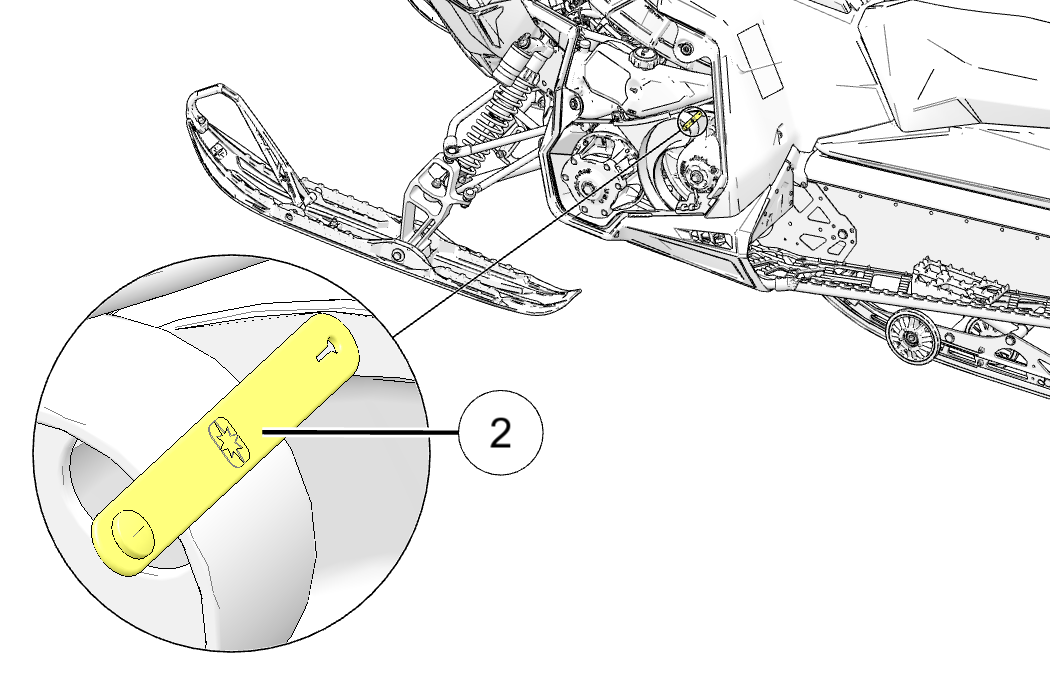
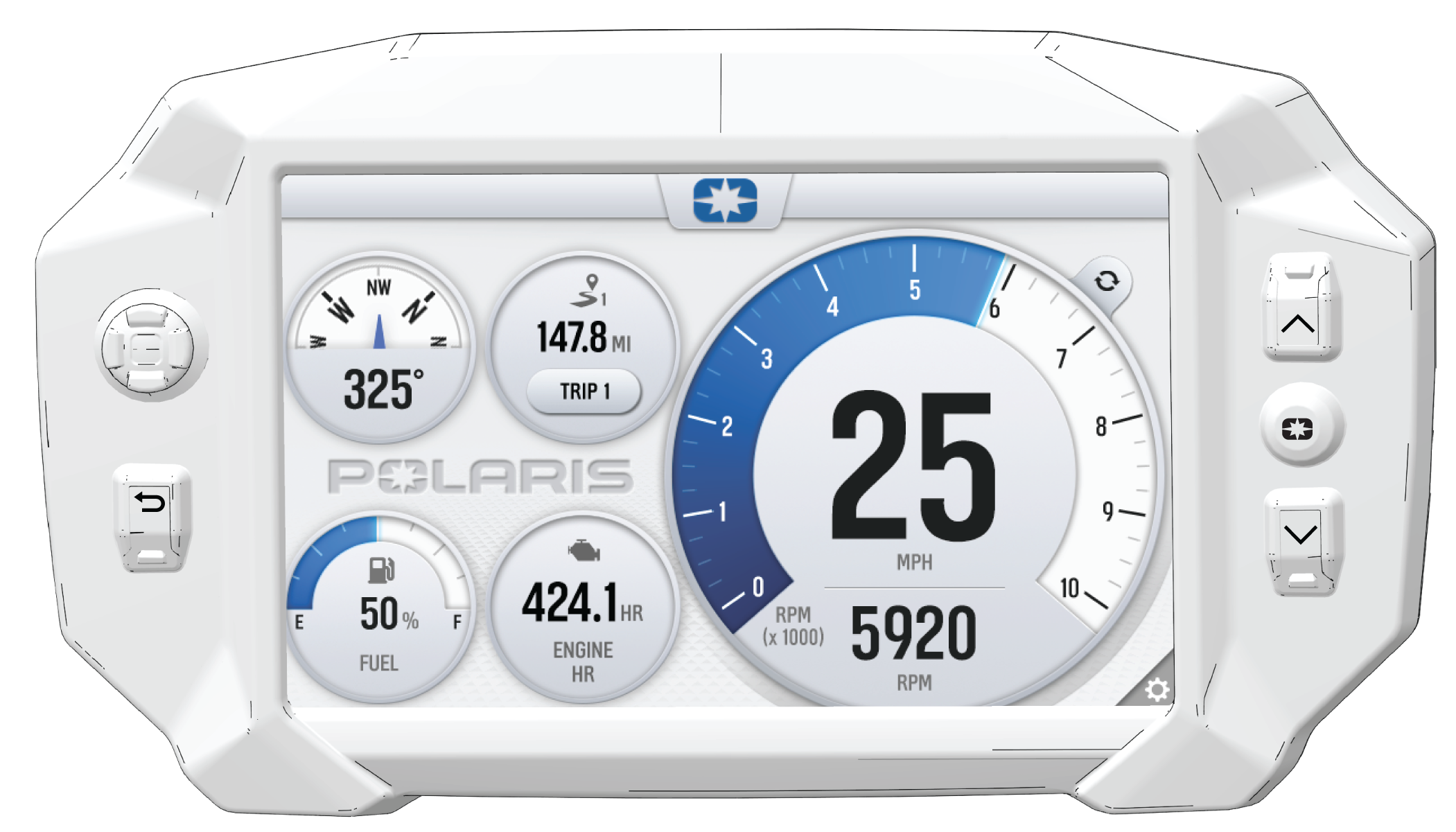
DATE MILES
(KM)
TECHNICIAN SERVICE PERFORMED / COMMENTS
  150 mi
(240 km)
   
  500 mi
(800 km)
   
  1000 mi
(1600 km)
   
  2000 mi
(3200 km)


DATE HOURS TECHNICIAN SERVICE PERFORMED / COMMENTS


Index