RIDE COMMAND Buttons
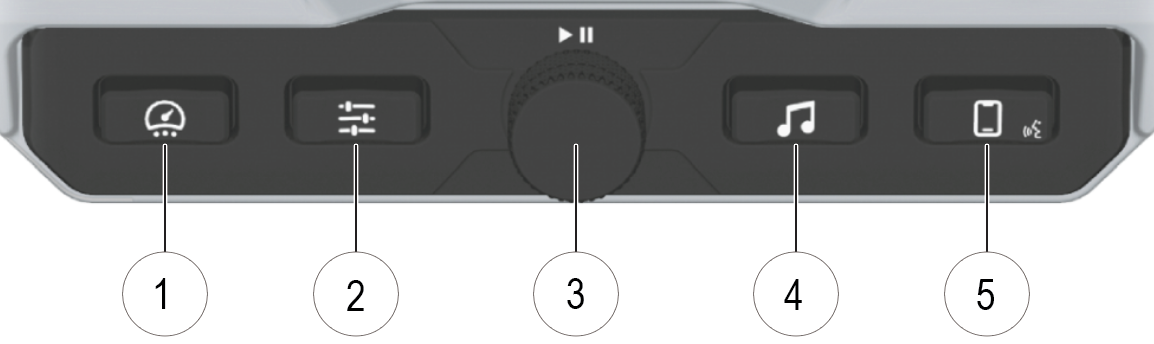
| Icon | Description | Function |
|---|---|---|
| 1 | Gauge | Displays available gauge screens. |
| 2 | Controls | Displays slider to adjust display brightness, switch between day and night modes, manage seat heating and ventilation settings, and more. |
| 3 | Music Volume / Play / Pause / Mute | Controls music volume and play / pause. Press the dial to mute audio. |
| 4 | Music | Access the Radio, Weather, USB, and connected Bluetooth® music interface. |
| 5 | Phone / Headset | Access information on your Bluetooth® connected phone, including recent calls, contacts, dialer, and messages. The voice command icon in the lower-right corner of the button is currently not used. |